Power Core User ManualVersion: 6.6.0/3110/539
10. Audio Mix Engine
10.1.9 Inserts
In addition to onboard signal processing, each source supports an insert send and return. The devices which
are available for insertion are defined in the configuration. Note that:
·
Mono devices can only be assigned to a mono source.
·
Stereo devices can be assigned to a mono or stereo source. If a stereo device is inserted on a mono
source, then only the left channel is used.
·
Inserts are not supported by summing buses.
Configuring Insert Devices
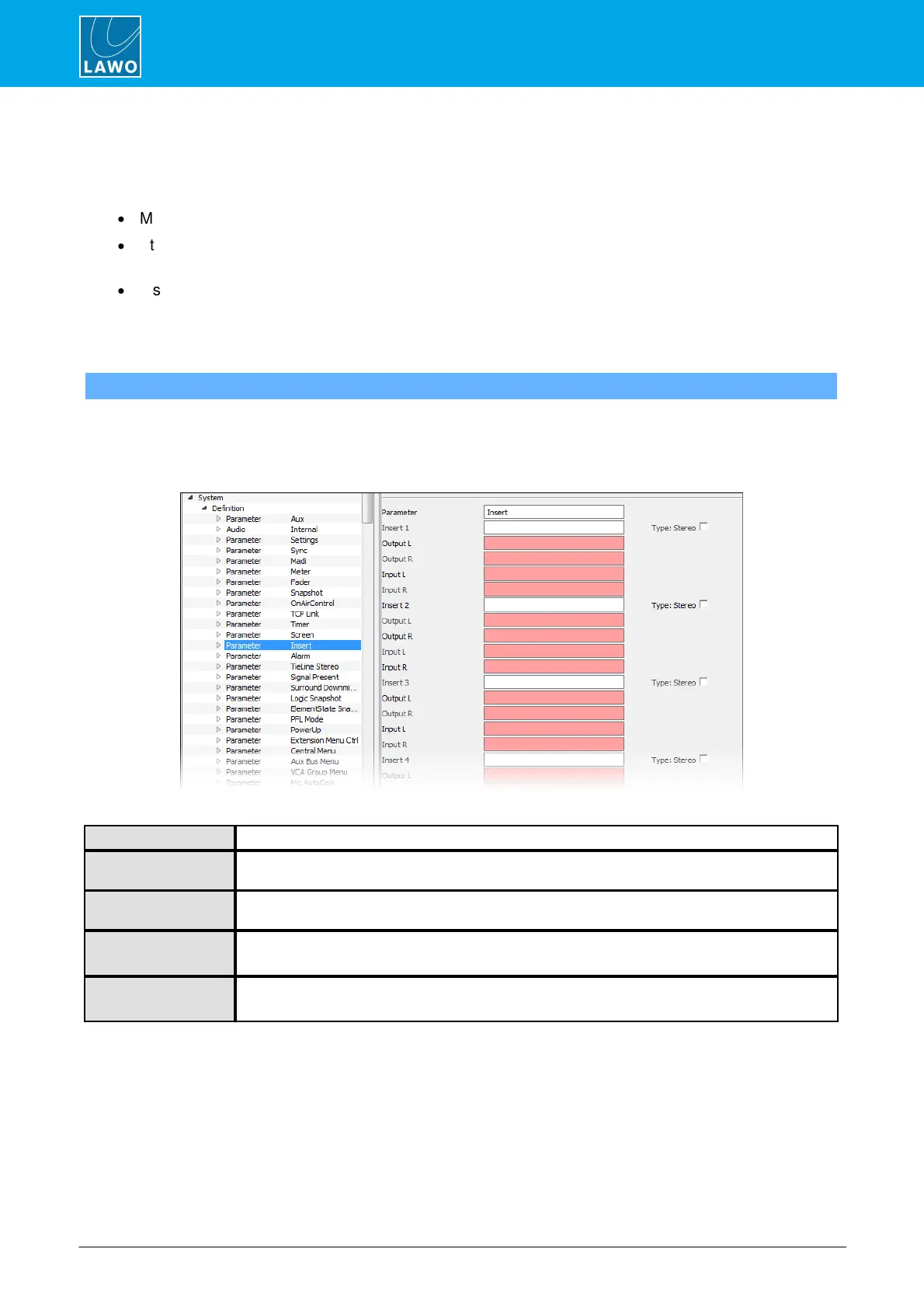
"System -> Definition -> Parameter = Insert"
This branch of the 'Tree Definition' configures the insert devices. You can use any audio inputs and outputs for
the connections to a mono or stereo insert device.
Start by selecting "System -> Definition" in 'Tree Definition' and the Audio tab. Scroll down to access the
"Parameter = Insert" options:
Insert – reference name for the element.
Enter a name for the insert. This is both the reference name and the name which will be displayed
on the control surface, so use 6 characters or less.
When checked the insert device is treated as a stereo device, and when unchecked a mono device
– see the notes above.
Assign the outputs (sends) to the insert device.
Assign the inputs (returns) from the insert device.



 To Next Page