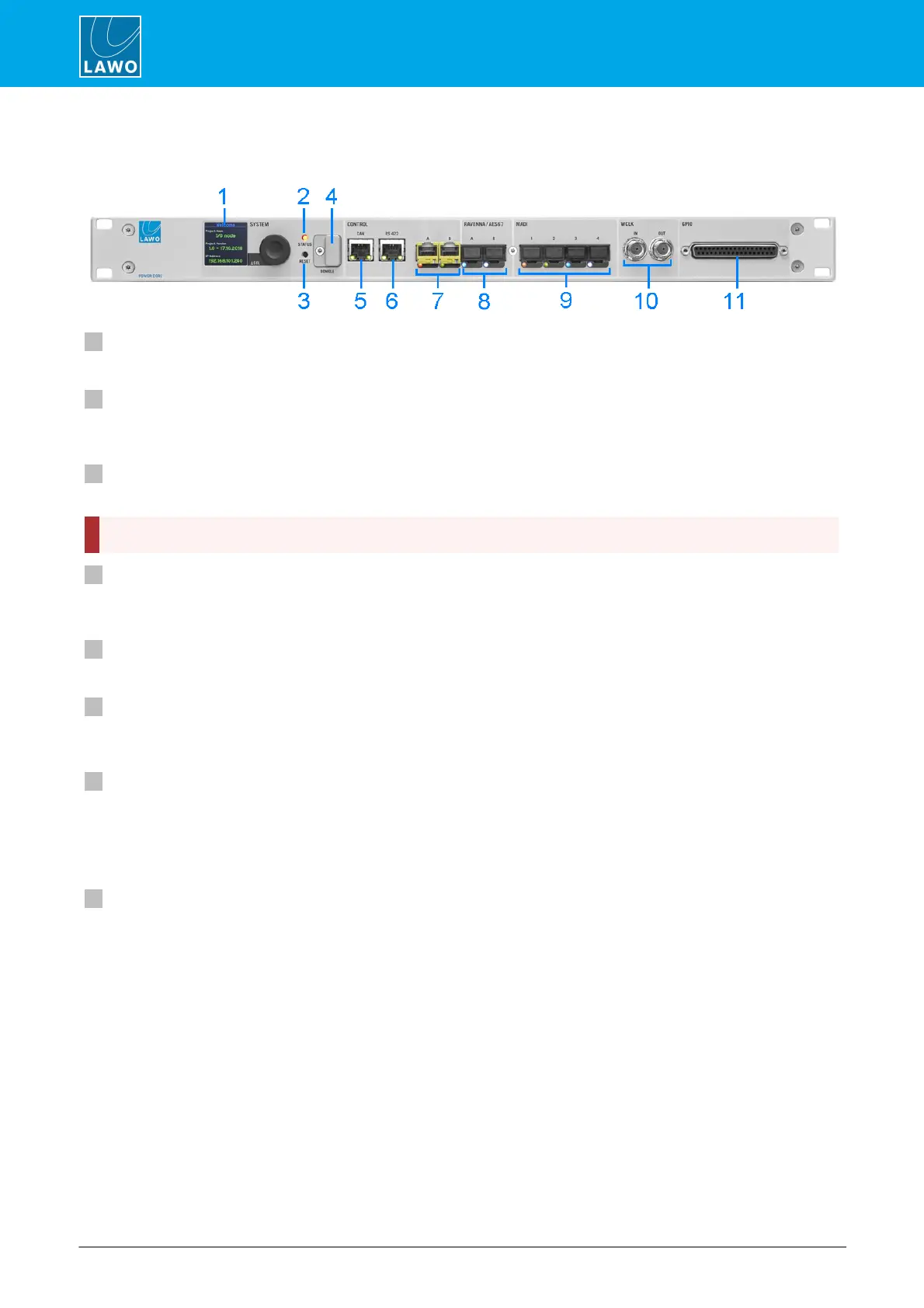
4. The Hardware
1 SYSTEM Display & Menu Control
The front panel display can be used to edit local device parameters such as the IP address.
2 STATUS LED
The STATUS LED indicates the health of the device and sync status. If the LED is blinking at regular intervals,
then the device is working properly; the LED color indicates the sync status.
3 RESET button - warm start
Press this button to perform a warm start. The button is recessed to prevent accidental operation.
4 DONGLE
Use this port to connect the USB memory stick containing your system's WIBU license(s). A safety cap is
available to prevent accidental removal of the dongle. If fitted, you will need a T10 star tool to remove the cap.
5 CAN
The CAN bus port connects to the control surface frame.
6 RS 422
The serial port can be used for remote control (e.g. for playout systems), MACKIE HUI interfacing to a Digital
Audio Workstation and for debugging. It is usually left unconnected.
7 CONTROL A & B (via SFP)
The two CONTROL ports connect other devices to the Power Core control system.
Applications include remote control via TCP/IP; networking to other products; updating firmware and uploading
a configuration. Usually only the CONTROL A port is connected. If both ports are used, then redundancy can
be implemented via LACP.
8 RAVENNA/AES67 A & B (via SFP)
The two RAVENNA/AES67 interfaces stream audio to and from an IP network.
The streams are fully compatible with the SMPTE ST2110-30/31, AES67 and RAVENNA standards. To achieve
redundant streaming, compatible with SMPTE ST2022-7, you must use both interfaces: A and B.
The streaming network must be properly managed and configured.



 To Next Page