EasyManua.ls Logo

LAWO POWER CORE - Output Parameters

LAWO POWER CORE
539 pages
Print Icon
To Next Page IconTo Next Page
To Previous Page IconTo Previous Page
Loading...
Power Core User ManualVersion: 6.6.0/376/539
9. Audio IO
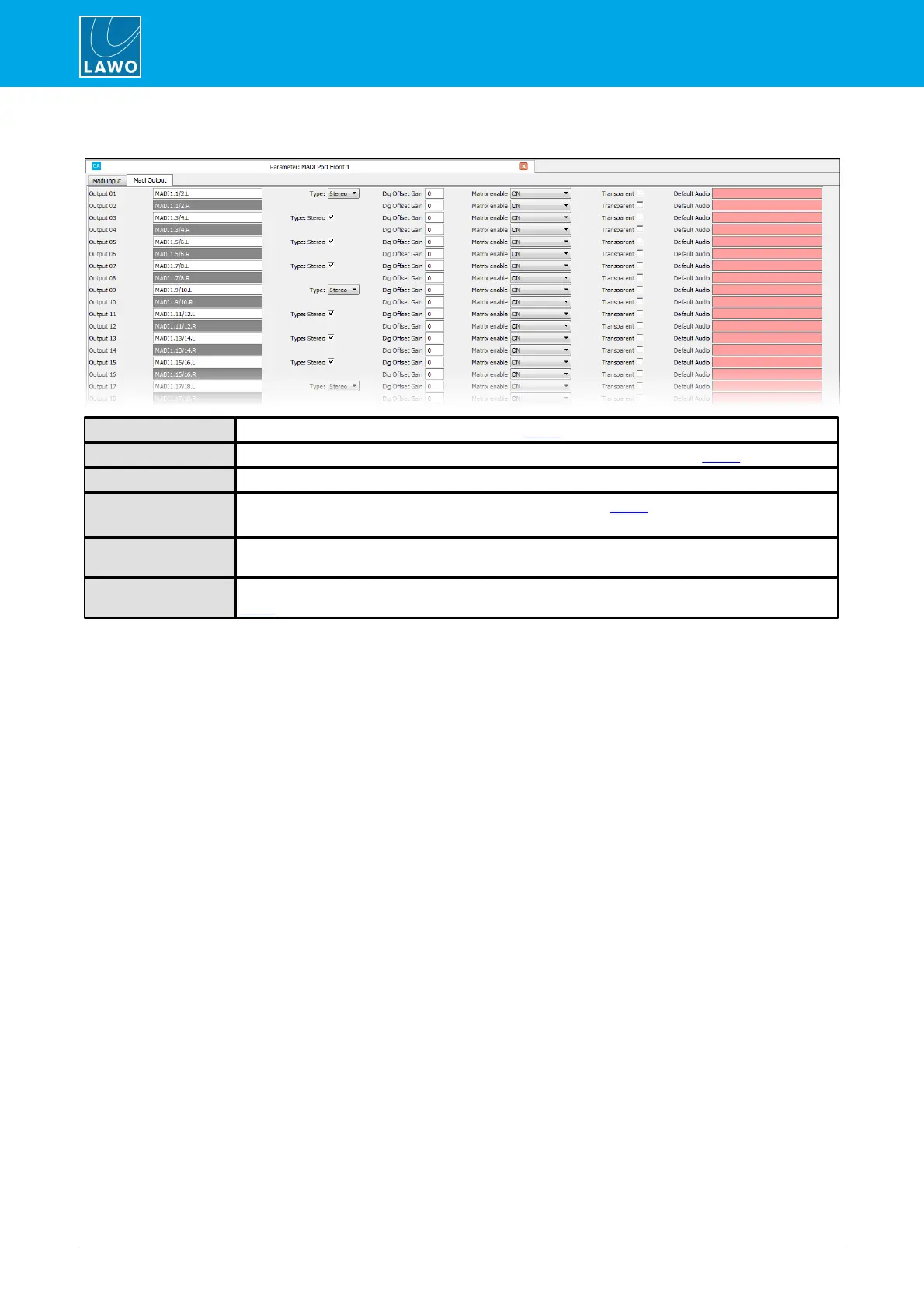
Output Parameters
Output N
Use this field to name the output (as described earlier).
Type / Stereo
Use the Type and Stereo fields to set the format of the output (as described earlier).
Offset Gain
Here you can enter a fixed digital offset gain for the output.
Matrix Enable
This option enables matrix control of the output (as described earlier).
If the option is enabled, you cannot use the Default Audio function.
Transparent
Select this checkbox to set the output to be “transparent”. The option should be enabled if you are
using the output to route a Dolby E signal.
Default Audio
Double-click in the Default Audio box to assign a default audio source for the output (as described
earlier).

Table of Contents