Power Core User ManualVersion: 6.6.0/3310/539
17. Connecting a VisTool MK2 PC
17.9 Advanced VisTool Integration
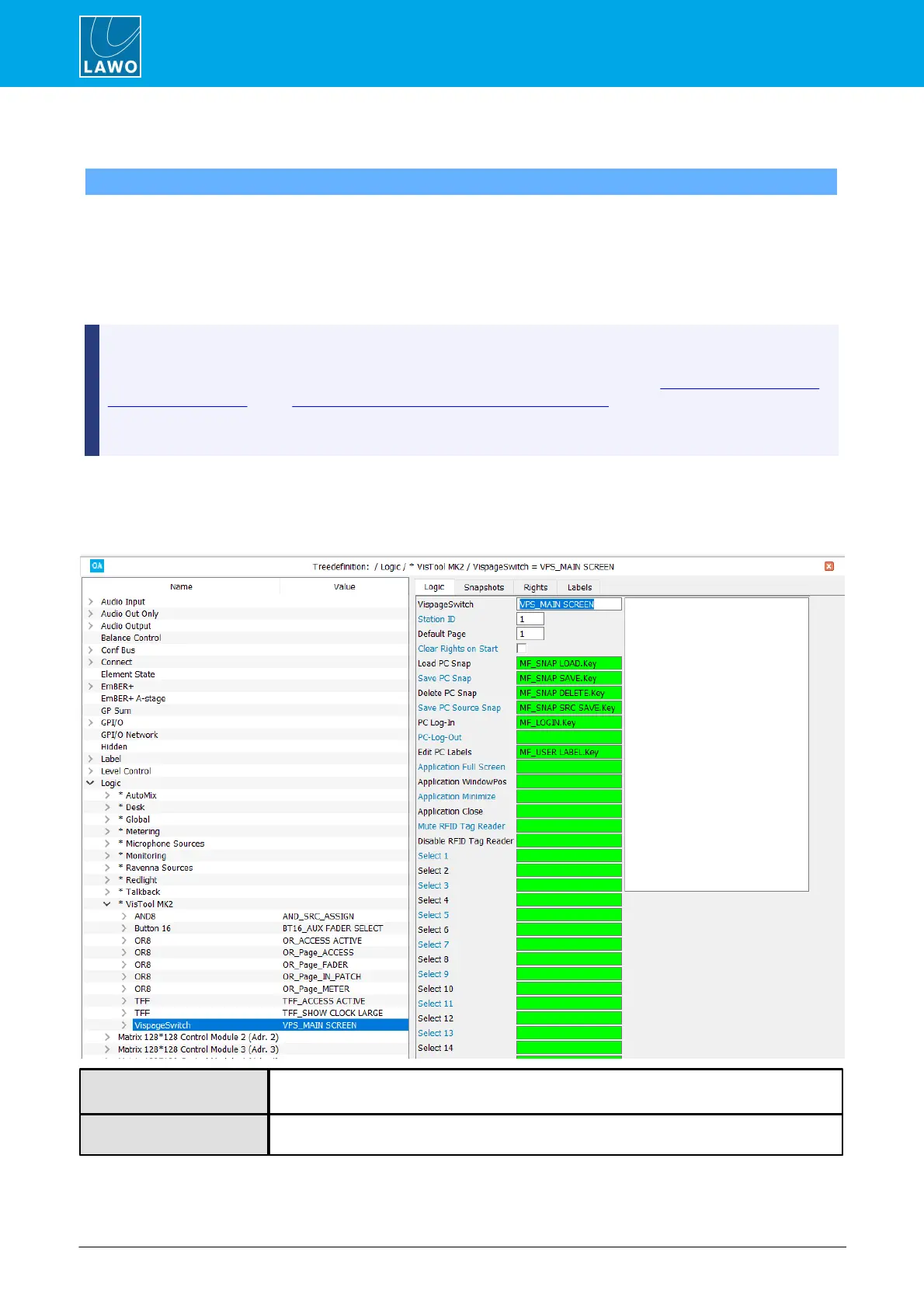
A VispageSwitch element can be used to configure MF Keys, or other control signals, to action VisTool logical
functions. For example, to create page switching buttons, snapshot save/load/delete and User Access Rights.
VispageSwitch elements are added to the "Logic" branch of the 'Tree Definition'. You should define an element
for each VisTool screen, and set the Station ID to match the Station ID defined in VisTool's Session
Management window. Any VisTool screen set to a matching Station ID will then respond to the VispageSwitch
functions.
To enable VisTool page switching and snapshot functions you must tick the EnablePageKey and
EnableLoadSave checkboxes within the VisTool Editor "Global Settings" window.
VisTool page switching and snapshot functions can also be configured using the “System -> Definition ->
Parameter = Screen” and "System -> Definition -> Parameter = Snapshot" elements. These methods
switch all VisTool screens regardless of their Station ID.
The Nova29 does not support snapshots.
Each VispageSwitch element supports four sets of parameters: Logic, Snapshots, Rights and Labels.
17.9.1 VispageSwitch -> Logic Parameters
Reference name for the element.
Assigns an ID number to the element. Any VisTool screen set to a matching Station ID (in
VisTool Sessions) will respond to the VispageSwitch functions.



 To Next Page