Power Core User Manual Version: 6.6.0/3 147/539
10. Audio Mix Engine
Minimixer - Sys TB Parameters
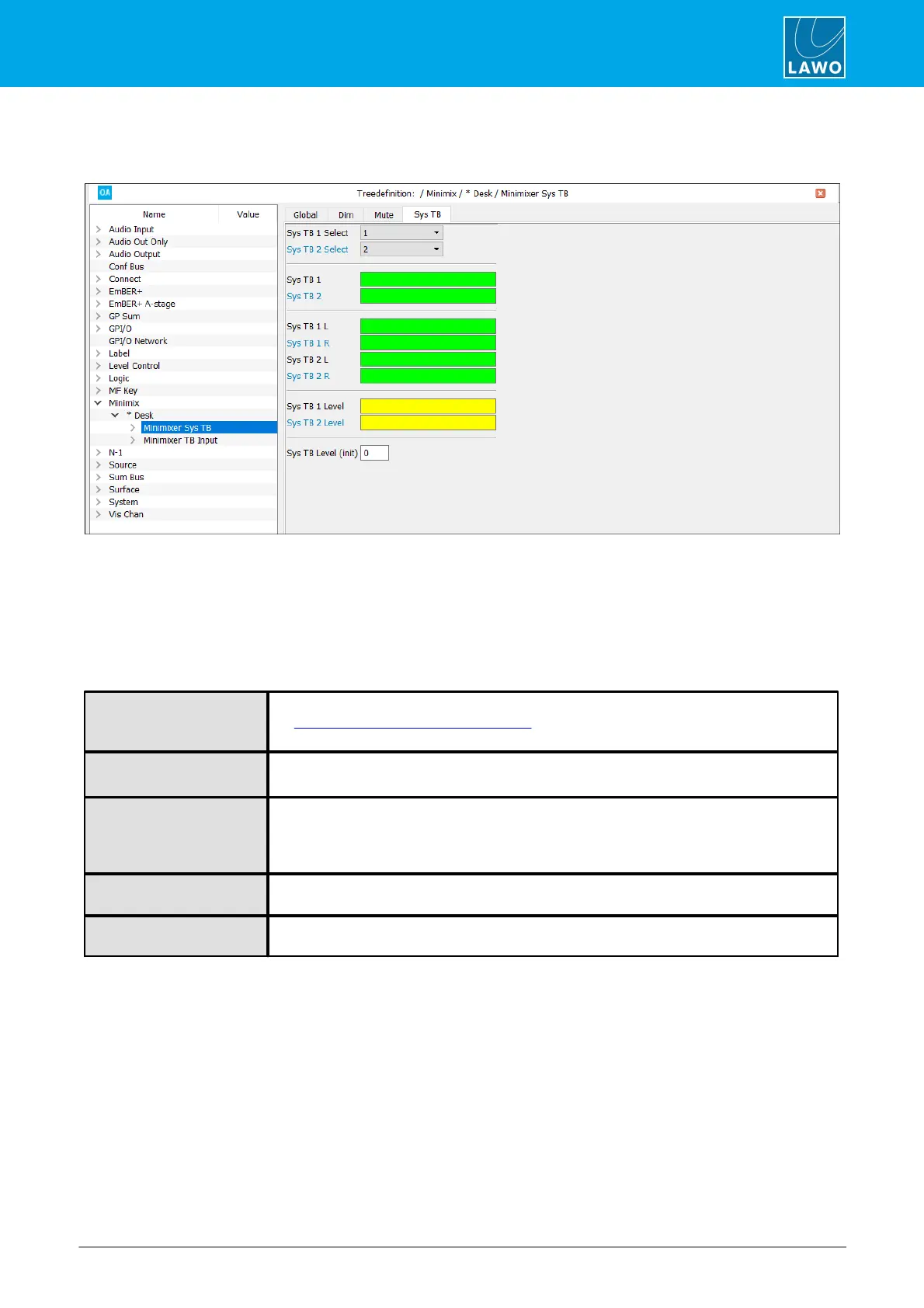
Now select the "Minimixer Sys TB" element you wish to edit and open the Sys TB tab.
Each source can be summed with both left and right channels of the minimixer using a single control signal
(Sys TB 1 and Sys TB 2). Or, each source can be summed independently with the left or right channels (e.g.
Sys TB 1L and Sys TB 1 R). This second option allows talkback to be inserted on only one side of the
minimixer.
Level for each talkback source can be assigned to a level control - see Sys TB 1/2 Level - or set to a fixed
value - see Sys TB Level (init).
Sys TB 1 Select
Sys TB 2 Select
Use these fields to set Sys TB 1 and Sys TB 2 to one of the eight pre-defined talkback signals
(in “System -> Definition -> Audio = Internal”).
These fields are not visible for crystal (as only two talkback sources are supported).
Assign an input control signal to sum each talkback source with both the left and right
channels of the Minimixer.
Assign an input control signal to sum each talkback source with either the left or the right
channel of the Minimixer.
Note that the Sys TB 1 and Sys TB 1L control signals are OR’d – this means that audio
source 1 will be inserted to the left channel if either control input is true.
Assign a level control to adjust the level of the talkback source. If left blank, then the SysTB
Level (init) is applied.
This is the level applied if the Sys TB 1 Level or Sys TB 2 Level are not assigned. The level
is set in dB.



 To Next Page