Power Core User Manual Version: 6.6.0/3 85/539
9. Audio IO
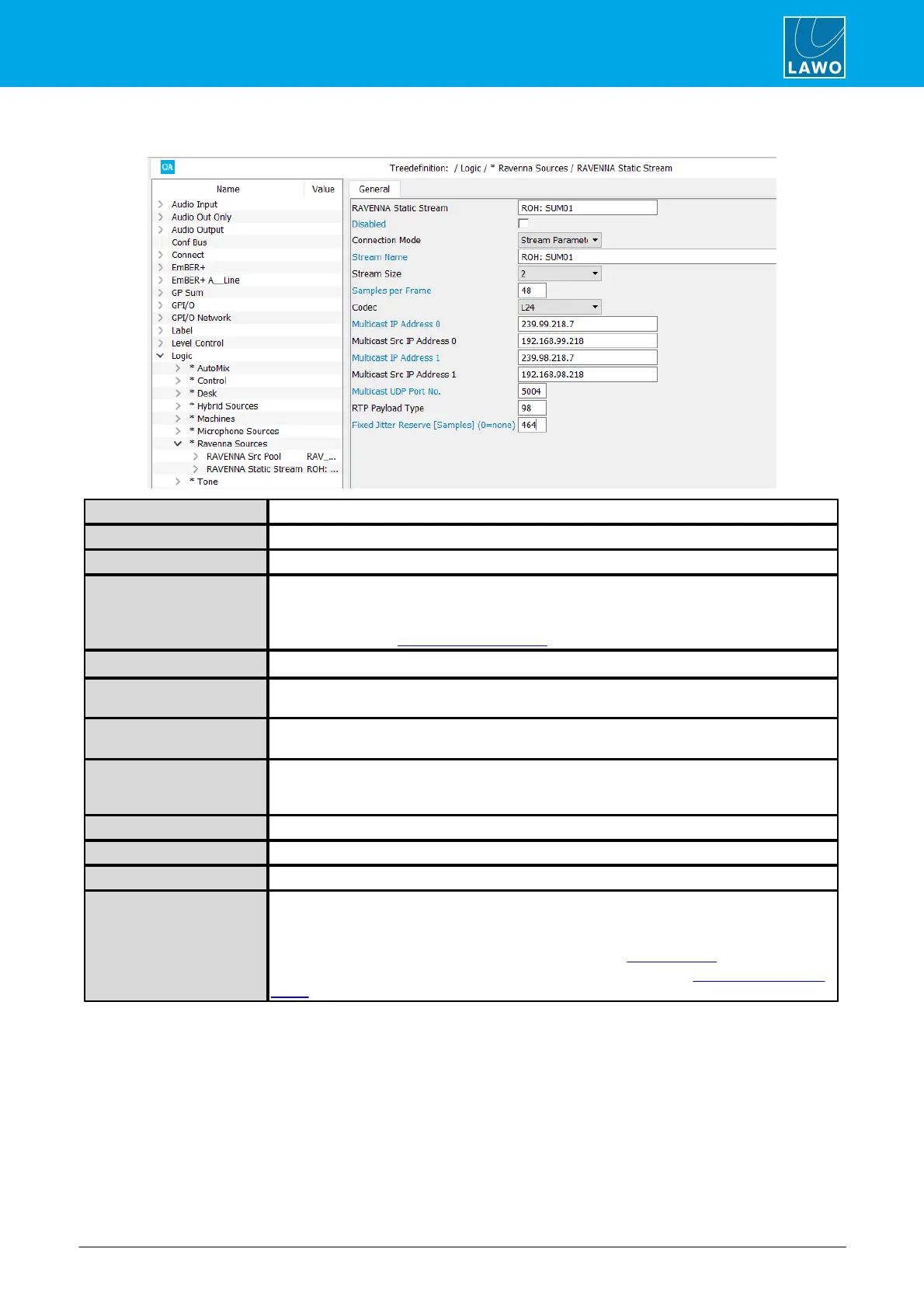
Connection Mode = Stream Parameter
Reference name for the element.
Disables the transmission of the stream.
Sets the connection mode.
Enter the stream name. The maximum length is 8 characters.
If the stream is to be displayed on another ruby surface in a channel list, then the stream
name must use the format [GroupName]:[SignalName], where each label field is a maximum
of 8 characters. See RAVENNA Pool Sources.
Defines the number of audio channels used by the stream.
Sets the number of samples included in each Ethernet Frame. A frame is the payload being
carried over the Ethernet link. The default value is 32.
Selects the type of codec used for the stream: Linear 16, 24 or 32 bits; or AM824 (a
packetized AES signal that includes all user and status bits).
Enter the multicast address. If the field is left blank, then a default multicast address is
assigned. These fields provide your network architect with the ability to implement a specific
IP multicast schema for your facility.
Enter the multicast source address.
Reserved for Unicast. The default value is 5004.
Defines the RTP payload. The default value is 98.
FIxed Jitter Reserve
(Samples)
Can be used to define a fixed Time Offset for the stream (applied by the receiver during
stream tuning).
By default, the value is set to 0 (none) so that the stream is tuned as normal: either
automatically or manually via the Power Core Web UI. See Stream Tuning.
If a non-zero value is entered, then a fixed Time Offset is applied. See Defining a Fixed Time
Offset.
9.3.7 Losing a Streaming Connection
If a streaming connection is lost - for example, the sending device goes offline or you remove the network cable -
then audio stops passing. However, the connection is still prepared. This means that as soon as the stream re-
appears on the network - for example, the sending device comes back online or is reconnected - audio will be
re-established.



 To Next Page