Power Core User Manual Version: 6.6.0/3 65/539
9. Audio IO
9.1 Setting Up IO Cards
9.1.1 System Core Configuration
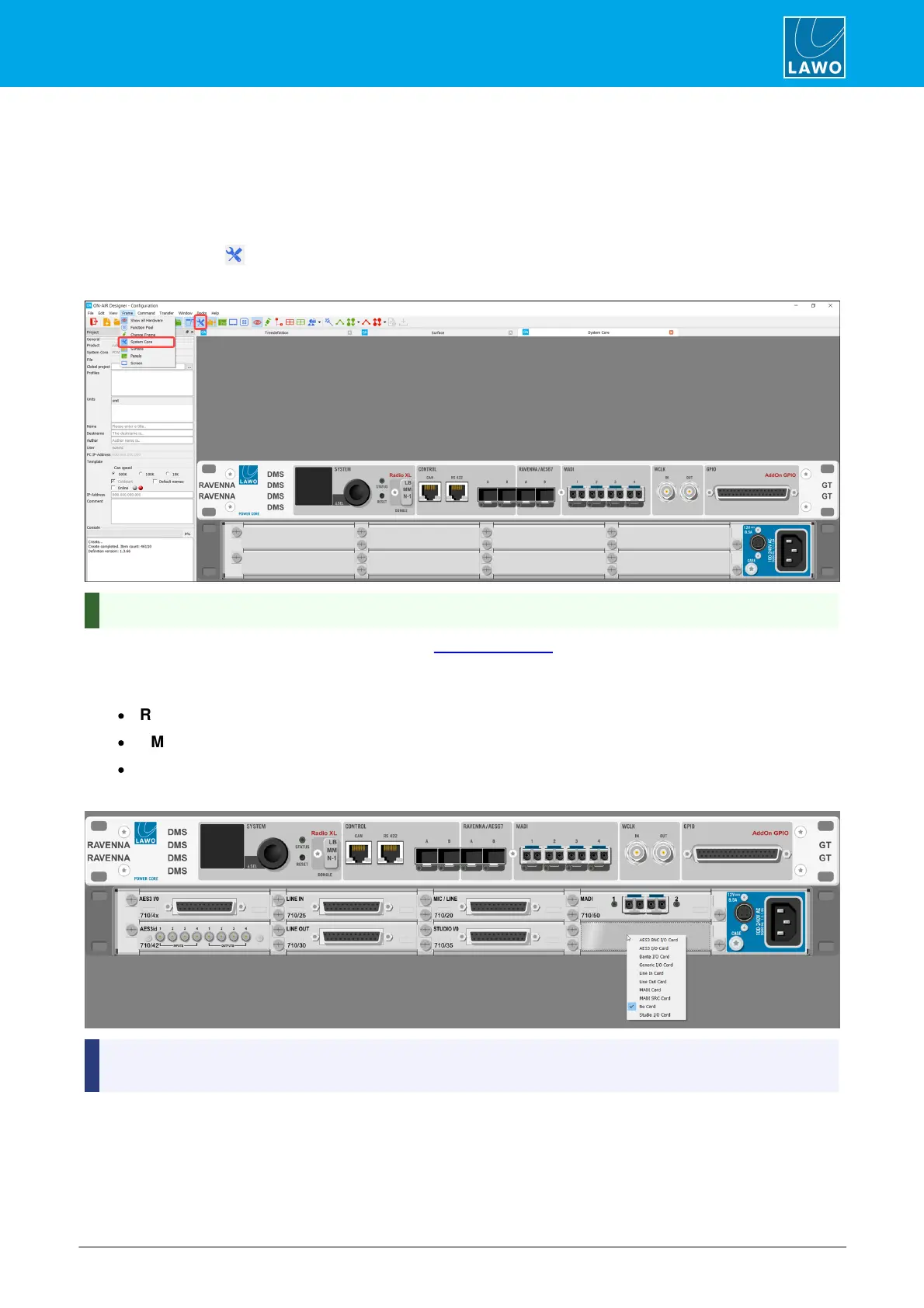
The 'System Core' configuration defines the plug-in cards and IO parameters for the DSP Core. The example
below describes Power Core. Other cores are configured in a similar manner.
1. Click on the Toolbar icon, or select Frame -> System Core, to open the window.
System Core Configuration
You can zoom in (or out) on by pressing and holding CTRL while scrolling your mouse-wheel.
For Power Core, the main license defined by the 'Frame Selection' is printed above the DONGLE icon (e.g.
Radio XL). If any add-on licenses are enabled, then these are highlighted in red (e.g. AddOn GPIO).
Double-click on the text RAVENNA, DMS or GT to open parameter windows for:
·
RAVENNA - the RAVENNA inputs and outputs.
·
DMS - used for VisTool metering or to create audio loopbacks.
·
GT - used to send GPIO-over-audio.
2. To add or change a plug-in card, right-click on a slot and choose an option from the list:
When you have completed the assignments, the on-screen ‘Frame’ should look identical to your DSP
Core.
3. Double-click on an IO card or connector to access the input and output parameters.
The same parameters can be accessed by opening the "Audio Input" and "Audio Output" branches of the 'Tree
Definition', and selecting the appropriate IO card.



 To Next Page