Power Core User Manual Version: 6.6.0/3 487/539
24. Maintenance
24.4 Alarm Management
The alarm management system supports an internal global alarm and alarm log server.
24.4.1 Global Alarm
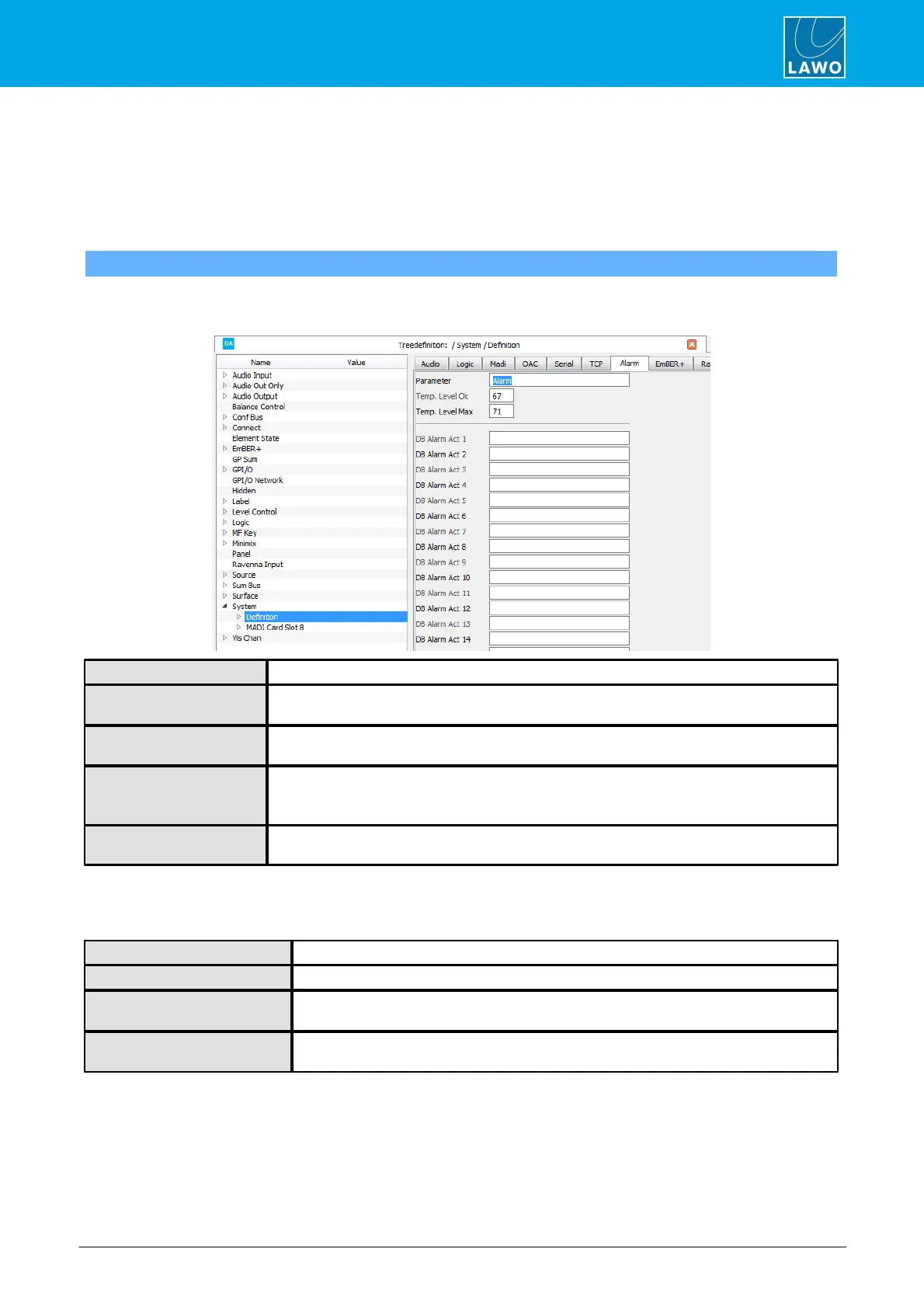
"System -> Definition -> Parameter = Alarm"
This branch of the 'Tree Definition' defines the options for the Global Alarm.
Select "System -> Definition" in 'Tree Definition' and the Alarm tab to access the options:
Alarm – reference name for the element.
This field is supported by DALLIS only. It assigns a control signal to activate the Global Alarm
contact. Note that when this signal is active, no other error need be active to trigger the alarm.
The value entered here sets the temperature in ° C at which the Global Alarm is reset after it
has been active.
The value entered here sets the temperature in ° C at which the Global Alarm will be activated.
Note that the maximum temperature varies depending on the product. If you attempt to enter a
value outside of the permitted temperature range, then the entry box turns red.
These fields can be used to display the alarm states (active and inactive) of an external Alarm
Log Server.
The following control outputs appear in the “Logic -> Definition -> Parameter Alarm” branch of the 'Tree
Selection' window:
Active when the power supply is operating correctly.
Active when the power supply has failed.
Active when the temperature is below the value set under Temp Level OK in the ‘Tree
Definition’.
Active when the temperature exceeds either the value set under Max Temp Level in the
‘Tree Definition’, or the critical system temperature.



 To Next Page