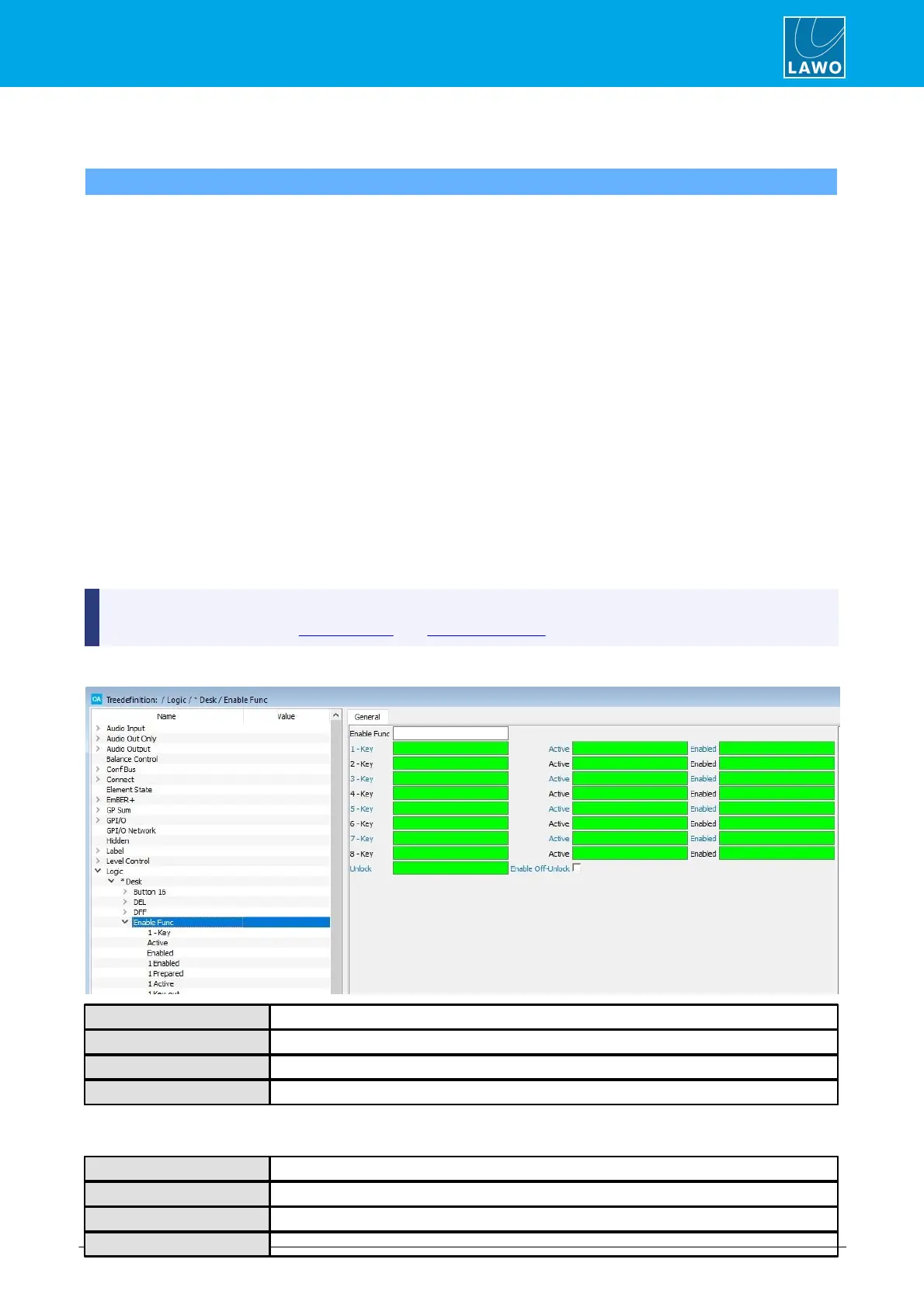
The Enable Function element includes a set of eight independent enable functions with global unlock and
feedback signalisation. It can be used to create a selector, such as a studio to transmitter switch, which
requires feedback from a matrix as to which transmission lines are available/active.
Up to 8 input (Key) signals can be defined each with its own Enabled, Prepared, Active and Key.out output.
Each input also has an Active and Enabled input signal. For our example, the operation is as follows:
1. Transmission lines which are available are signaled from the matrix via the Enabled control input.
The Enabled output is True when the Enabled input is True and can be used to signal that the line is available –
for example to illuminate the green lamp of an MF Key.
2. Transmission lines which are active are signaled from the matrix via the Active control input.
The Active output is True when the Active input is True and can be used to signal that the line is active - for
example to illuminate the red lamp of an MF Key.
3. An operator must press and hold the global Unlock button and then press the Key button to prepare a
new assignment.
If the Unlock AND Enabled AND Key inputs are all true, then the Prepared output is set to True. The
Prepared output can be used to switch the assignment within the matrix and signal the selection – for example,
make the MF Key blink.
4. Assuming the matrix then returns a True signal to the Active input, the Active output would signalise the
assignment - illuminate the red lamp of the MF Key.



 To Next Page