Power Core User ManualVersion: 6.6.0/392/539
9. Audio IO
Jitter Classes
"System -> Definition -> Parameter = Jitter Classes"
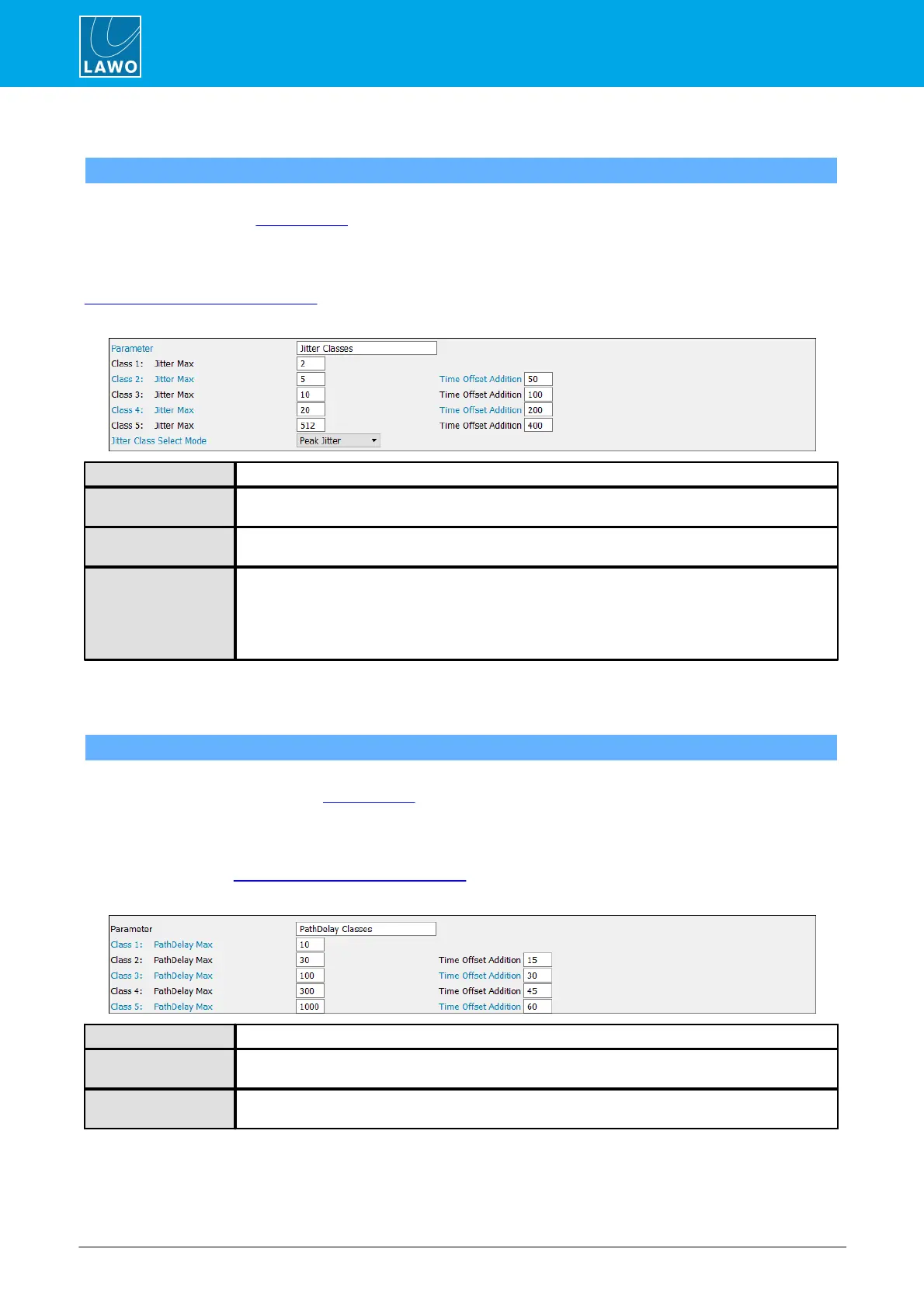
These parameters define the five Jitter Classes supported by Power Core, and their Time Offset Additions
which are applied during stream tuning.
In each case, you should enter a Jitter Max value (to define the Jitter Classes) and a corresponding Time
Offset Addition (applied when streams are tuned). Stream tuning occurs automatically when you first connect
a stream to a RAVENNA receiver. It can also be performed manually from the Power Core Web UI (via the
RAVENNA -> Stream Destinations tab).
The 'Tree Definition' parameters are as follows:
Jitter Classes - reference name for the element.
These fields define the maximum value for each jitter class (in samples). The default values are
shown above.
These fields define the Time Offset Addition applied to each Jitter Class (in samples). The default
values are shown above.
This option defines which measurement is used to place streams in a particular Jitter Class. There
are two possibilities: Peak Jitter (the default) or Jitter StdDev (the standard deviation).
Since peak jitter is usually greater than the standard deviation, this mode will result in higher Time
Offset values. Thus, to keep latency to a minimum, you should switch to the standard deviation
(Jitter StdDev) mode.
Path Delay Classes
"System -> Definition -> Parameter = Path Delay Classes"
These parameters define the five Path Delay Classes supported by Power Core, and their Time Offset
Additions which are applied during stream tuning.
In each case, you should enter a Path Delay Max value (to define the Path Delay Classes) and a
corresponding Time Offset Addition (applied when streams are tuned). Stream tuning occurs automatically
when you first connect a stream to a RAVENNA receiver. It can also be performed manually from the Power
Core Web UI (via the RAVENNA -> Stream Destinations tab).
The 'Tree Definition' parameters are as follows:
Path Delay Classes - reference name for the element.
These fields define the maximum value for each path delay class (in samples). The default values
are shown above.
These fields define the Time Offset Addition applied to each Path Delay Class (in samples). The
default values are shown above.



 To Next Page