Power Core User ManualVersion: 6.6.0/3482/539
23. The Firmware Update Tool (SoP Explorer)
23.8 Properties
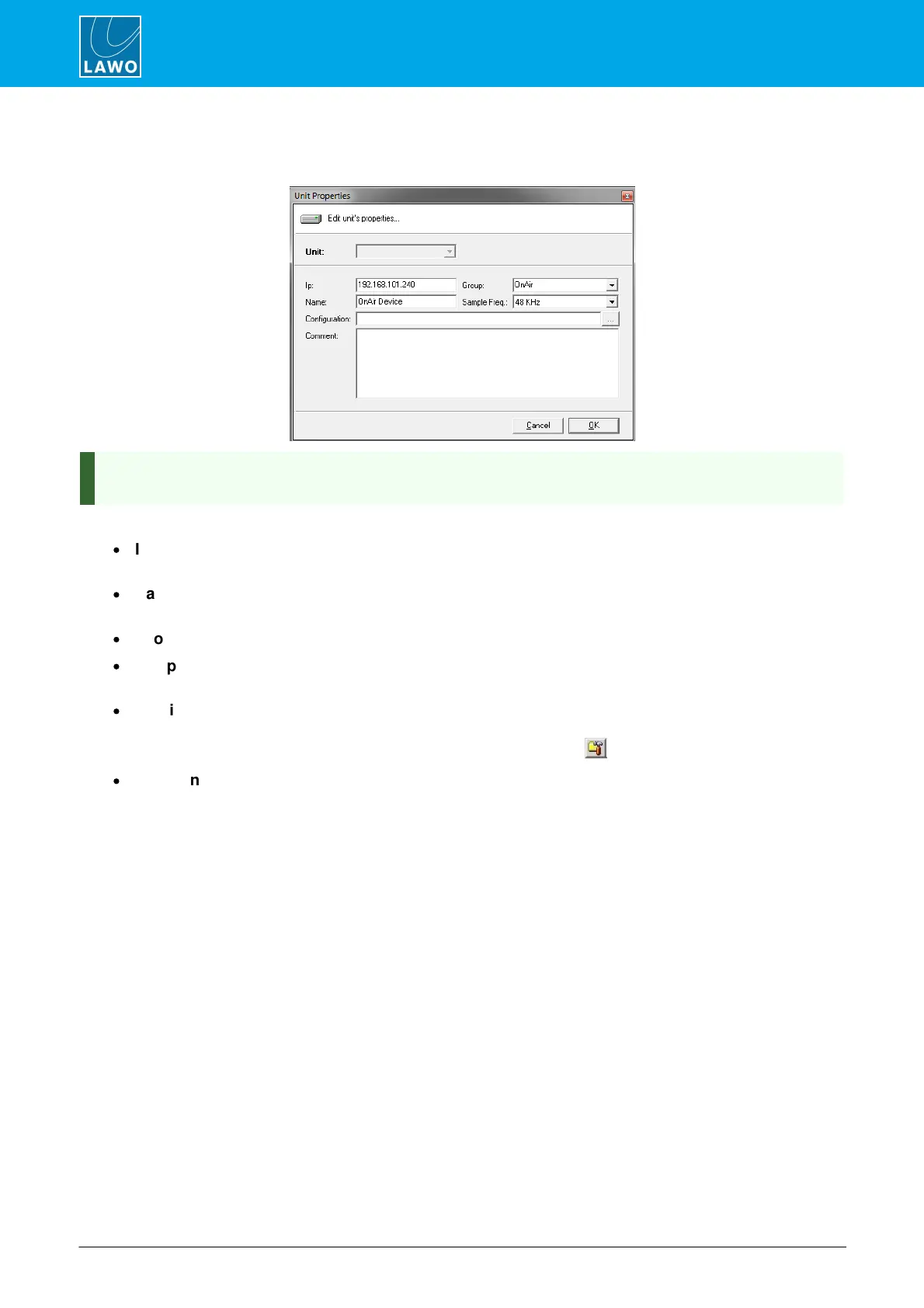
Right-click on a system and select Properties to open the 'Properties' window:
If more than one system has been added to SoP Explorer, you can use the Unit field to select a system
from the drop-down menu.
The following properties can be edited:
·
Ip - enter the IP address of the Lawo control system. This must be entered correctly, otherwise network
communication cannot be established.
·
Name - this identifies the system within SoP Explorer. A default name of OnAir Device is given to each
new unit. It is a good idea to edit the name so that systems can be easily identified.
·
Group - is reserved for future implementation; the default group is always OnAir.
·
Sample Freq - this field is used to select the sample frequency for sapphire or Nova17. It has no
function for other systems.
·
Configuration - this field is optional, and can be used to enter the file path for the system configuration.
You do not have to enter a configuration, but if you do, you will able to open the ON-AIR Designer
software with your configuration already loaded by clicking on the button on the toolbar.
·
Comment - this field is optional, and can be used to enter notes about the system.



 To Next Page