6. Installation
6.10.2 Checking the Sync Status
The sync status can be checked from the front panel by looking at the STATUS LED (as described earlier).
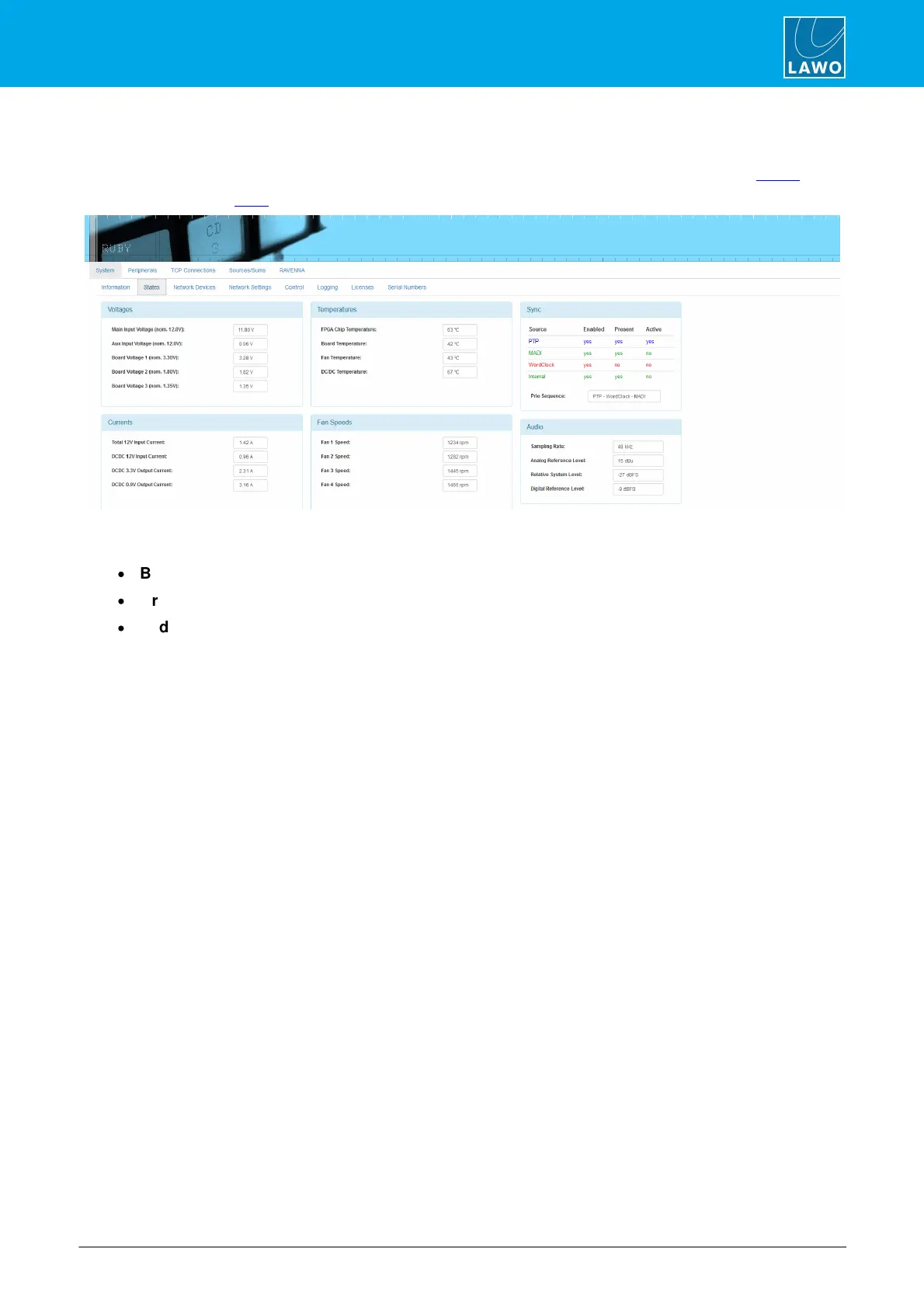
Alternatively, you can open a Web UI connection and select the System -> States page:
On the right, you will see each of the Sync sources and whether they are Enabled (in the configuration),
Present (a valid signal has been detected), and Active. The color coding indicates:
·
Blue = sync source is enabled, present and active.
·
Green = sync source is enabled and present, but not currently active.
·
Red = sync source is enabled but not present.
The Prio Sequence box shows the priority of the external sync sources as defined by the configuration - in our
example, PTP, Wordclock and then MADI.
6.10.3 Sync Output



 To Next Page