Power Core User Manual Version: 6.6.0/3 313/539
17. Connecting a VisTool MK2 PC
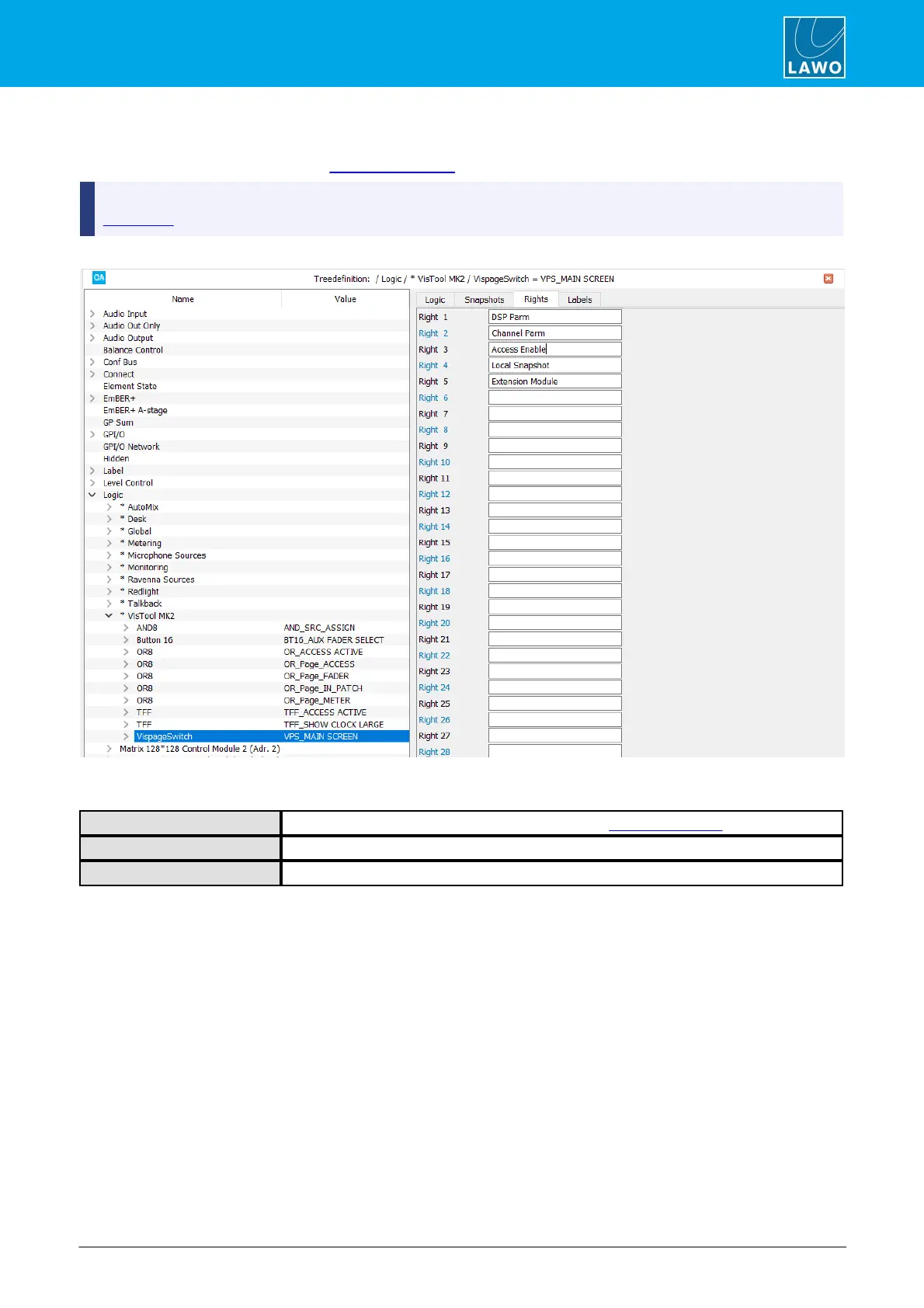
17.9.3 VispageSwitch -> Rights Parameters
These parameters name each of the user access rights supported by VisTool MK2.
You should only name Rights for the same VispageSwitch element which opens the user log-in window (via
PC Log-In). Otherwise you will not be able to access the rights from the user management Admin pages!
The name in the 'Tree Definition' is a reference name only; up to 32 Rights may be defined:
Once named, the control outputs appear under “Logic -> <GroupName> -> Right” in the 'Tree Selection' window.
For each right, there are two states: granted and denied:
True when user permission is granted (defined by the User Group Rights administrator).
True when user permission is denied.



 To Next Page