Server-based timers can be used to synchronize the operation across multiple VisTools. If a parameter such as
the timer direction, preset or alarm time is changed from one VisTool, then this is displayed in the other
instances. The displayed time is also synchronized.
Up to 32 independent server-based timers can be configured.
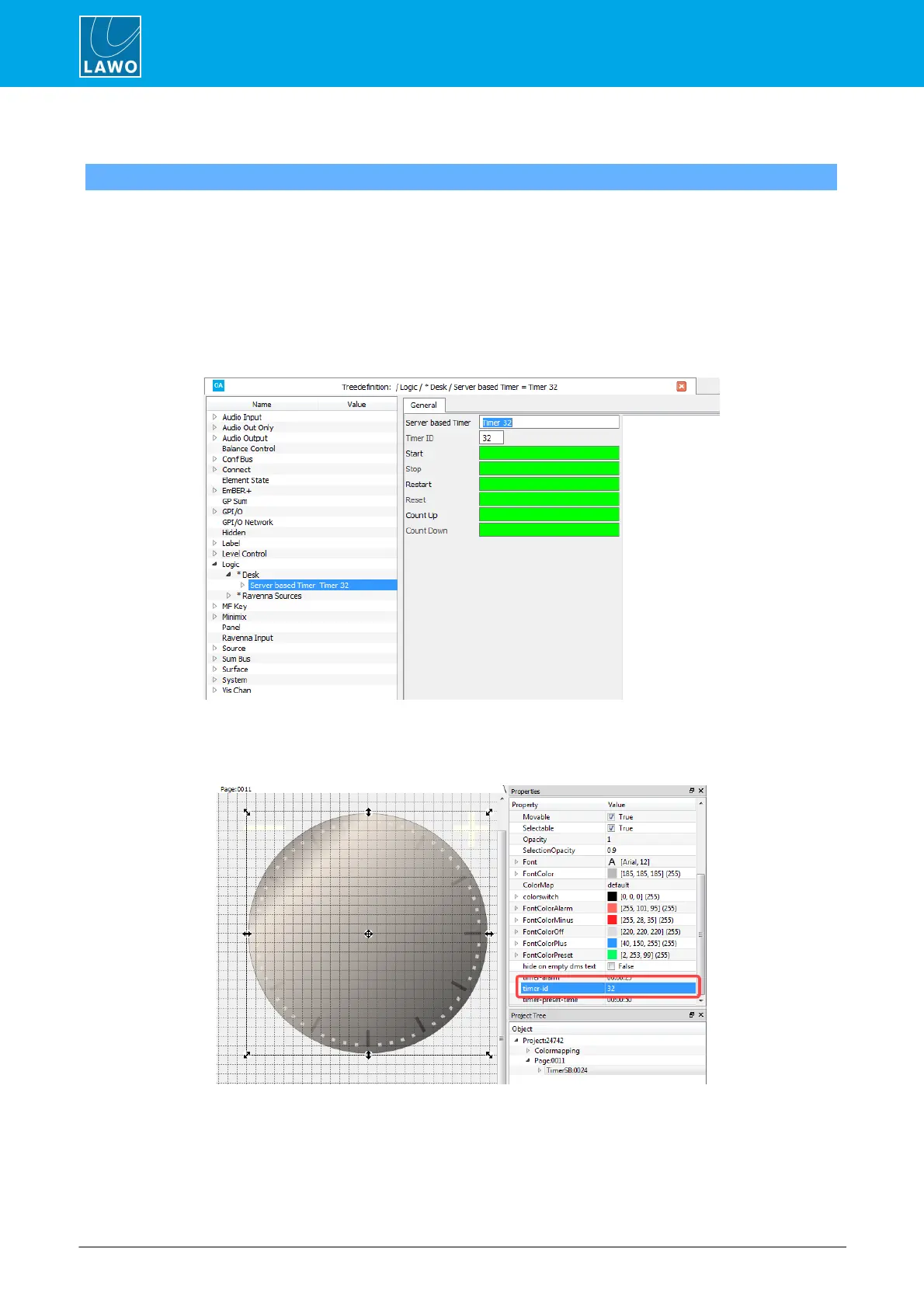
1. Start by adding a Server based Timer element to the Logic branch of the 'Tree Definition', and enter a
Timer ID number from 1 to 32.
You can use the remaining fields to define how the timer is triggered.
ON-AIR Designer Server-based Timer (ID 32)
2. Then open VisTool Editor and insert a Server based Timer element in the usual manner.
Edit the Timer ID in the 'Properties' panel to match the one entered in the ON-AIR Designer:
VisTool Editor Server-based Timer (linked to Timer 32)



 To Next Page