Power Core User Manual Version: 6.6.0/3 67/539
9. Audio IO
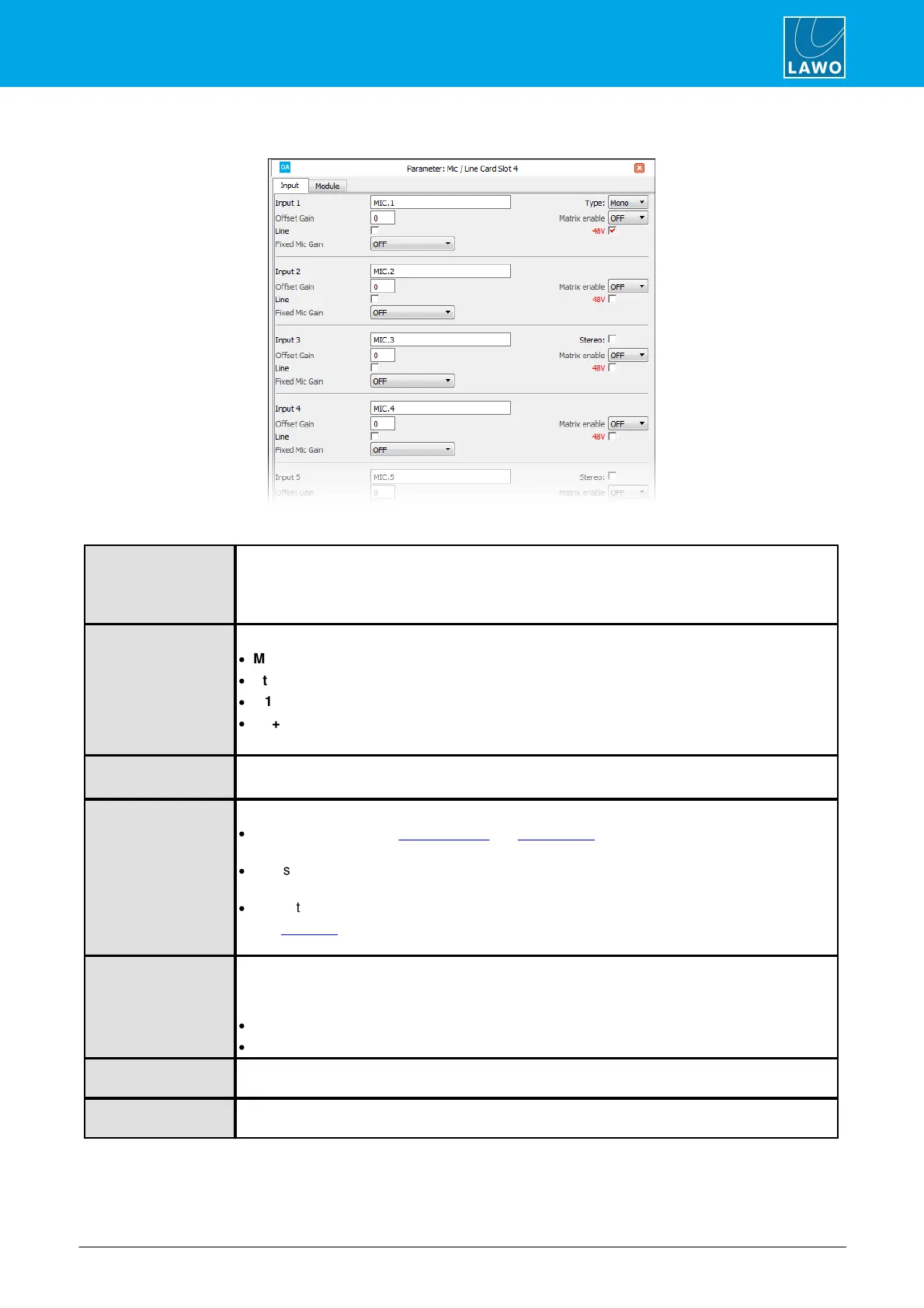
MIC/LINE IN
Use this field to name the input.
For mono inputs, you can enter up to 16 characters.
For stereo or surround inputs, a two character suffix is automatically added (e.g. “.L”). Therefore,
names should be limited to 14 characters.
Use the Type drop-down menu (on Input 1) to select:
·
Mono.
·
Stereo – links inputs 1-2 for stereo operation.
·
5.1 – links inputs 1-6 for L, R, C, LFE, Ls, Rs surround.
·
5.1+2 - links inputs 1-6 for L, R, C, LFE, Ls, Rs surround + inputs 7-8 for stereo.
On odd numbered inputs, select the Stereo checkbox to link the odd/even pair for stereo operation.
Here you can enter a fixed analog offset gain for the input.
For Mic inputs, this is separate from the operator-controlled "mic" gain on the surface.
This option enables matrix control of the input. There are three options in the drop-down menu:
·
ON – sets the input for “Matrix Connect” or “Matrix Query” functions, or external matrix control
such as the MtxCon (NovaConnect) software.
·
LS - sets the input for control from the optional Line Scheduler (LS) product. Please contact your
local Lawo representative for details.
·
OFF – the input is not enabled for external matrix control.
After a cold start, any inputs set to Matrix Enable ON or LS may need to be connected to a matrix
output.
Use this checkbox to choose Mic or Line level operation.
The mode changes the input impedance and also determines which controls become available
when the source is assigned to a control surface:
·
For Mic inputs, operators can adjust mic gain, 48V and a high-pass "rumble" filter.
·
For Line inputs, these parameters are not available.
Select this checkbox to enable 48V phantom power permanently. For example, to apply 48V to a
talkback microphone.
Here you can choose a fixed microphone input gain that cannot be changed by the operator. For
example, to enter a fixed input gain for a talkback mic.



 To Next Page