In a Power Core Max system, every Access Group has its own local snapshot memories plus access to VisTool
snapshots (stored on the VisTool PC). Most of the functionality is identical to a standard system.
The following branches of the 'Tree Definition' define the available options. These are repeated four times to
allow each surface/VisTool instance to be configured differently:
·
System -> Definition -> Parameter = Snapshots - global options (including control signals for loading
and saving the local snapshot memories).
·
System -> Definition -> Parameter = Logic Snapshots - options to save logical states with snapshots.
·
System -> Definition -> Parameter = Element State Snapshots - options to save element states with
snapshots.
·
System -> Definition -> Parameter = Matrix Snapshots - options to save matrix crosspoints with
snapshots.
If a source is available to more than one Access Group, then the following rules apply.
If the source fader is open and an internal snapshot is loaded on a different surface, then the source will not be
reset - i.e. its fader strip assignment and DSP settings remain at their current values. If the source is not
assigned to a fader, then the same snapshot load will change its DSP settings in the background.
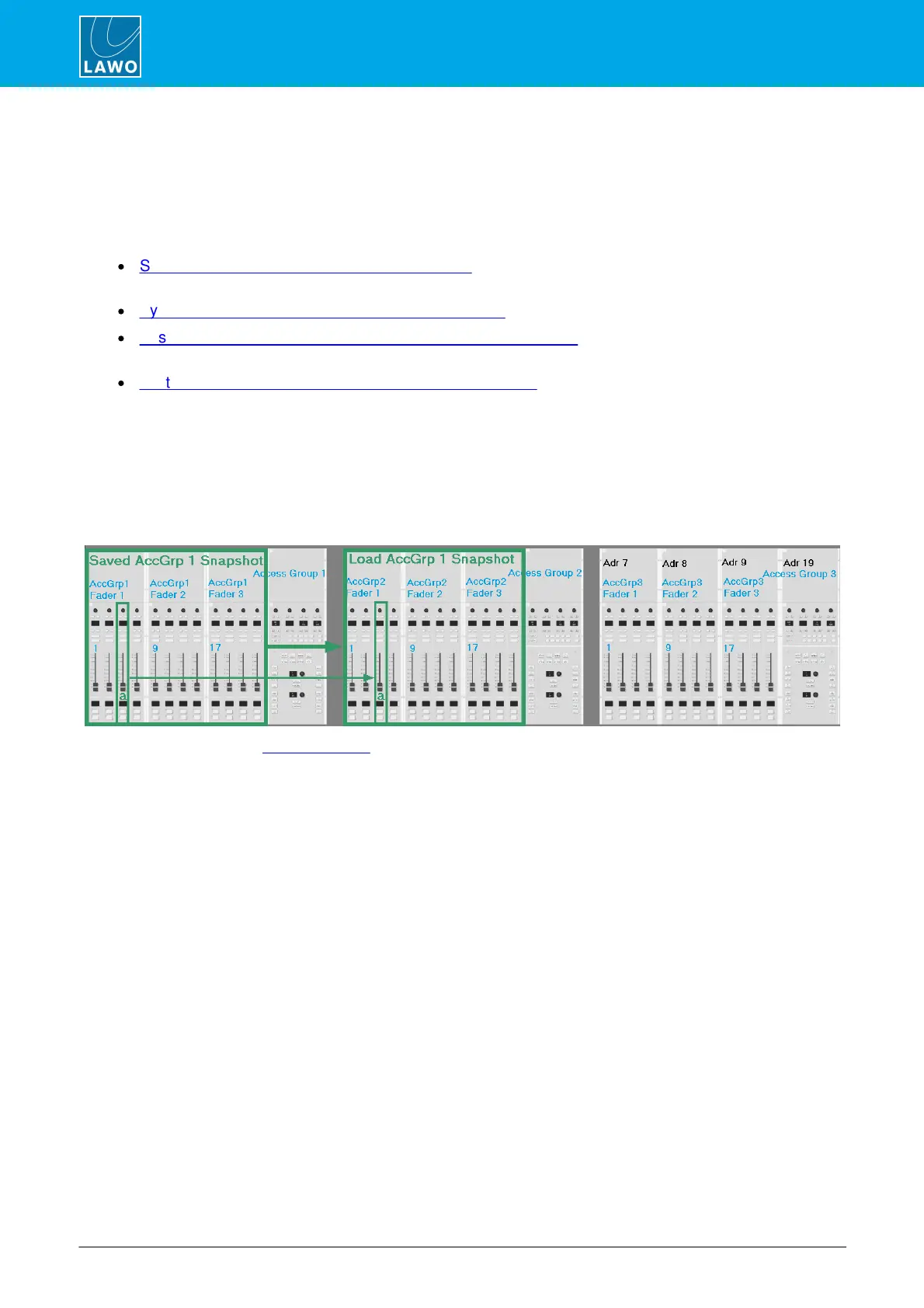
When using VisTool snapshots, a source can be reset by a different VisTool instance, providing the source is
assigned at an identical fader strip position: for example, to fader strip 3:
For summing buses, the Snapshot Class determines what happens when a VisTool snapshot is transferred
between Access Groups.



 To Next Page