Power Core User ManualVersion: 6.6.0/3360/539
20. Configuring Custom Logical Behaviour
20.14 LS Command
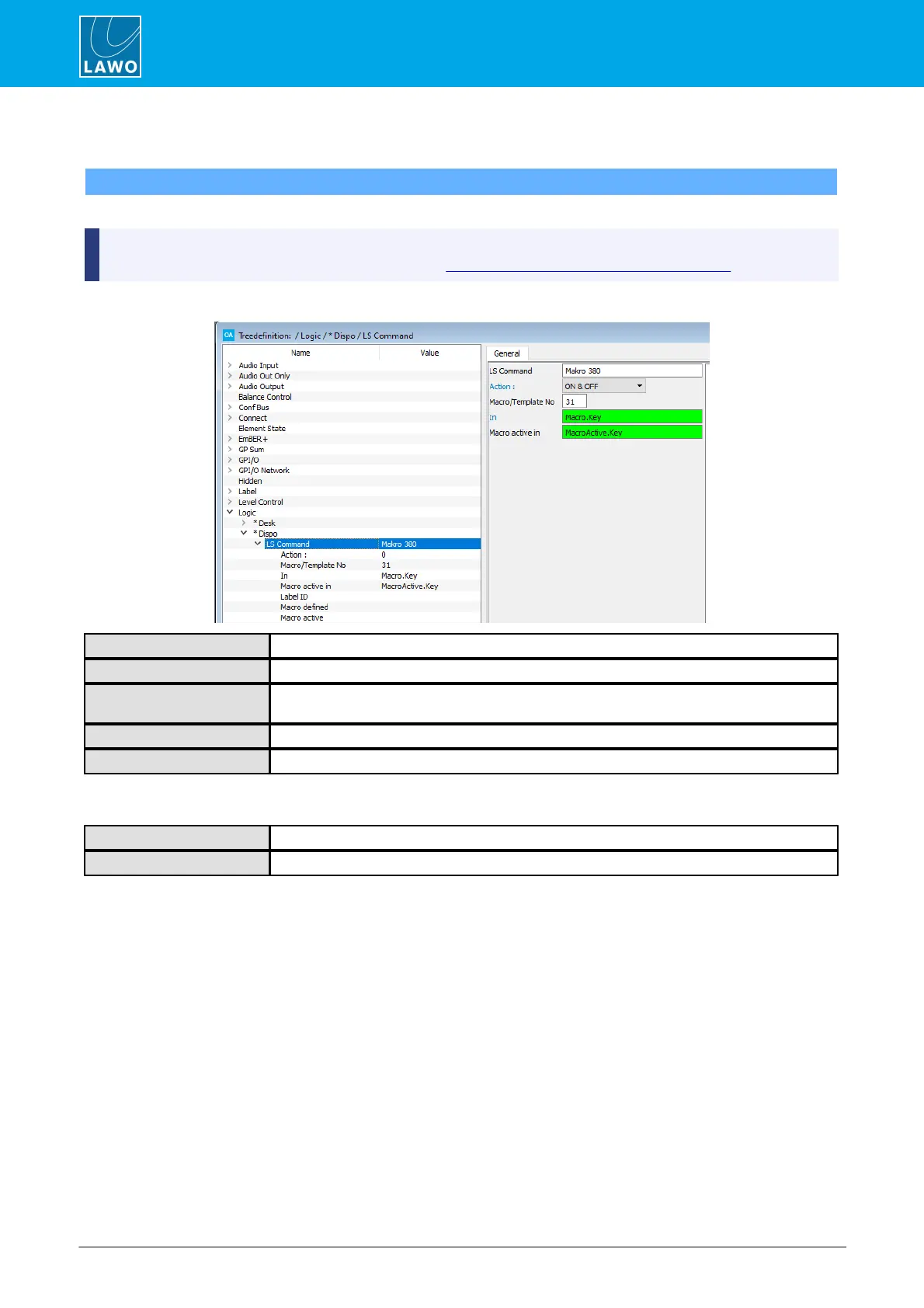
A LS Command element can be used to change and monitor Triggers on a Line Scheduler (LS).
To use this feature there must be an active TCP/IP connection to a matrix server (single or redundant)
using the TCP Link mode AIF1/2 (defined under “System -> Definition -> Param = TCPLink”).
Reference name for the element.
Select the action which will happen when the In control input becomes true.
Enter the Line Scheduler's Trigger number (usually found under Administration / Trigger
names).
Assign an input control signal to trigger the Action.
You can assign an input control signal to display the active state.
The control outputs appear under the “Logic -> <GroupName> -> LS Command” branch of the 'Tree Selection'
window:
True when the specified Macro/ Template No is used by any macro or template in the LS.
True is the macro or template is active.



 To Next Page