Power Core User Manual Version: 6.6.0/3 287/539
16. The Snapshots System
Ø
User Group Rights
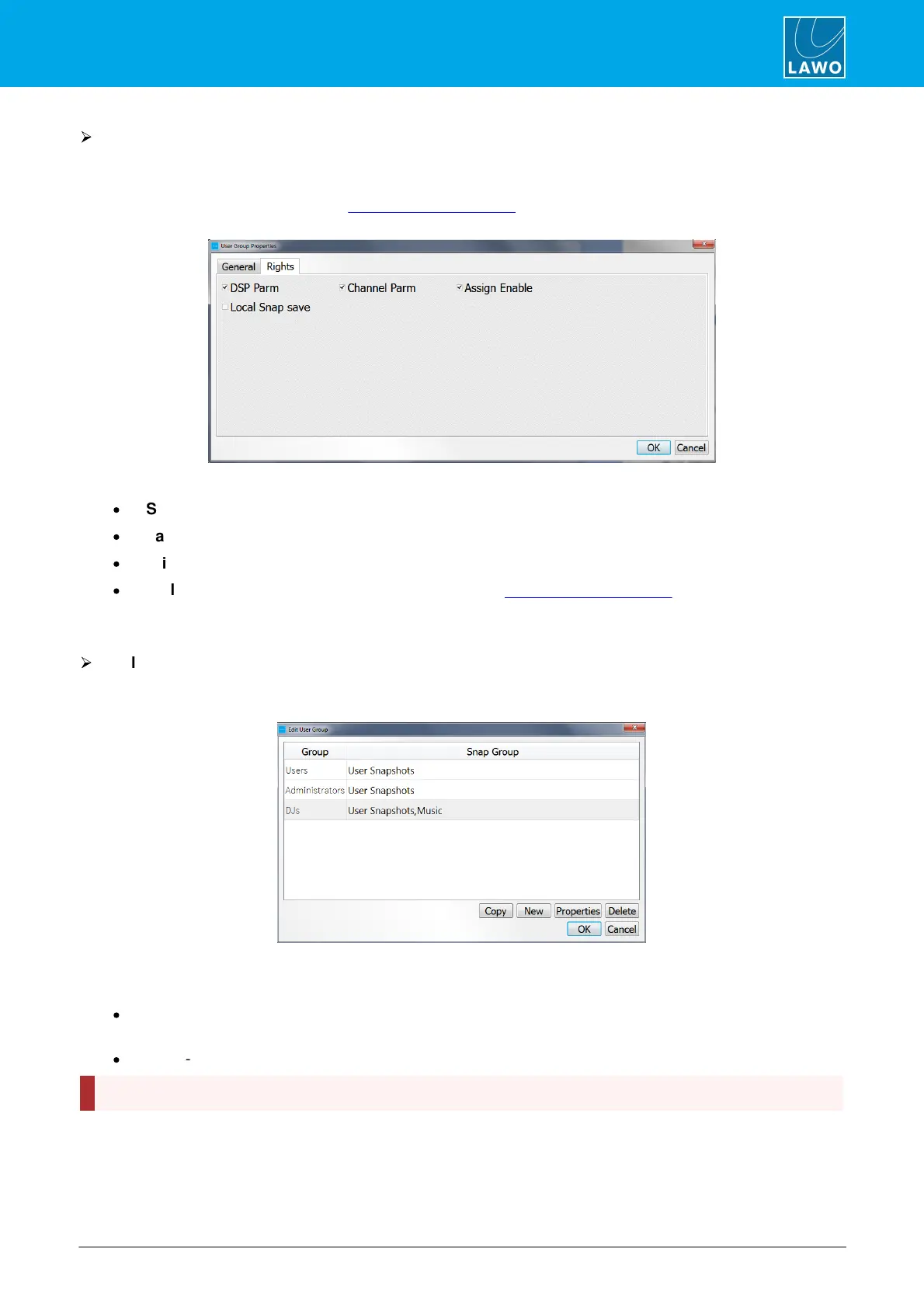
1. Select the Rights tab to edit the user group rights.
What you see in this window depends on your system configuration. Up to 32 "rights" may be named and
defined by the configuration (see the Logic -> VispageSwitch branch of the 'Tree Definition'.). Our example
includes 4 "rights":
Tick, or untick, the boxes to activate each option - in our example:
·
DSP Parm - source parameter control.
·
Channel Parm - channel parameter control.
·
Assign Enable - fader strip assignment.
·
Local Snap save - the ability to save (overwrite) the 5 local snapshot memories.
In our example, all users within the DJs user group will be able to control source parameters, channel
parameters and assign fader strips. They will not be able to save settings to the 5 local snapshot memories.
Ø
To close and save your changes
1. When you have finished editing both the General properties and the user group Rights, select OK - the
'Edit User Group' window updates to show the new user group - DJs - and its available snapshot groups:
2. Continue selecting OK to confirm and close all the Admin windows.
The following operations are available from the 'Edit User Group' window:
·
Copy - select a user group from the list plus Copy to make a copy of an existing user group. All General
properties and Rights are copied into the new user group name.
·
Delete - select a user group and Delete to delete an existing user group.
The Delete user group operation cannot be undone, so take care when using this function.


 To Next Page