Power Core User ManualVersion: 6.6.0/3286/539
16. The Snapshots System
Ø
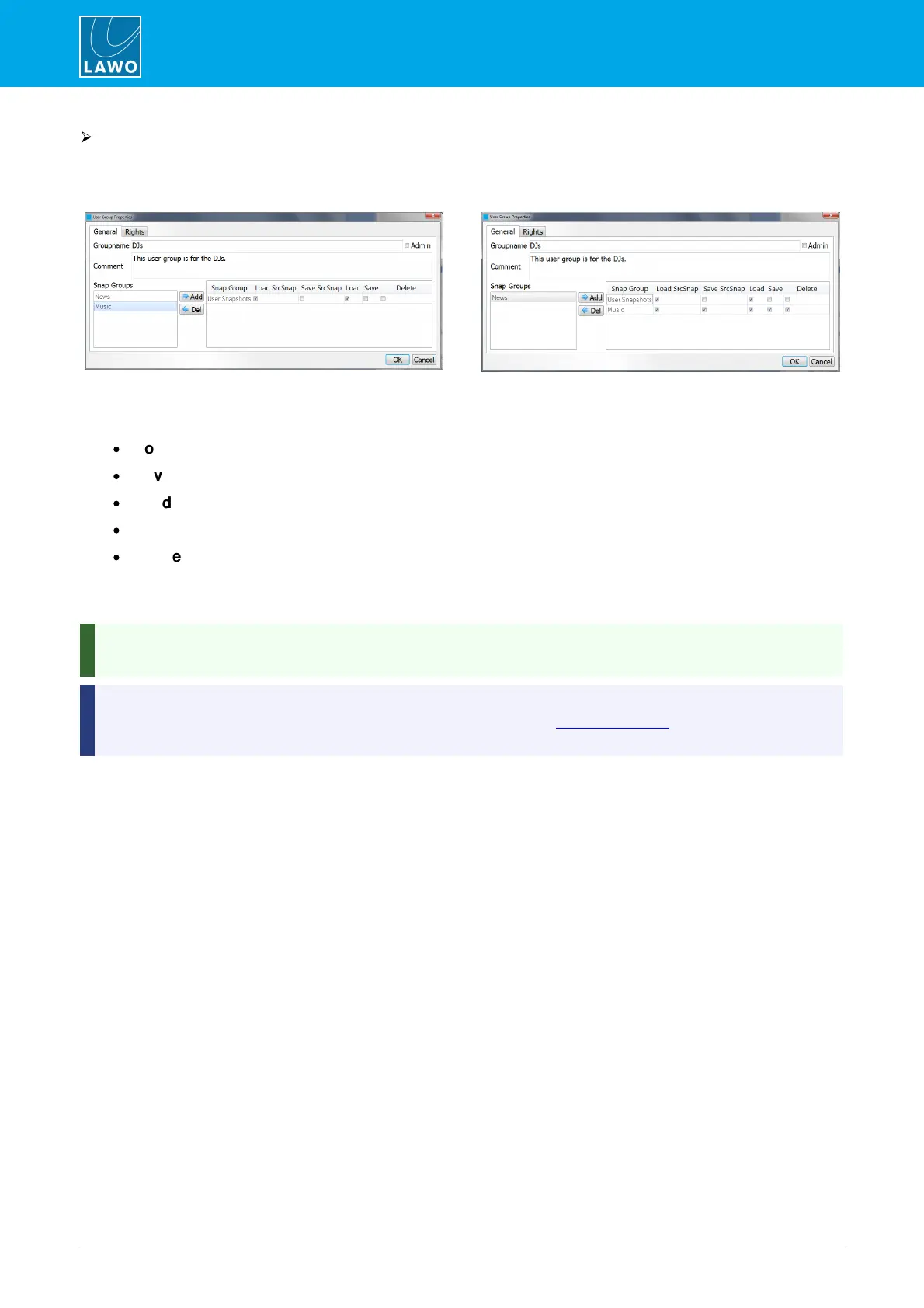
To add Snapshot Groups to the User Group
1. Select a snapshot group from the list on the left - e.g. Music - and then Add.
Music moves to the right. This will make it available to all users within the DJs user group:
2. Select which snapshot operations are allowed for TomsSnaps by ticking, or unticking, the relevant
boxes:
·
Load SrcSnap - users can load source snapshots.
·
Save SrcSnap - users can save source snapshots.
·
Load - users can load full snapshots.
·
Save - users can save full snapshots.
·
Delete - users can delete snapshots.
3. Repeat to add more snapshot groups to the user group.
4. Or, use Delete to remove a snapshot group from the user group's access.
By creating multiple snapshot groups, and defining different snapshot operations for each user group, you
can control which users can save and delete important snapshots.
The Snap Groups list shows all snapshot groups defined in the VisTool snaphots database. If you have not
yet created any snapshot groups, then this list will be empty. Go to Edit Snap Group to create some
snapshot groups.


 To Next Page