7. System Setup
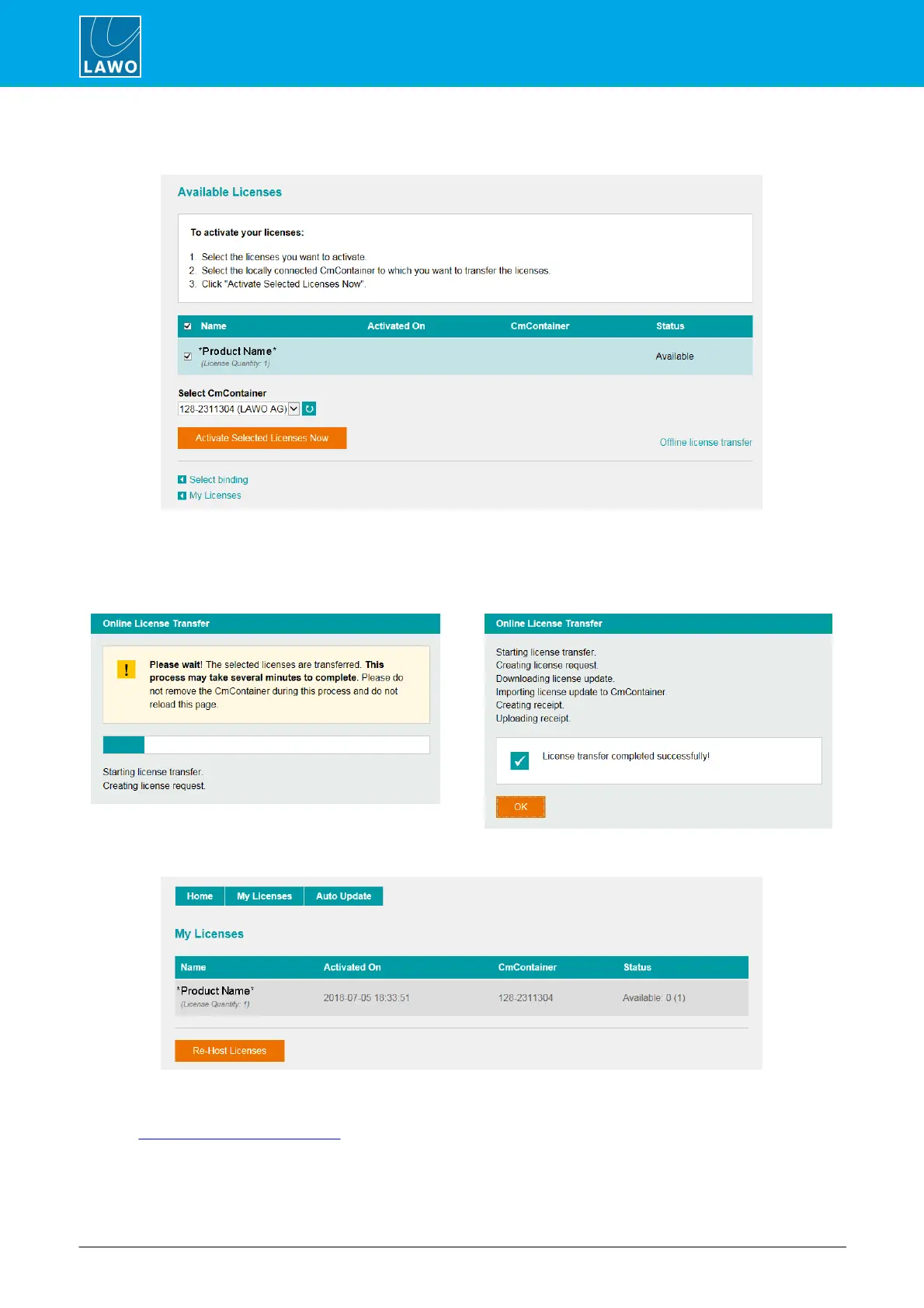
5. At the next page, select the licenses you wish to activate and the CmContainer to be used for the
license storage.
You can store multiple licenses in the same container. If no Cm containers are available, then you will see an
option to "Get CmContainer automatically".
6. Click on Activate Selected Licenses Now and wait for a few seconds - a confirmation pop-up
appears once the activation is successful:
7. After selecting OK, a summary appears:
8. You can now close the browser and return to your Lawo software application or install the USB dongle.
For information on re-hosting a license, offline activation, backup/restore and using a license server, please
see the Advanced Licensing Features appendix.



 To Next Page