78 HB V2.0/Dez-11 © 2011 LPKF AG
■ Manual setting of milling depth
Only for circuit board plotters with manual setting of the milling
depth the milling depth has to be adjusted using a micrometer
screw.
1. Preparative activities are described in detail on page 67.
➨ The PCB material is fixed on the working table.
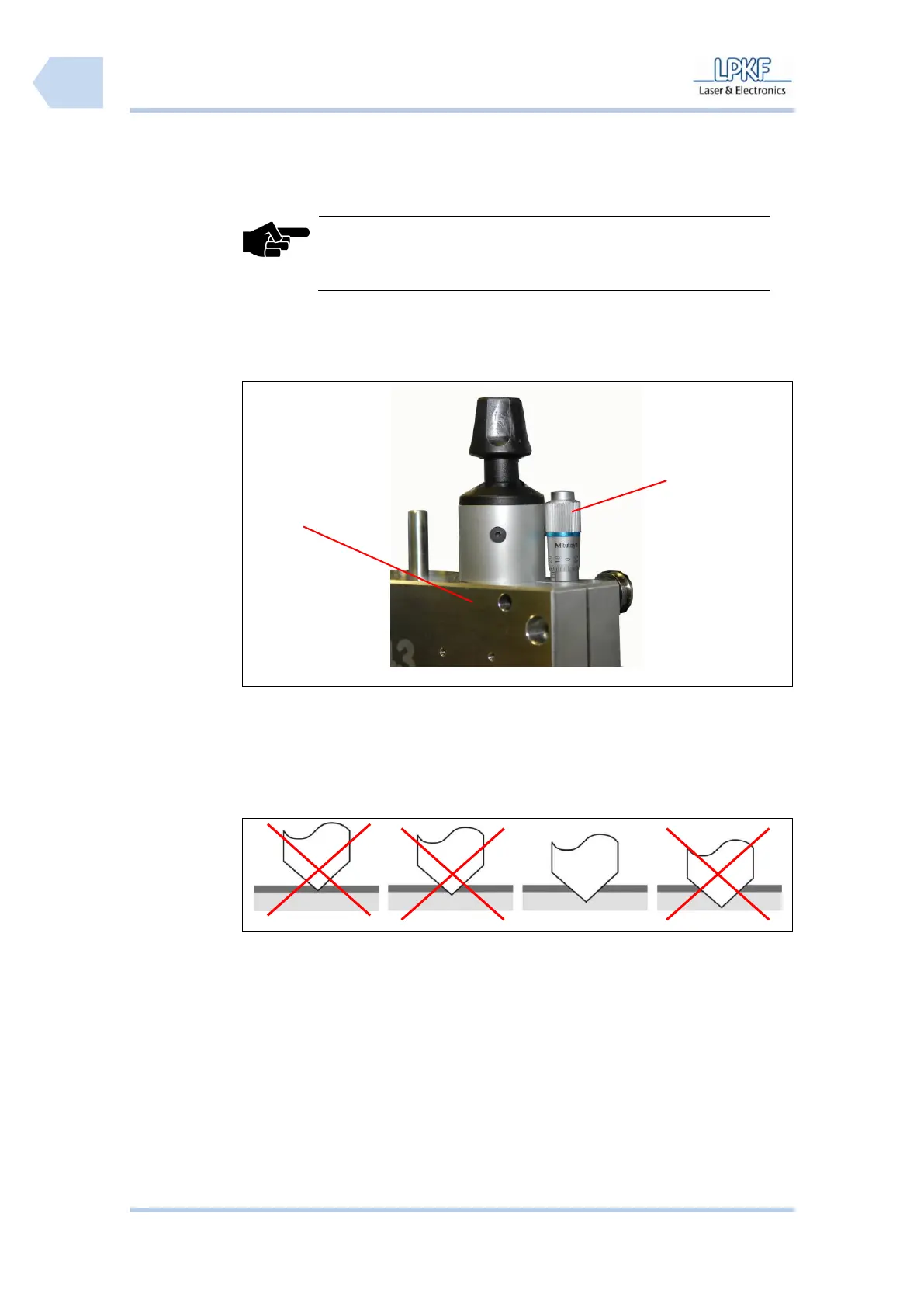
/1/ Drill/Mill head ProtoMat S43
2. Adjust the milling depth with the micrometer screw /2/.
3. Produce a test track.
4. Check the result using a measuring microscope.
Fig. 51: Optimal
milling depth
5. Repeat the process in necessary until a sufficient amount of material has
been removed.
♦ The milling depth is now adjusted.



 To Next Page