LB 9507 Chapter 13: Maintenance
13-1
13. Maintenance
13.1 Supplying Paper
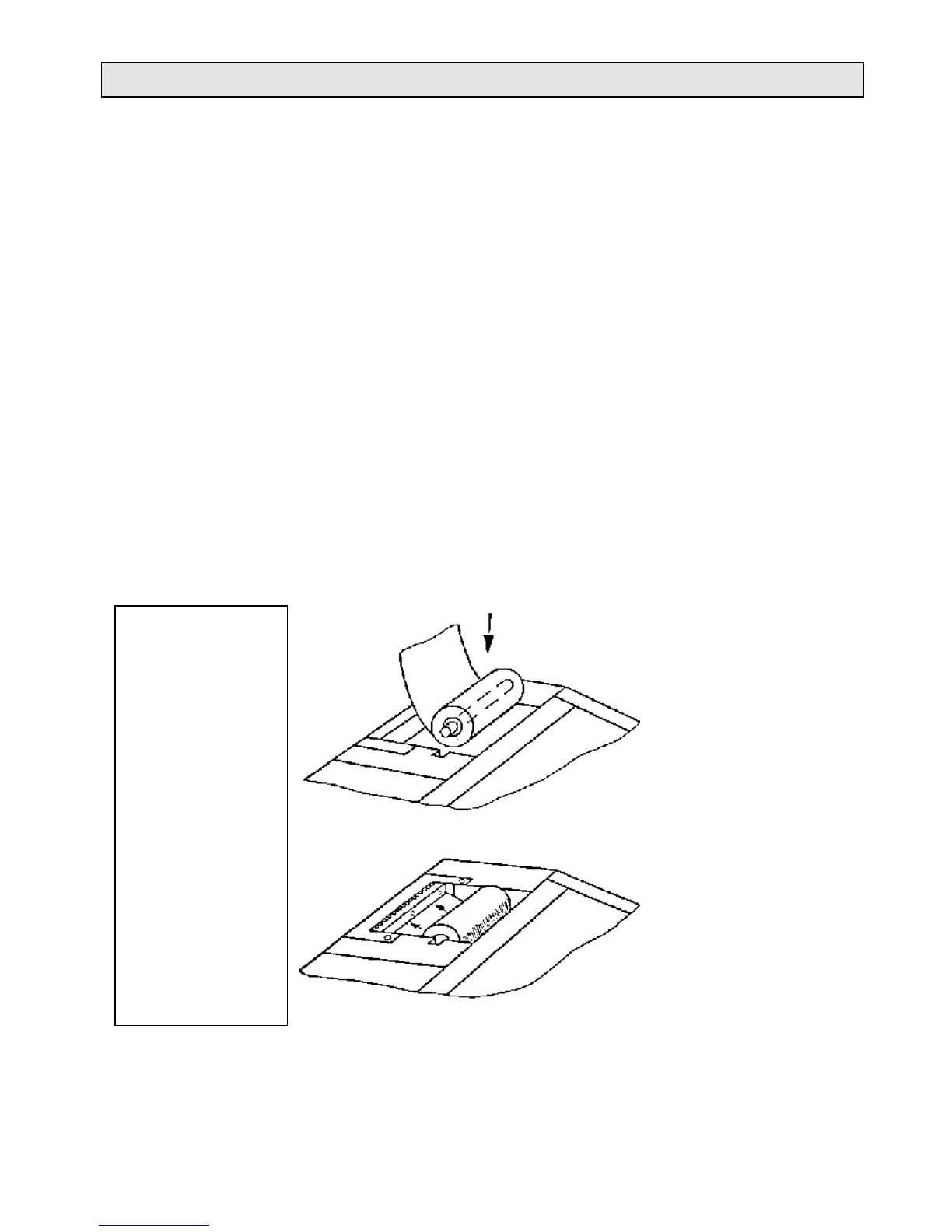
1. Open the cover of the paper feeder
2. Remove the empty paper sheath and insert the pin into the
core of the new roll.
3. Remove the adhesive tape from the paper roll.
4. Insert the new paper roll into the paper chamber as shown in
figure 13-1.
5. Insert the leading edge of the paper into the paper guide of the
printer (see figure 13-2).
6. Press the white paper feed button until the paper appears over
the tear-off edge.
7. Close the cover of the paper feeder.
8. We recommend using only the following thermal paper:
a) supplied by Berthold Technologies, ID no. 05386.
b) Injo paper TP50KSA
c) Honshu paper PH65B-X14N
Figure 13-1:
Inserting the paper roll
Figure 13-2:
Inserted paper roll,
threading the paper



 To Next Page