3-72
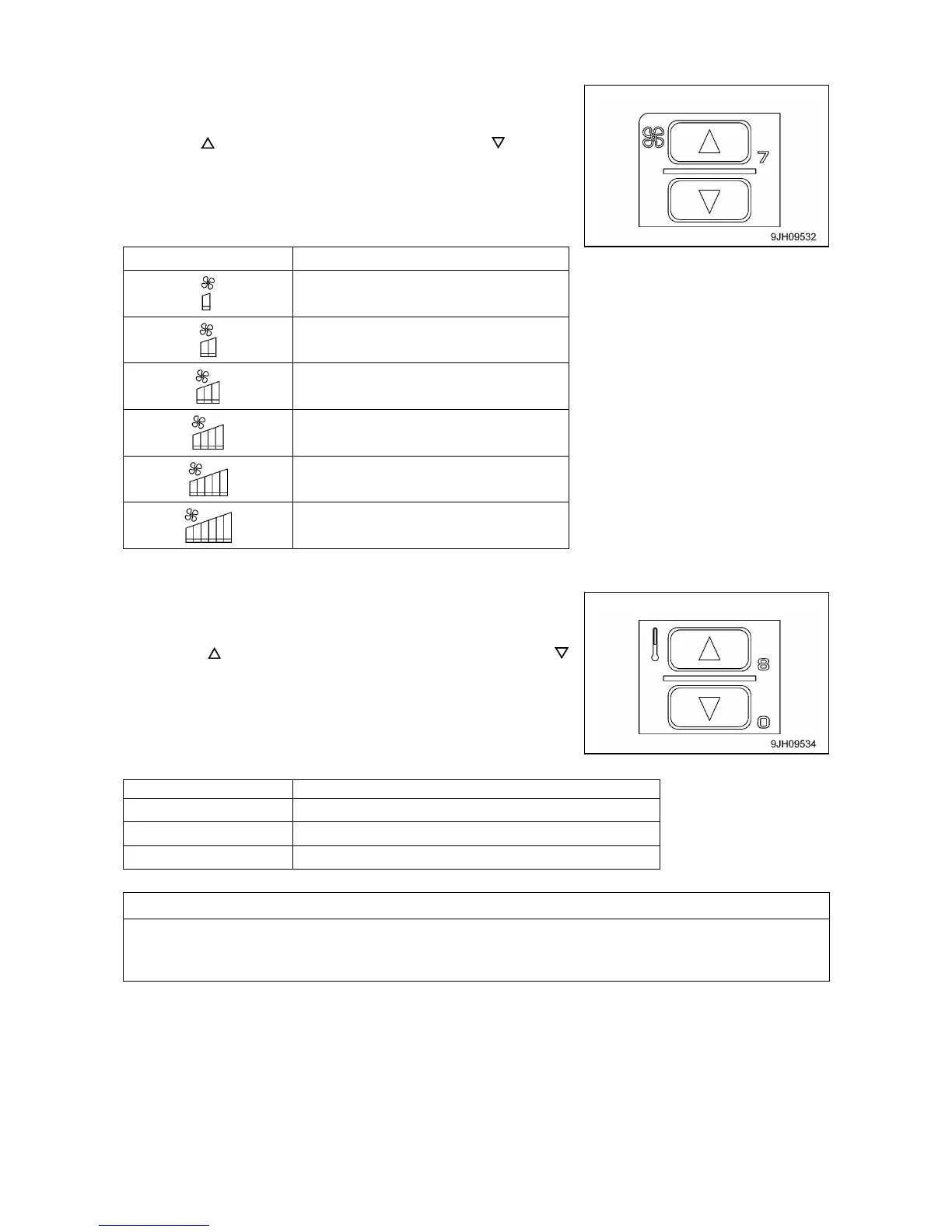
[2] FAN SWITCH
This switch (2) is used to adjust the air flow.
The air flow can be adjusted to 6 levels.
• Press the switch to increase the air flow, press the switch to
decrease the air flow.
• During auto operation, the air flow is automatically adjusted.
[Monitor display and air flow]
[3] TEMPERATURE CONTROL SWITCH
This switch (3) is used to control temperature inside the cab. The
temperature can be set between 18 degrees C and 32 degrees C.
• Press the switch to raise the set temperature, press the
switch to lower the set temperature.
• The temperature is generally set at 25 degrees C.
• The temperature can be set in stages of 0.5 degrees C.
[Monitor display and function]
Adjusts temperature inside cab to set temperature
If the mode is set to auto mode and the temperature setting is set to 18.0 degrees C or 32 degrees C,
the air flow from the fan is always set to HIGH and does not change even when the set temperature is
reached.



 To Next Page