32
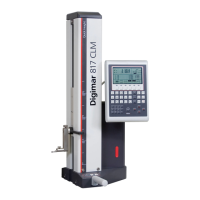
Mahr GmbH • Digimar 817 CLM
Description / Sequence Symbols / Pictures
3.2.3 Contacting a plane
Note: Both the Quick Mode and „contacting a plane“ must be
active. See chapters 3.2.1 and 3.2.2
3.2.3.1 Contacting a plane from above
– Using the handle move the probe into a position above the
plane to be measured, push the measuring carriage in the
direction of the plane to be measured
– In Quick Mode the instrument recognizes that it has to contact a
plane and automatically starts the measuring function
– Once contact has been made and the measured value has been
accepted (this is confirmed by an acoustic signal, beep) and
the value appears in the
display
2
1
2
1
3.2.3.2 Contacting a plane from below
– Using the handle move the probe into a position below the
plane to be measured, push the measuring carriage in the
direction of the plane to be measured
– In Quick Mode the instrument recognizes that it has to contact a
plane and automatically starts the measuring function
– Once contact has been made and the measured value has been
accepted (this is confirmed by an acoustic signal, beep) and
the value appears in the
display.
– Afterwards, further planes can be contacted.


 To Next Page
 Loading...