Operation
124
PTO Control Module Error Code Retrieval
PTO system error codes are stored in the memory
of the PTO module for various control system error
conditions. A maximum of ten error codes may be
stored in memory. A repeating error is stored only
once unless separated by a different error(s). To
access error codes from the PTO control module
do the following:
STEP 1
Put key switch in the OFF position.
STEP 2
Stand up clear of the seat, DO NOT LEAN ON THE
SEAT.
STEP 3
Engage the PTO, (see page 119 for complete
instructions).
STEP 4
Turn the key switch to the ON position, DO NOT
START THE ENGINE.
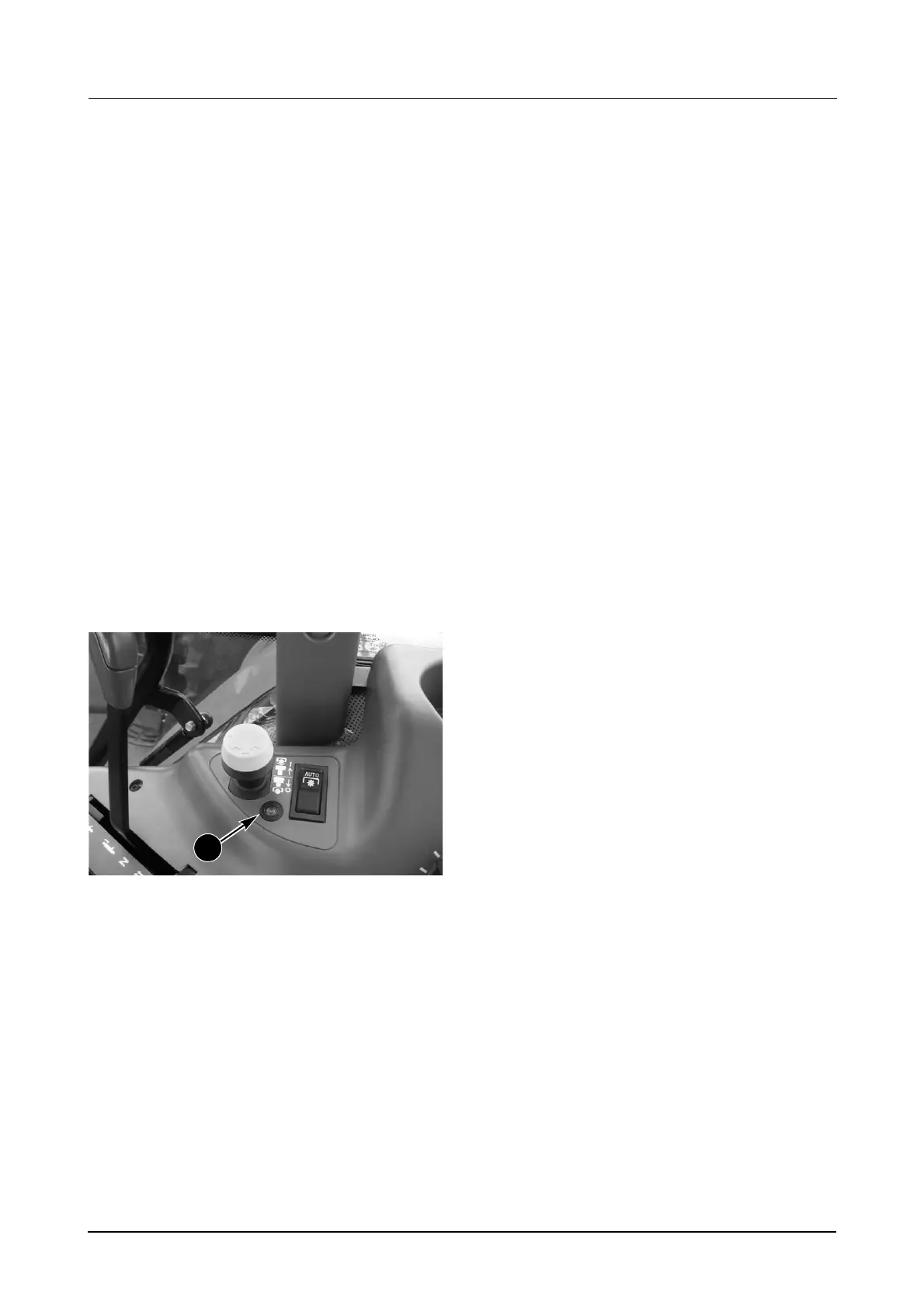
MD05M020
An error code is a 2 digit number. Each digit of an
error code number is indicated by a series of
flashes from the PTO LAMP (1).
TO IDENTIFY ERROR CODE: Count the
number of rapid flashes separated by a 2
second pause. The most recent code will be
indicated first if there is more than one.
The first series of flashes represent the first digit
of the error code, the second series of flashes
represent the second digit of the error code.
Example:
FLASH, FLASH = 2
Then a 2 Second Pause.
FLASH, FLASH, FLASH, FLASH = 4
Then a 5 Second Pause.
The sequence above represents error code 24.
If the PTO ON/OFF switch is NOT moved, the
same error code will be repeated after the 5
second pause.
If the PTO ON/OFF switch is moved from the ON
position to the OFF position and then back to the
ON position the next error code will be displayed.
IMPORTANT: DO NOT move the PTO ON/OFF
switch rapidly from ON to OFF as this may
erase error codes.
Report all error codes to your dealer.
1



 To Next Page