Operation
136
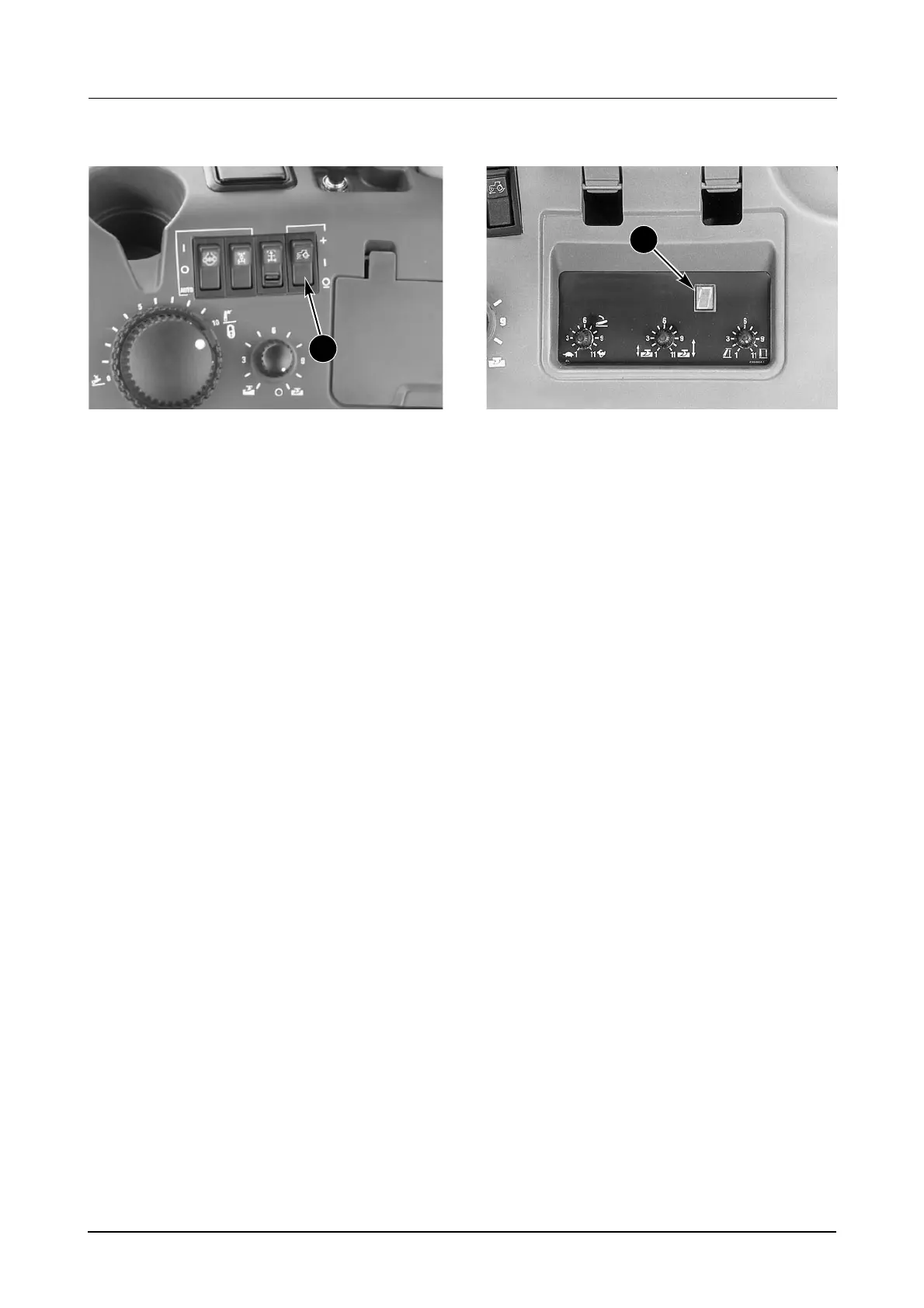
9. Slip Limit Control
MD05F036A
The SLIP LIMIT CONTROL SWITCH (9) (If
Equipped) is used to prevent the tractor wheel
slip from exceeding a set slip limit. When the
actual slip is more than the slip limit, the hitch will
be controlled by the slip limit control. The hitch
will raise to alleviate the slip conditions by
allowing greater weight transfer for improved
traction and reduced drawbar load. When slip is
decreased below the set slip limit, hitch control
returns to load or position control.
The slip limit control switch has three positions:
1. SET (momentary) Symbol (+) and increase.
where the slip limit is set.
2. ON Symbol (I) where the slip function is
selected. If no limit was set before, the slip
limit default is set to 30%.
3. OFF Symbol (O) and decrease (-) where no
slip limit function is available.
USING THE SLIP LIMIT CONTROL SYSTEM:
● The tractor must be correctly ballasted for the
load being pulled.
● Tractor must be moving at more than 3.2 km/
h (2 mph) and the three point hitch must be
lowered with the implement in the ground for
all setting adjustments.
● Set the hitch for the desired implement load
or position.
DP96N112
● Press the slip control switch to (I) ON
position, then press). SET (momentary) and
release. The display (2) will flash the slip
value, which will be the current slip + 5%. The
system will not set to below 5%, or above
30%. The hitch will begin to raise if the wheel
slip exceeds the slip limit value.
EXAMPLE: If slip limit was set to 18%, display
(2) would show the following: Blank, “1”, Blank,
“8”, Blank, Previous Display.
● If field conditions change, the slip limit must
be changed to match the new conditions. this
can be done in three ways:
A. Automatic reset system - Press slip limit
control switch to OFF (O) for at least two
seconds, then reset. See paragraph above.
B. Manually increase set point - Press to
SET (+) and release. Every time the switch
is pressed the set point will increase by 1%.
After the switch is pressed, the display will
flash a new value. Set point will not raise
again until new value is displayed. Set point
can not be set above 30%.
C.Manually decrease the set point - Press
the slip control switch to OFF (O) then back
to ON (I) quickly. Set point will decrease by
1%. Display will flash new value. Set point
can not be lowered again until the new
value is displayed. Set point can not be set
below 5%.
NOTE: The tractor must be moving to do the
manual adjustments above.
The lamp in the slip switch will illuminate if the limit
has been exceeded and the hitch is raising.
9
2



 To Next Page