Section 2 - Setup and Calibration
Page 14 90-8M0070299 eng MAY 2012
Tab location names
"STBD CNTR TAB 2" Starboard center tab 2
"PORT CNTR TAB 1" Port center tab 1
"PORT CNTR TAB 2" Port center tab 2
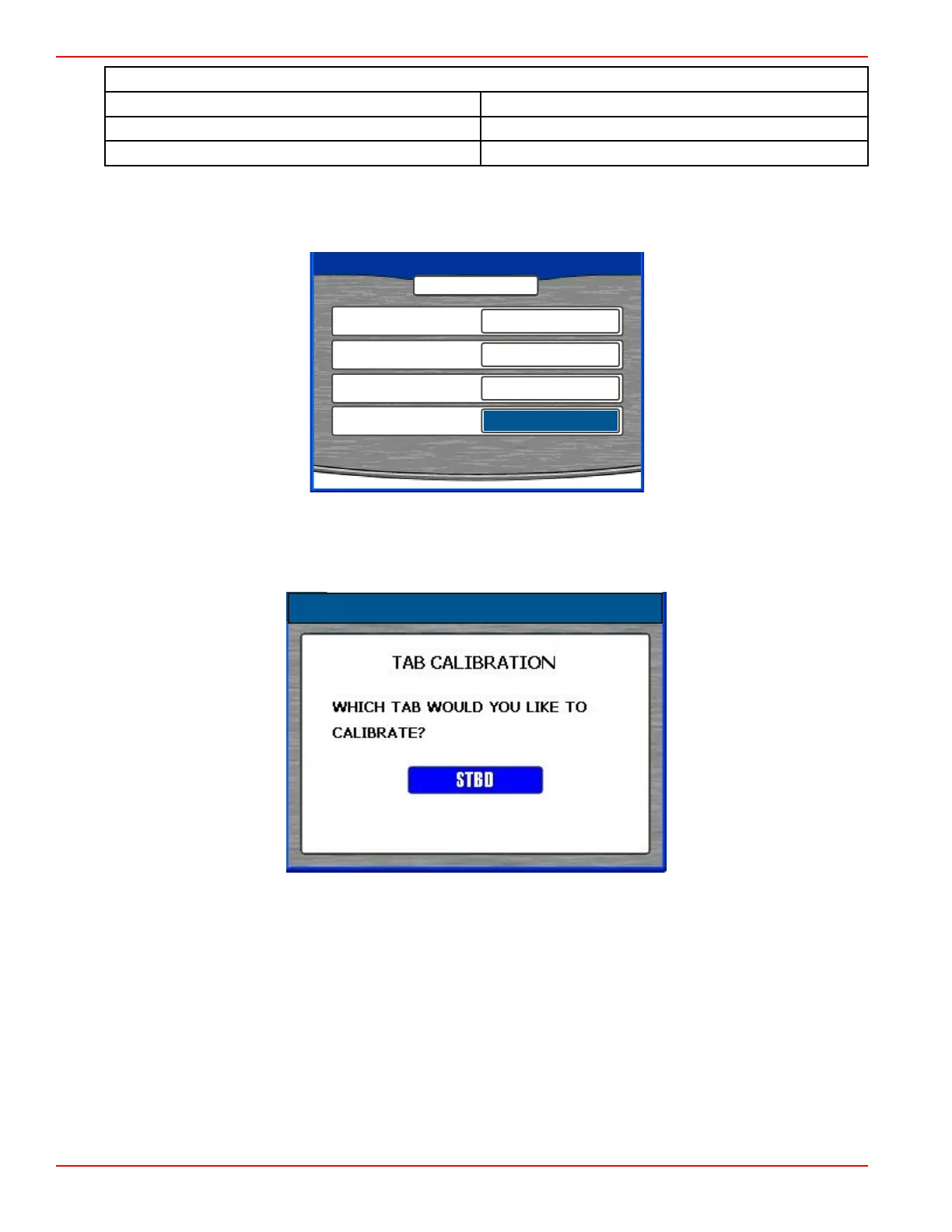
12. Press the down arrow on the arrow pad to access the "LEFT TAB" window. Press the left or right arrow on the arrow pad to
select the location name for the right, left, and center tabs.
13. Press the down arrow on the arrow pad to access the "CENTER TAB" window. Press the left or right arrow on the arrow
pad to select the location name for the right, left, and center tabs.
PROPULSION TYPE
MERCURY
45138
TABS
NUMBER OF TABS
2
RIGHT TAB
STBD TAB 1
LEFT TAB
PORT TAB 2
14. Confirm your selections by pressing the check button.
15.
Press the "X" button to go back to "TAB SETUP" if corrections are needed.
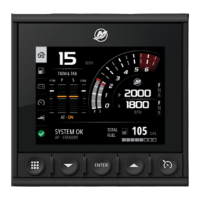
16. Press the left or right arrow on the arrow pad to select the tab to be calibrated.
17. Press the check button to begin calibrating the selected tab.
18. Lower the selected tab into its down position.









 To Next Page