13
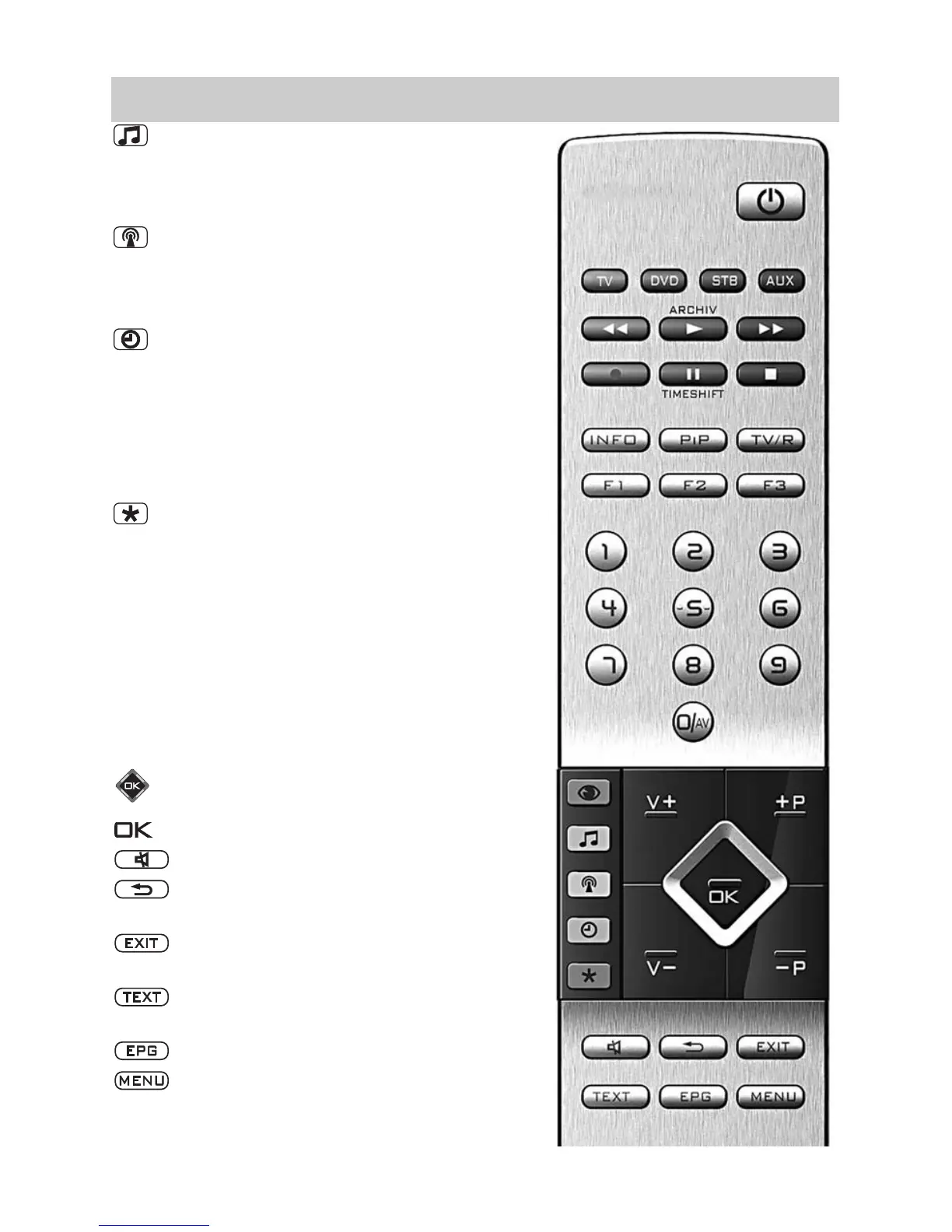
3.2 The Remote Control (RM 17)
Select sound settings
In TV menu: Adjust the settings “AV devices”.
In “File Manager“: Mark file / Remove
marking.
Select program table in the TV menu:
Select “Program table” or station features.
In the PVR archive: Sort recordings accor-
ding to complete, partial & unseen.
Display date, time info on program.
In the TV menu: Select “Time settings”.
In video text: Scroll by markers.
When set to playback / time shift: Display
playback position.
In the PVR archive: Show recording accor-
ding to the category.
In the TV menu: Adjust the settings “Confi-
guration“.
In video text: Set or delete marker.
In the PVR archive: Sort the recordings
from A-Z.
In EPG : Mark TV program for recording.
V+ volume + / In the menu: Change value.
+P Progr. + / In the menu: Change value.
V– volume – / In the menu: Change value.
–P Progr. – / In the menu: Change value.
Cursor control key.
Confirmation key / In the menu: Save.
Mute / sound stop.
Back to last program.
Back to last program.
Exit menu without saving any changes that
have been made to save.
Select video text.
In video text: Scroll by marks.
Select the electronic program guide.
Select the TV menu.
In the menu: Return to main menu point.



 To Next Page