Installing the Printer and the intelligent Paper Stacker
1-5
1.3 Unpack the intelligent Paper Stacker - iPS F44
1.3.1 Check delivery for completeness
Please check the delivery for damage. If a part is damaged,
the supplier must be contacted immediately.
1.3.2 Unpack the iPS F44
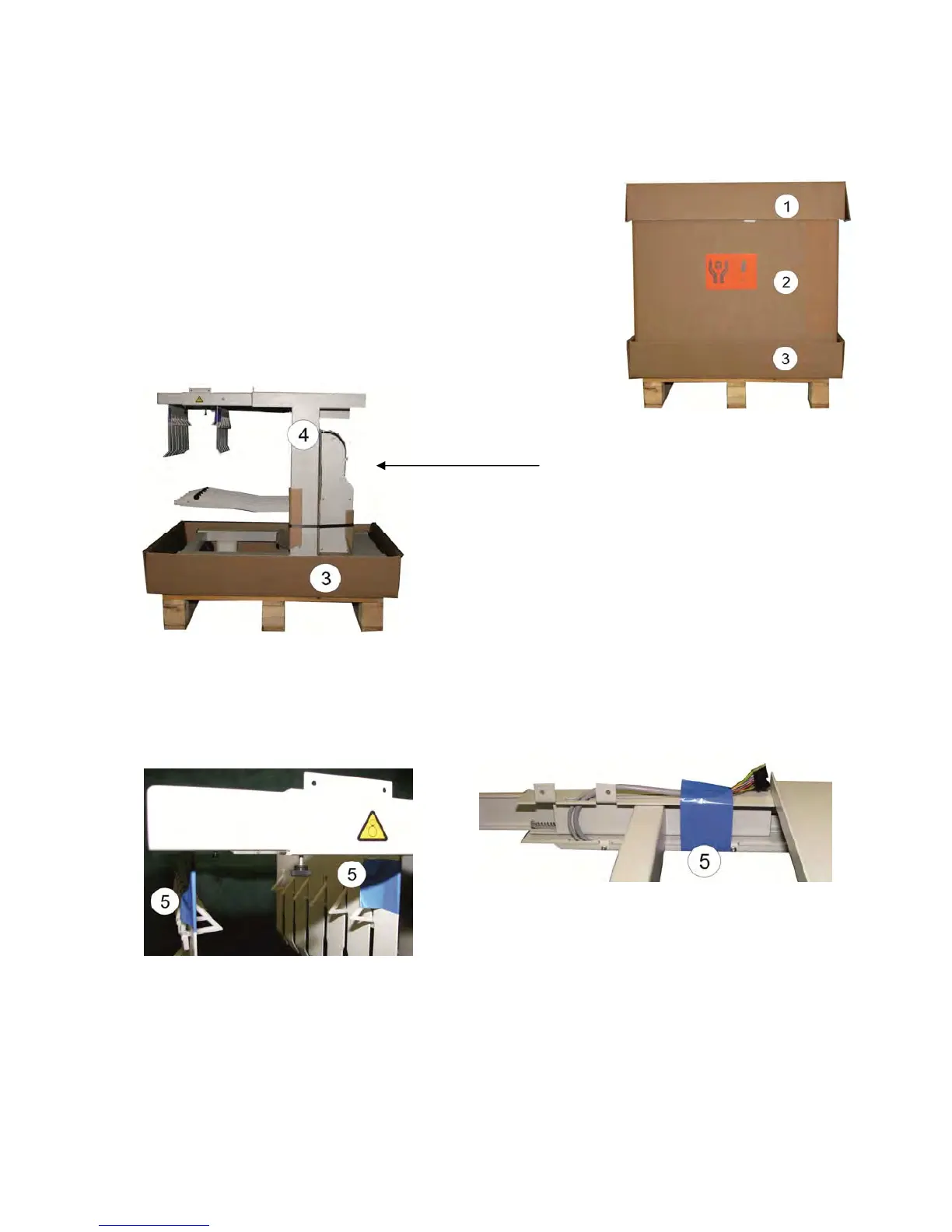
– Remove the top cover (1).
– Case (2) removes to the top.
Loosen the pendulum attachment later!
A
fter removing the plastic padding, the iPS F44
(4) can be lifted by two people from the lower
box (3).
1.3.3 Removing the transport locks
– Remove the three security strips (5).
Note: After unpac
king the printer, the installation and operation of the iPS F44 will
be described (see paragraph 1.8 to 1.10).



 To Next Page