Installing the Printer and the intelligent Paper Stacker
1-11
1.8 Mount the Pendulum at the iPS F44
–
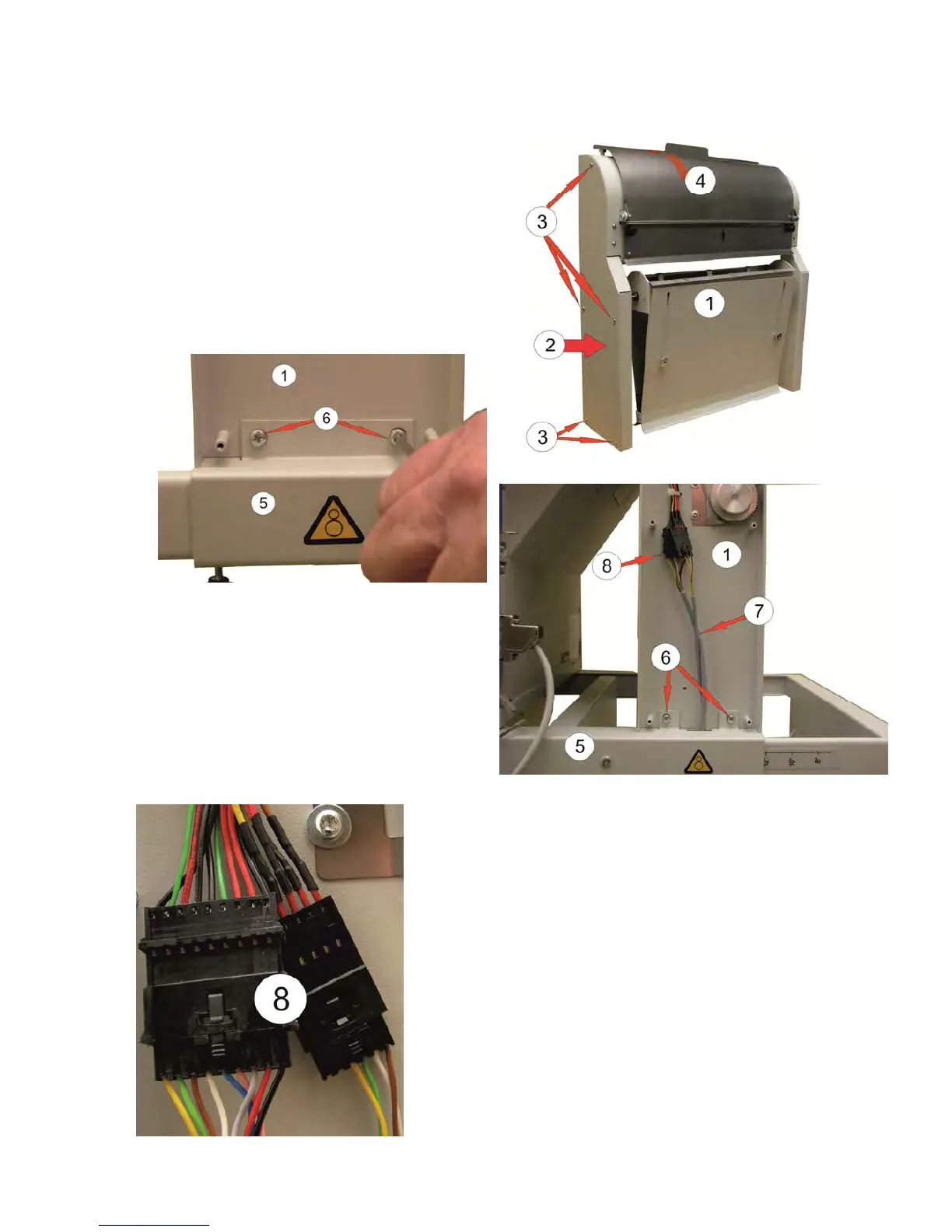
Loosen the pendulum (1) from the iPS F44.
– Remove the right and left side covers (2)
from the Pendulum (1) by removing the five
screws (3).
– Remove the four screws (6) out of the frame
(5).
– Position the pendulum (1) on the frame (5)
and fix it on the left and right side with the
screws (6).
View of the left side
– Bring the cable harness (7) on the right
side upwards and push both plugs (8)
together until they snap.
View of the right side
– Refit both side covers (2) with the screws (3).
– Remove the red security strip (4) at the top.



 To Next Page