Installing the Printer and the intelligent Paper Stacker
1-12
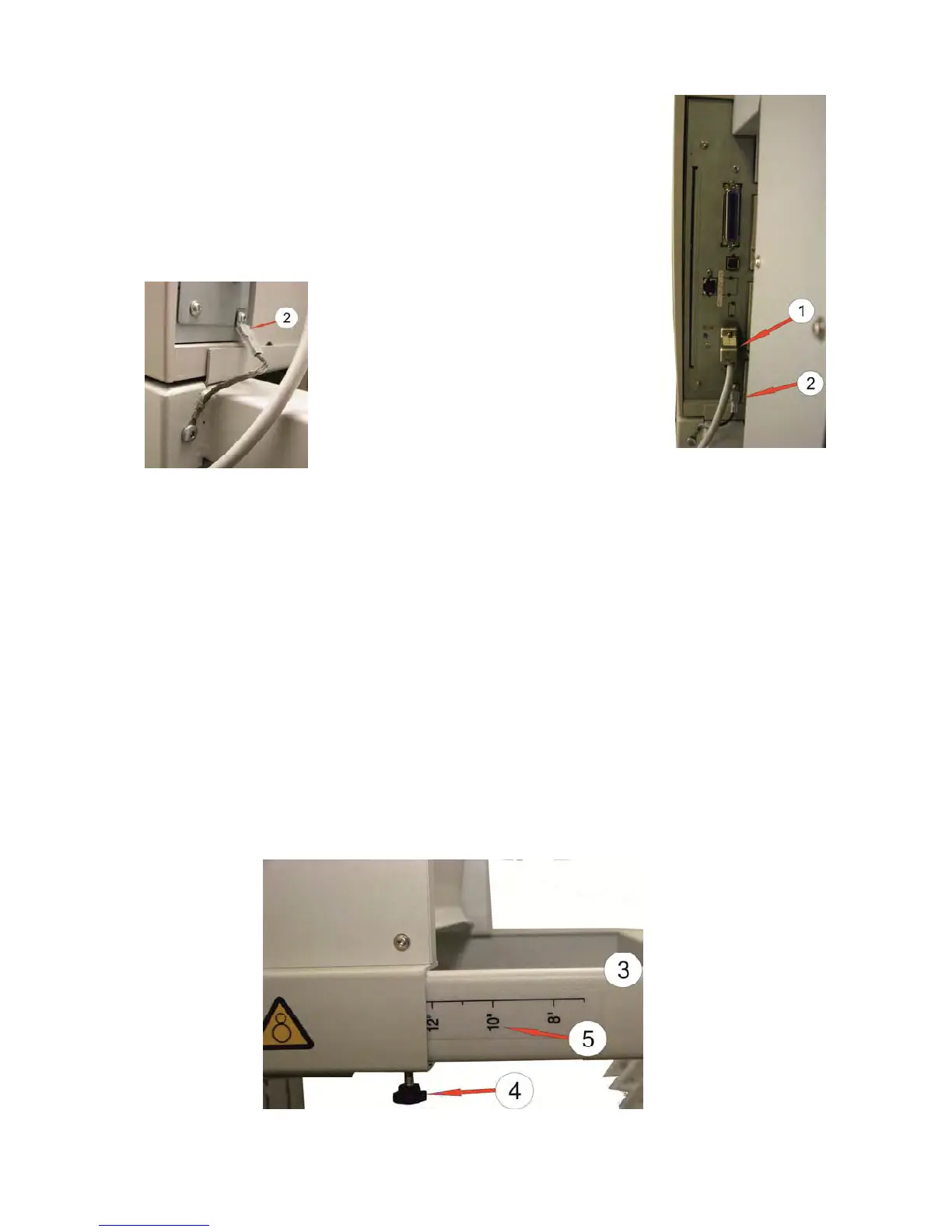
1.9 Connect the Printer SOLID F44 with the iPS F44
– Power off the Printer.
– Plug the interface cable (1) into the socket and tighten the
screws.
–
The ground cable (2) from the iPS F44 defer to the cable
shoe.
1.10 Operating the iPS F44
The use of intelligent Paper Stacker iPS F44 requires that the folding is positive
after the first sheet (show
s toward the operator). If the fold is negative (i.e. in the
direction of the printer), then the first sheet torn off or the setting in the menu are set
to NEGATIVE (see Chapter 1.13 Inserting Fanfold Paper).
1.10.1 Adjusting the Paper Exit Tray to the used paper length
To stack the paper precisely the intelligent Paper Stacker needs to be adjusted to the
paper length. This is done by means of the metal frame at the rear. To set paper
length perform the following steps:
– Loosen the two adjustment screws (4).
– Move the bar (3) until the require length is visible on the ruler (5).
– Tighten the two adjustment screws (4).
Note: The adjustment range for the paper length is from 7 inch up to17 inch.



 To Next Page