Maintenance
5-4
5.2.4 Jam in the iPS F44 (
Stacker)
Especially when using a narrow continuous Paper (A4 is narrower than), it is possible
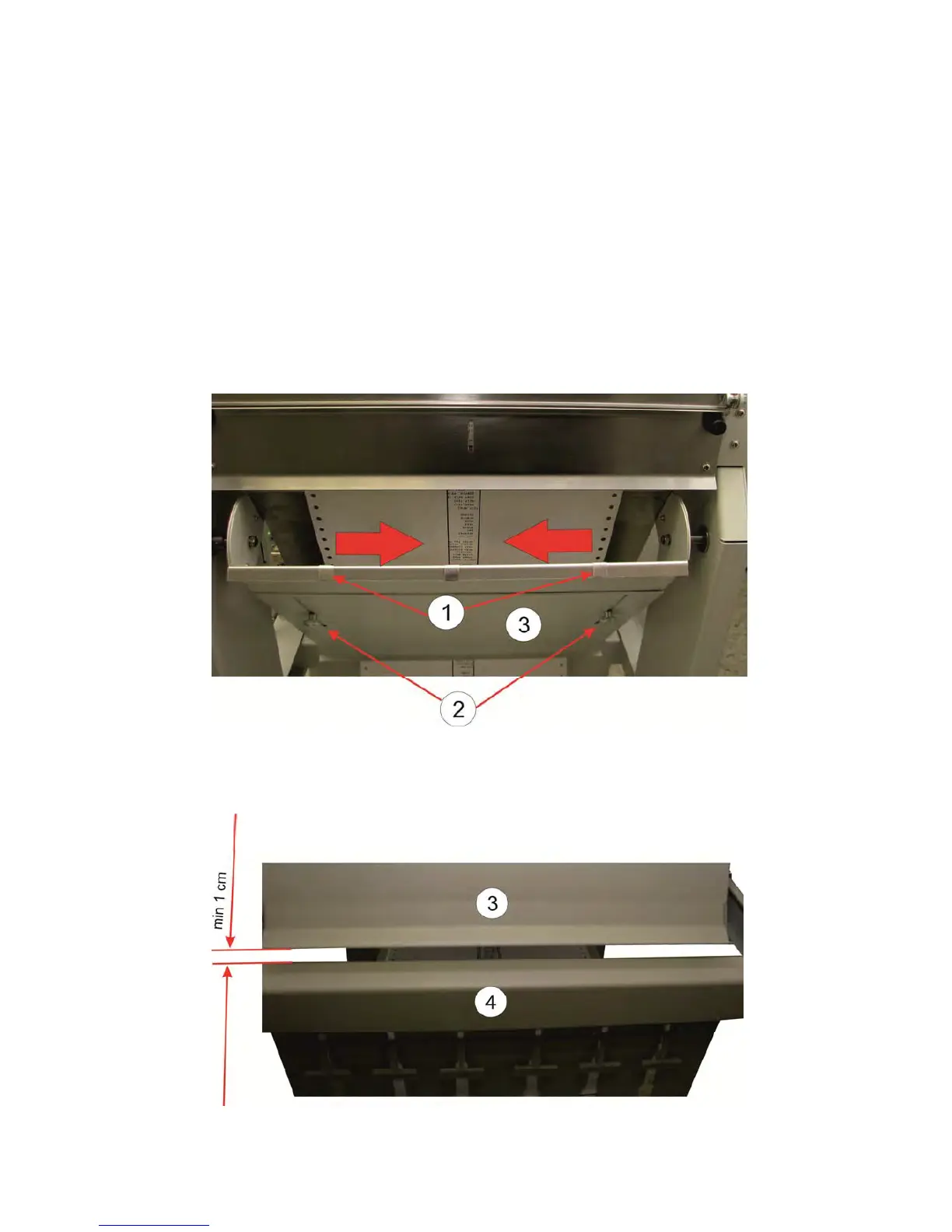
that the metal strips (1), for discharging static electricity, located outside of the paper.
In this case, they must be set closer.
The steps are as follows:
– Loosen and remove the knurled screws (2).
– Removing the duplex pendulum coverings (3).
– Move the front and rear metal stripes (1) in direction of the arrows.
– Mount the pendulum coverings (3) and fix it with the thumbscrews (2)
Note: The distance between the pendulum covering (3) and the frame (4) must not
be less than 1 cm.



 To Next Page