2-1
2. Printer Operation
2.1 Control Panel
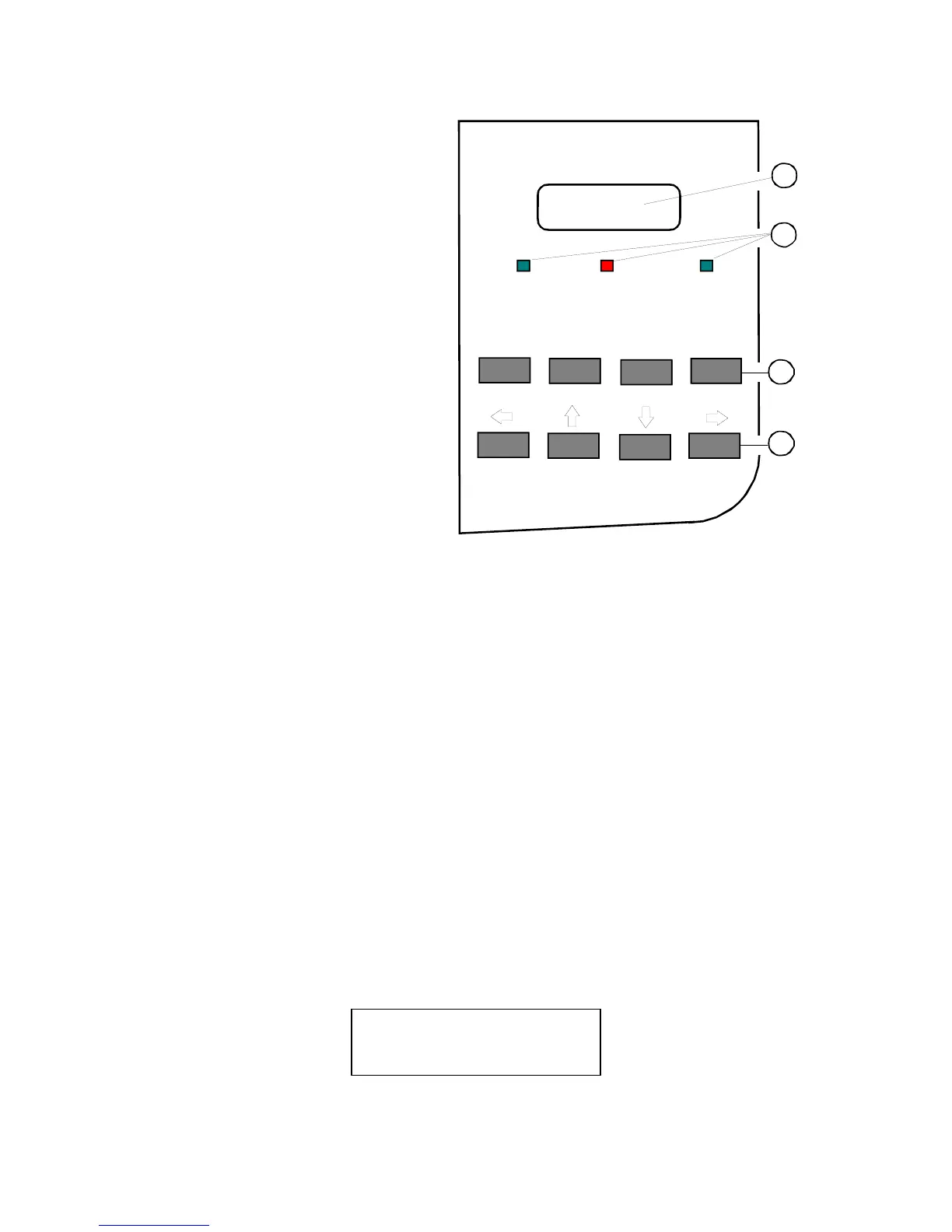
The control panel
– gives information about the
printer status
– controls various parameter
settings
– allows manual control of the
paper handling
2.1.1 Description of the display elements
The two-line 16-digit liquid crystal display (LCD) (1) usually shows the current
status of the printer. If any error occurs (e.g. COVER OPEN) the resulting error
message will be displayed. While configuring the printer's menu settings and
parameters appear on the display.
The indicator READY (2) lights up green if the printer is supplied with power and is
ready to print.
The indicator ERROR (2) lights up red if an error occurs.
The indicator DATA (2) lights up green if the buffer of the printer has received data
or when data is transferred.
2.1.2 Description of the LCD Indicator (1)
The LCD Indicator gives information about the status of the printer.
In general it can be distinguished between:
– ONLINE messages
– OFFLINE messages
If the printer is in the ONLINE mode the display shows:
ONLINE ( 1 )
Note: The value after ONLINE is the indication of the actual PROFILE.
ONLINE
FORM FEED
MENU CANCEL
READY
ERROR DATA
1
3
2
4



 To Next Page