Printer Operation
2-3
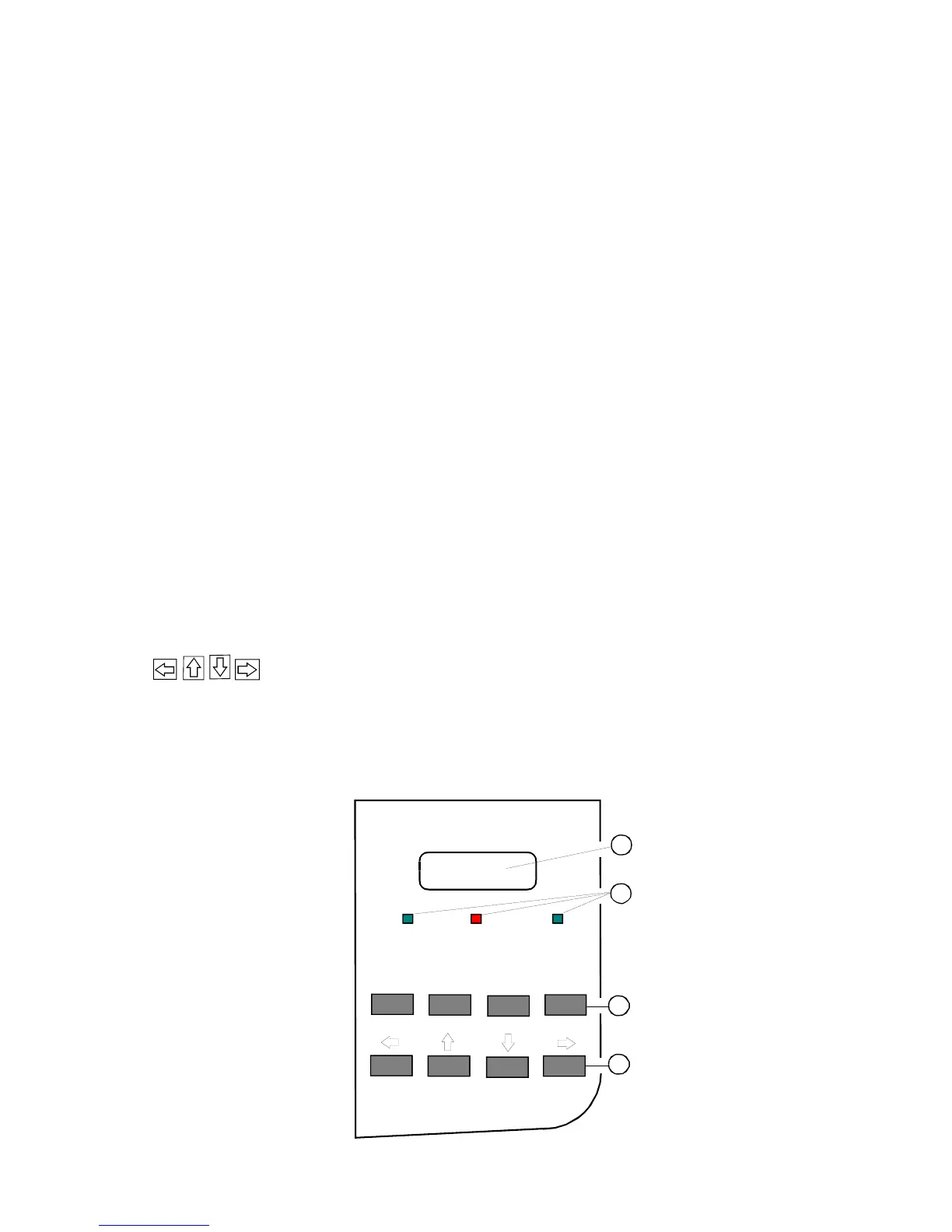
2.2.2 Short Description of Keys in the OFFLINE mode
Key Display
− Function
[ONLINE] ONLINE
− Changing to ONLINE mode
− Starts data transfer
− Leaving the Menu Mode
Note: In the OFFLINE mode, all keys (3) and (4) have a function. These are only
switched off by pressing the button [ONLINE] again.
[FORM FEED] FORM FEED
− Activates form feed
[MENU] OFFLINE (1)
PROFIL AUSWAHL
− Activates the Menu Mode
[CANCEL] OFFLINE (1)
− Cancelling the print job
ARROW Keys
− Navigation through the Menu
− Selection of parameters
− Activation of adjustments
Note: The arrow keys have while the selection of parameters a repeat function.
ONLINE
FORM FEED
MENU CANCEL
READY
ERROR DATA
1
3
2
4



 To Next Page