Installing the Printer and the intelligent Paper Stacker
1-16
1.13 Inserting Fanfold Paper
Note: When us
ing the printer in combination with the stacker iPS F44 the default
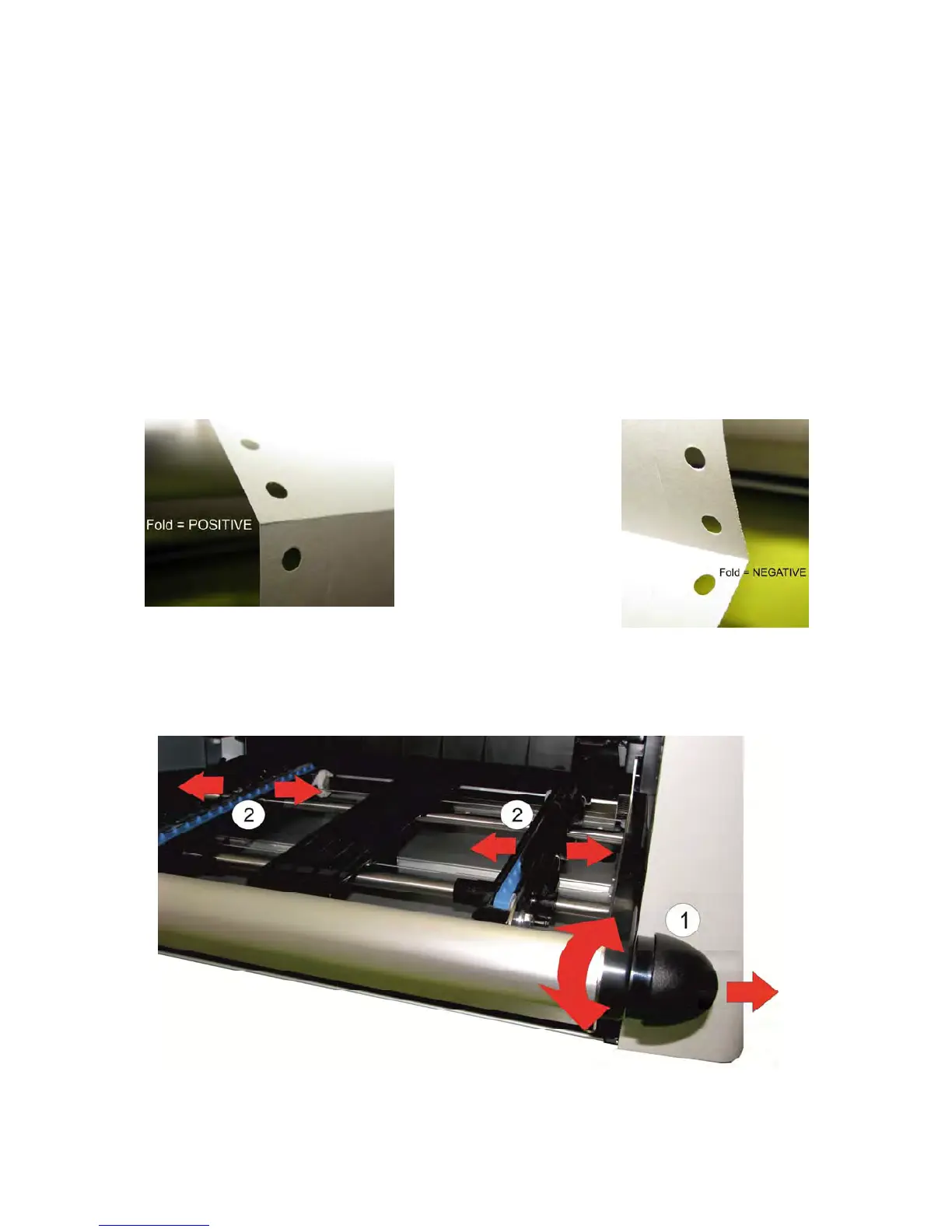
setting for the FOLD = POSITIVE, check whether the folding points
outwards behind the first page (the fold points the operator).
When the folding is negative (so facing away from you), then the first page
has to be separated or setting FOLD = NEGATIVE must be selected (see
chapter 4 Explanation of the Individual Menu Items).
When using the printer without the stacker the orientation of the fold is not
important!
Attention : Failure to observe the folding settings can cause problems with the
paper in the tray of the stac
ker iPS F44!
A positive fold is facing
forward – also to the
operator
A negative fold shows
backwards – so to the
printer
1.13.1 Inserting paper for the first time or changing to another paper width
– Pull out and turn the knob (1) to the right (small paper) or left (wide paper) so
that the tractors (2) adjusted to the approximate width of paper.



 To Next Page