Installing the Printer and the intelligent Paper Stacker
1-6
1.4 Unpacking and installing the Printer
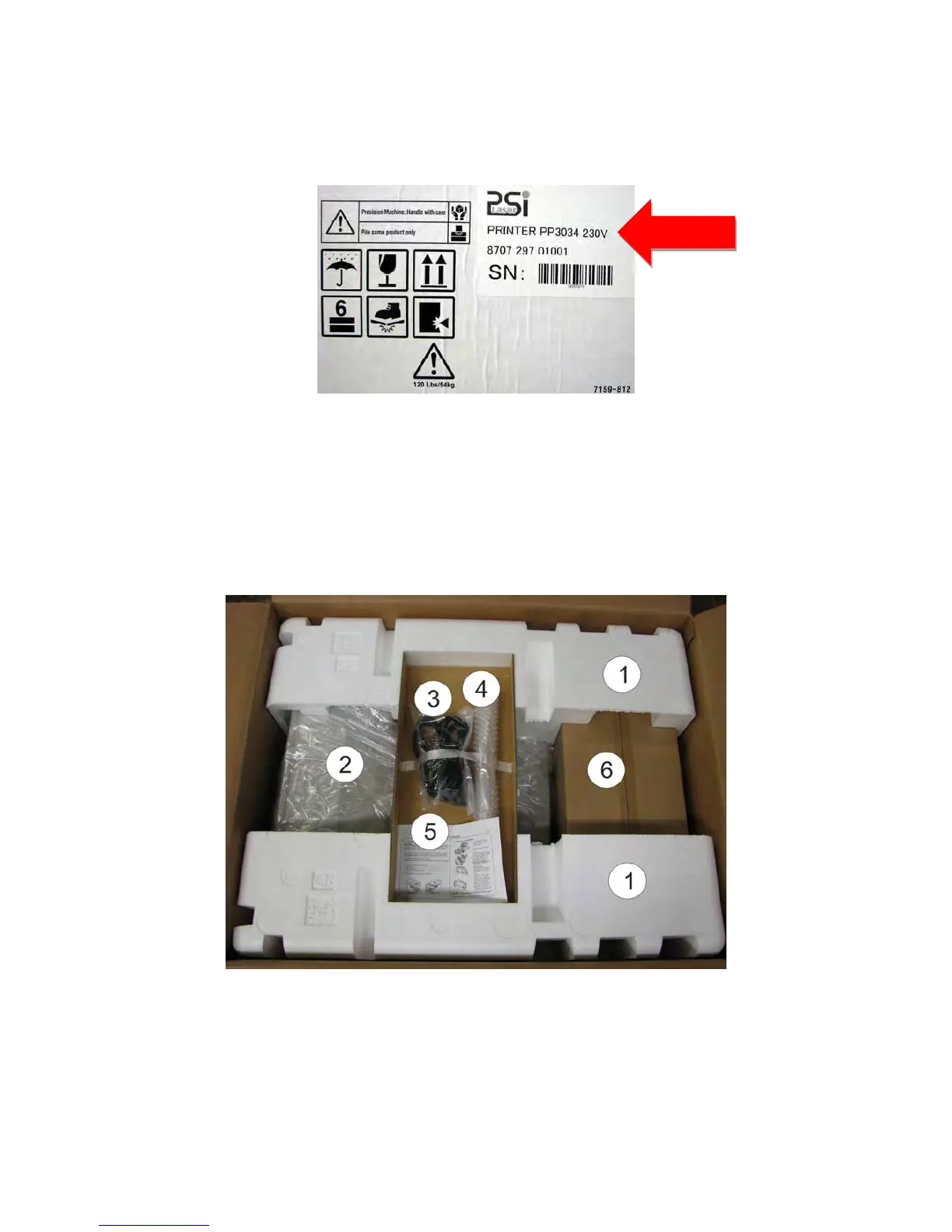
The printer SOLID F44 is delivered in a package with the following
label.
Note: Befor
e unpacking the SOLID F44 should be checked whether the specified
mains voltage corresponds to the local power supply. Otherwise, contact the
supplier.
1.4.1 Delivery check for completeness
Please check the items from the following list to be exhaustive. If parts are missing or
damaged, notify your supplier
The package includes:
–
the SOLID F44 (2)
– a power cord (3)
– a tear off bar (4)
– a short guide and a CD with the documentation (5)
– an Image Cartridge (6)



 To Next Page