Installing the Printer and the intelligent Paper Stacker
1-14
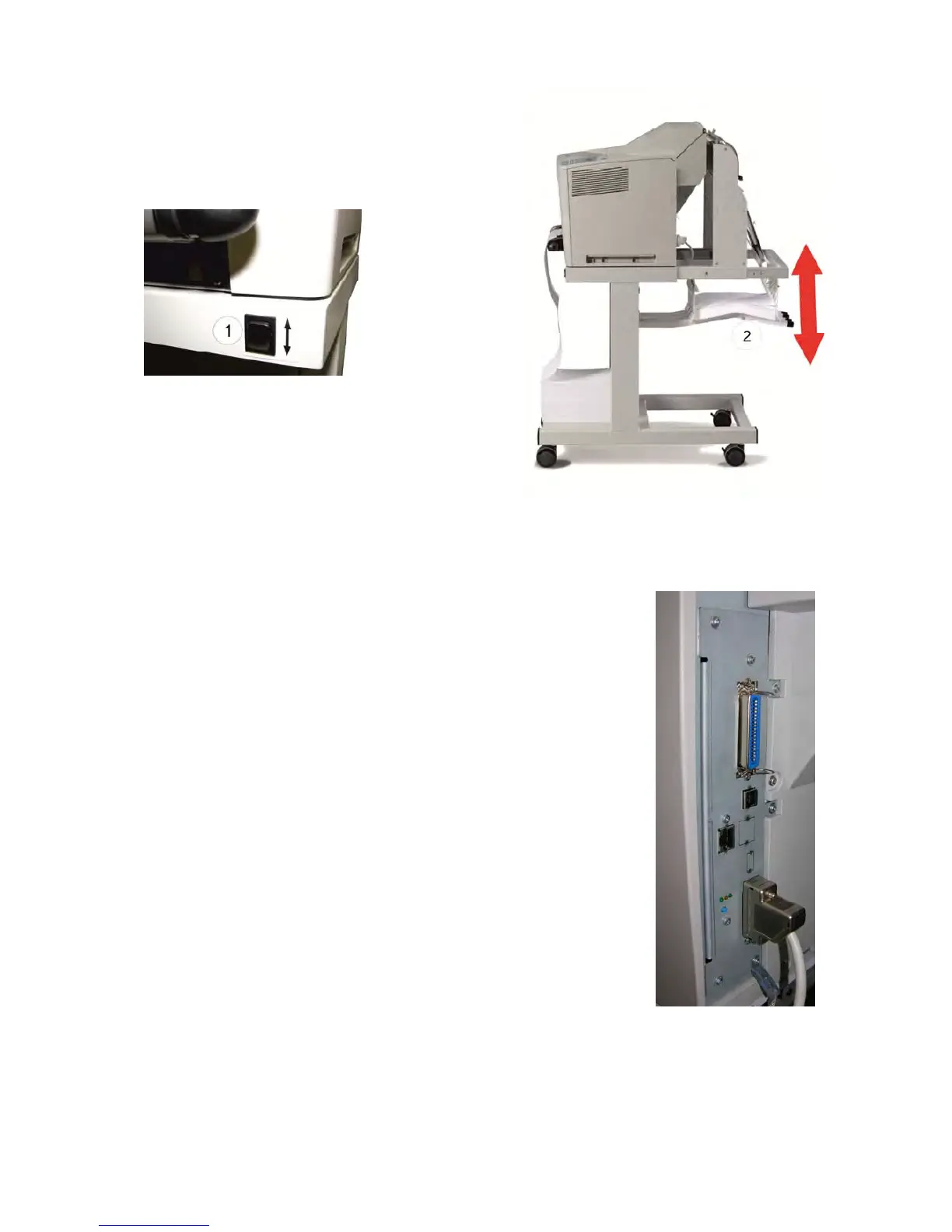
1.10.3 Remove Paper
There is a switch (1) at the front of the table
(below the operator panel) which cause the
paper exit tray (2) to move up or down.
Move the paper exit tray (2) down and remove
the paper. When a next print job is processed
the paper exit tray is lifted automatically into
the operating position.
1.11 Connection to a Computer or to a Network
Note: The printer must be powered off!
1.11.1 SOLID F44 Parallel and Et
hernet Interface
The printer is equipped with an IEEE 1284 and an Ethernet 10
Base T / 100TX interface. These are located at the rear of the
printer.
– Connect the printer according to the settings of the interface
with the Centronics or network cable.
– Check in the CONFIG. MENU the HOST CHANNEL.
– For the parallel connection the setting PARALLEL ONLY
is necessary.
– To activate the 10 Base T interface the setting must be
I/O EXTENSION.
Note: For detail information about the Ethernet interface see
the included Ethernet Reference Manual.



 To Next Page