Installing the Printer and the intelligent Paper Stacker
1-13
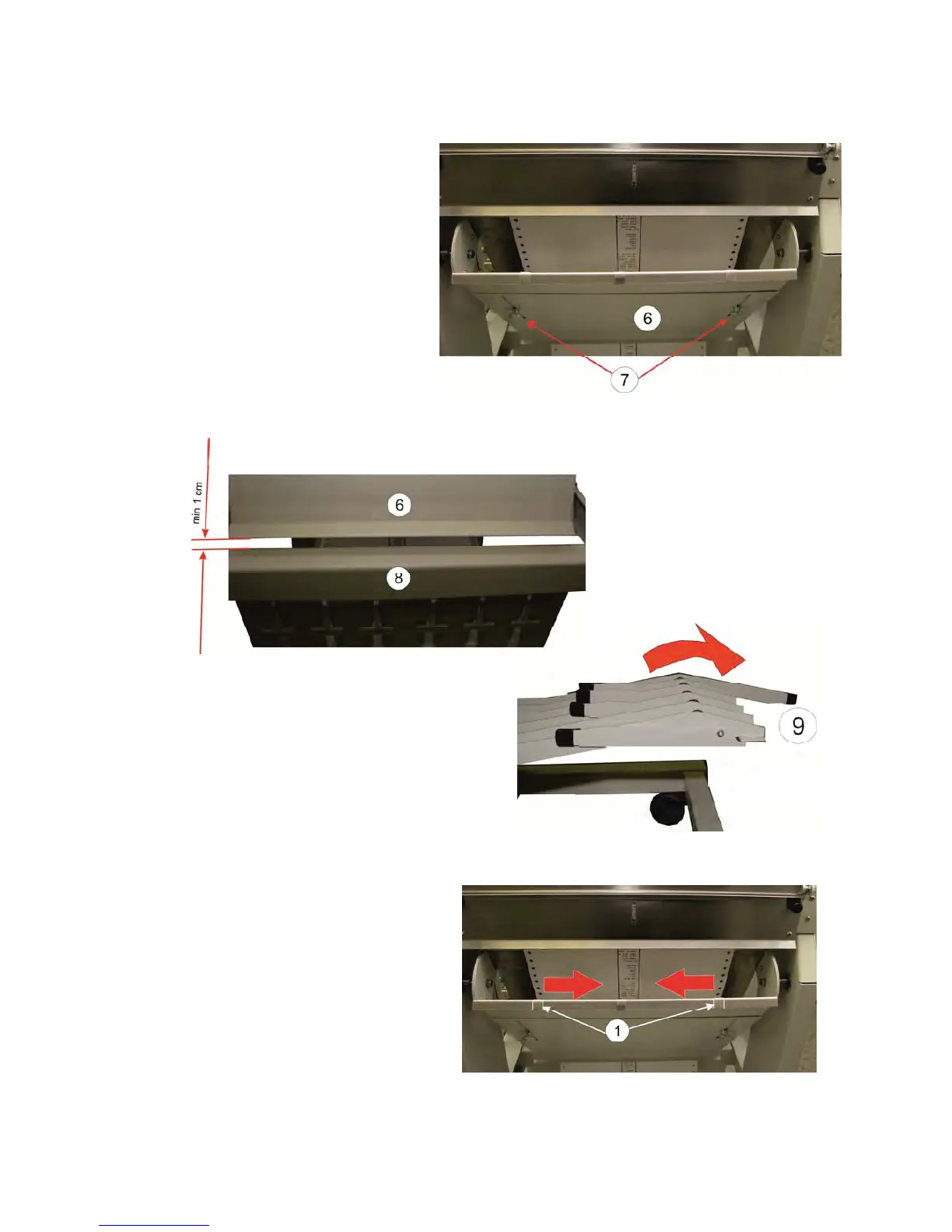
The length of the pendulum (6) must also be adapted to the paper length. This is
done as follows:
– Loosen the thumbscrews (7).
– Move the pendulum length (6),
depending on the paper length
up or down (the perforation of the
continuous paper must be visible
below the pendulum).
– Tighten the thumbscrews (7).
Note: The distance between the pendulum covering (6) and the frame (8) must
not be less than 1 cm.
1.10.2 Open the Extensions of the Paper
Tray
The filling extension (9) must be fold to the
outside.
Note: It is possible that the
static charge by using
narrow continuous forms
not can be dissipated. In
this case must the
position of the metal
strips (1) be moved. See
Chapter 5.2.4 Paper
Jam in the iPS.



 To Next Page