4-5
REVERSE
PCL COMPATIBLE
FIXED
AUTOMATIC
Page 2
Page 3
Page 4
Page 1
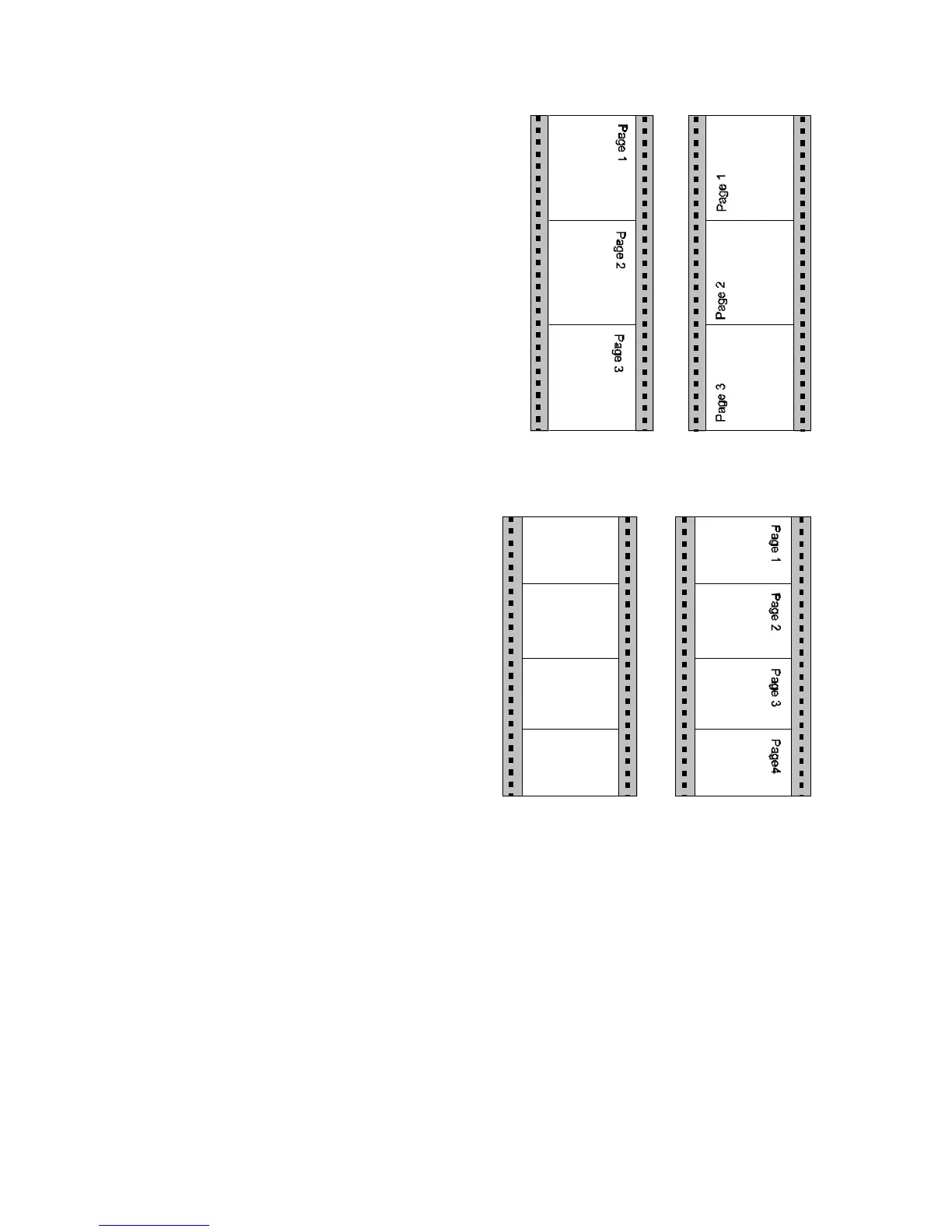
LANDSCAPE MODE
The orientation of the print image is
influenced by this parameter. Setting
Landscape Mode to REVERSE (default)
rotates the image of LANDSCAPE to
REVERSE LANDSCAPE and REVERSE
LANDSCAPE to LANDSCAPE.
This makes continuous pages with
landscape orientation readable like a book.
Selection of PCL COMPATIBLE is
according to the landscape definition of PCL
i.e. rotation by 180E counter clockwise.
Print sample for LANDSCAPE MODE if
ORIENTATION = LANDSCAPE and
ORIENT. MODE = FIXED selected:
ORIENT. MODE (Orientation Mode)
The Orientation Mode defines the print
image rotation for CUSTOM paper
format. Setting the Orientation Mode to
FIXED (default) ensures that the print
orientation of a form with paper length
shorter than the image width is not
rotated.
Setting the Orientation Mode to
AUTOMATIC rotates the print image if
the form length is shorter than the image
width. This selection is required for
applications which make use of the PCL
compatible automatic rotation.
Print sample for ORIENTATION MODE if
ORIENTATION = PORTRAIT and LANDSCAPE MODE = RESERVE selected:



 To Next Page