Installing the Printer and the intelligent Paper Stacker
1-17
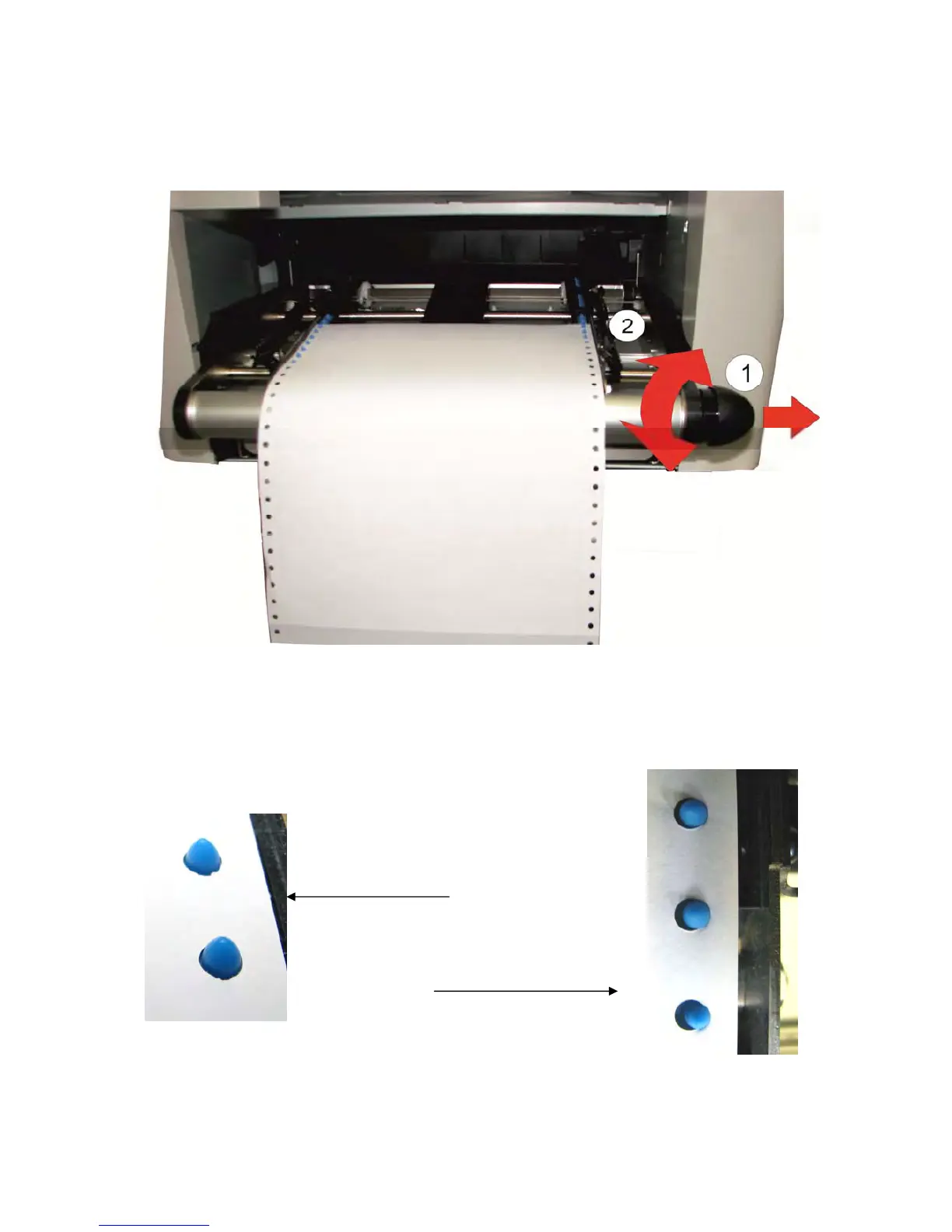
– Open the first tractor covers (2), insert the Paper up to the second tractor and
close one of the first tractor covers.
– Pull out the knob (1) again in the direction of the arrow and turn the knob (1) for
the fine adjustment. The pins of the tractor must be centred in the transport
punches of the paper.
– Close the other tractor (2).
Correct position of the tractor pins in the
transport punches
Wrong position of the tractor pins.
The paper is too tight!



 To Next Page