Appendix A Programming Guide
A-6
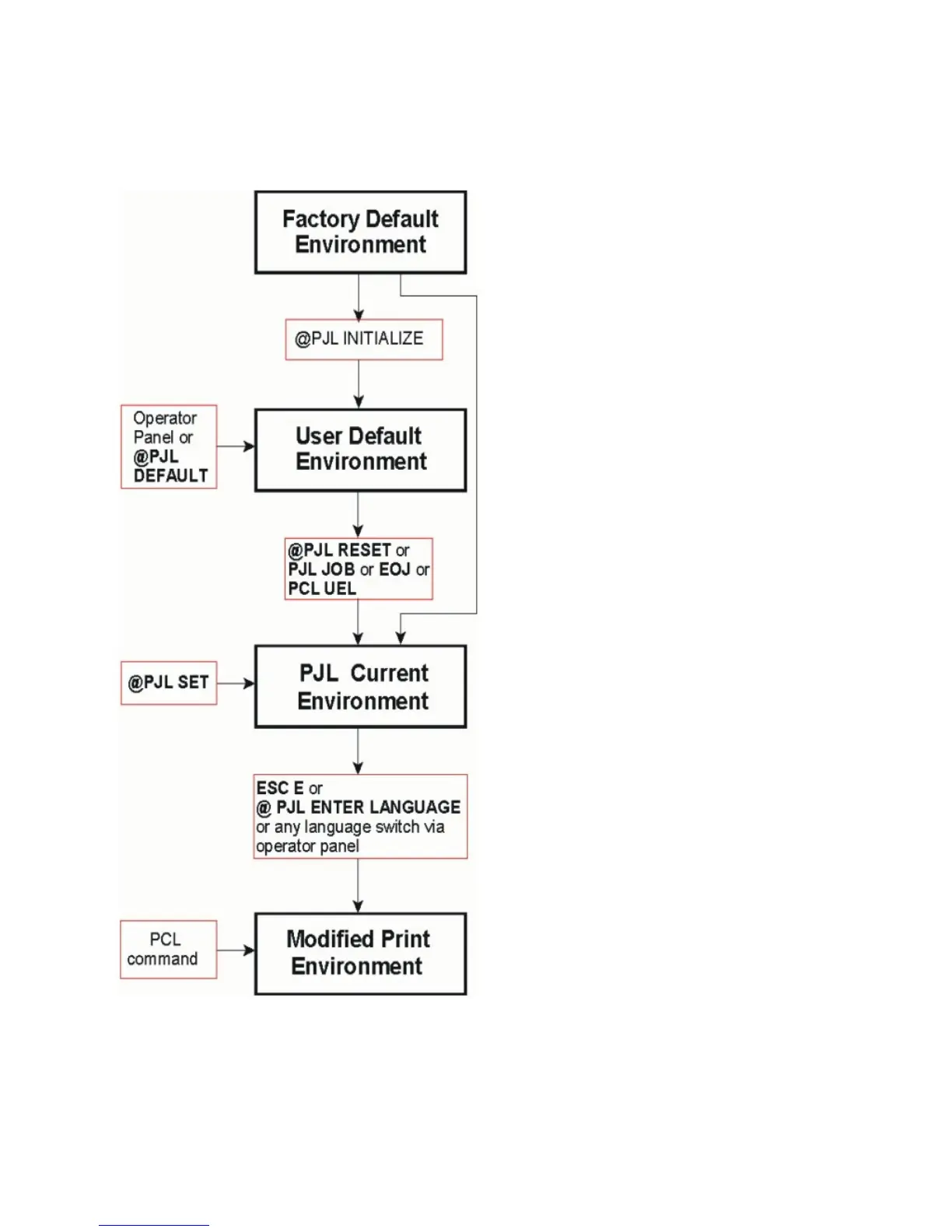
A-2.1.2 PJL Environments
The factory default is stored in the
flash memory of the printer and
cannot
be changed by the user
After power on or after RECALL
FACTORY or after @PJL INITIALIZE
the printer default settings are copied
from the Factory Defaults Environment
into the User Default Environment.
The User Default Environment settings
are modified using the operator panel
keys and/or the @PJL DEFAULT
command.
When a PJL reset occurs, the User
Default Environment settings are
loaded into the PCL Current
Environment.
The PCL commands as part of the
application data streams changes the
PJL Current Environment settings using
the @PJL SET command settings.
A language reset (ESC E or @PJL
ENTER LANGUAGE) loads the PJL
Current Environment settings into the
Modified Print Environment.



 To Next Page