7 Functions and settings
Maschinenfabrik Reinhausen 2014102 3550953/00 ENTAPCON® 230 pro
Setting the follower tapping direction
With this parameter, you can set how the follower behaves in the event of a
raise or lower tap change.
As in "Tap synchronization (master/follower)" parallel operation the tap posi-
tions of the transformers which are running in parallel are compared, it is ab-
solutely essential that these transformers have the same position designa-
tion. Ensure that all higher tap change operations or lower tap change oper-
ations produce the same voltage change in all transformers.
You can select the following options:
Option Description
Standard
dV>0 = tapping direction toward
position 1
Follower sends a raise tap change
command to increase the voltage.
Follower sends a raise tap change
command to increase the voltage.
Follower sends a lower tap change
command to reduce the voltage. Fol-
lower sends a lower tap change
command to reduce the voltage.
Swapped
dV>0 = tapping direction toward
position n
Follower sends a raise tap change
command to increase the voltage.
Follower sends a lower tap change
command to reduce the voltage.
Follower sends a lower tap change
command to reduce the voltage. Fol-
lower sends a raise tap change com-
mand to reduce the voltage.
Table 20: Device behavior
Please note whether the voltage regulator is defined as master or follower
when setting the tapping direction. The tapping direction can only be swap-
ped for a follower.
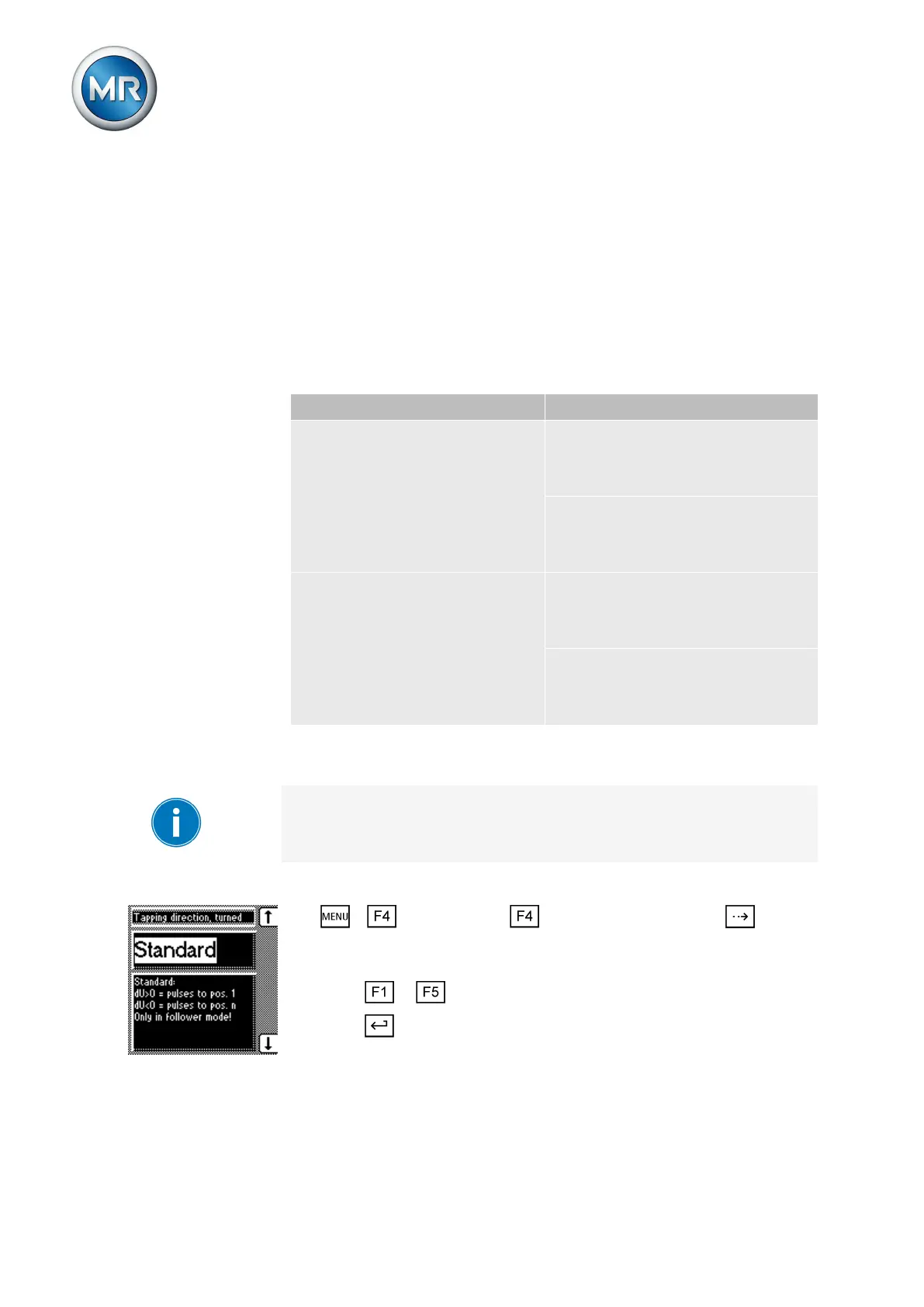
To select the tapping direction, proceed as follows:
1. > Configuration > Parallel operation > Press until the
desired parameter is displayed.
ð Follower tapping direction.
2. Press or to select the required tapping direction.
3. Press .
ð The tapping direction is selected.
7.8.2.2.1


 To Next Page