5 Commissioning
Maschinenfabrik Reinhausen 2014 392374092/04 EN TAPCON® 260
Commissioning
You need to set several parameters and perform function tests before com-
missioning the device. These are described in the following sections.
NOTICE
Damage to device and system periphery
An incorrectly connected device can lead to damages in the device and sys-
tem periphery.
► Check the entire configuration before commissioning.
► Prior to commissioning, be sure to check the actual voltage and operat-
ing voltage.
We recommend using a device for industrial instrumentation to record the
actual transformer voltage value in order to evaluate how the device is func-
tioning.
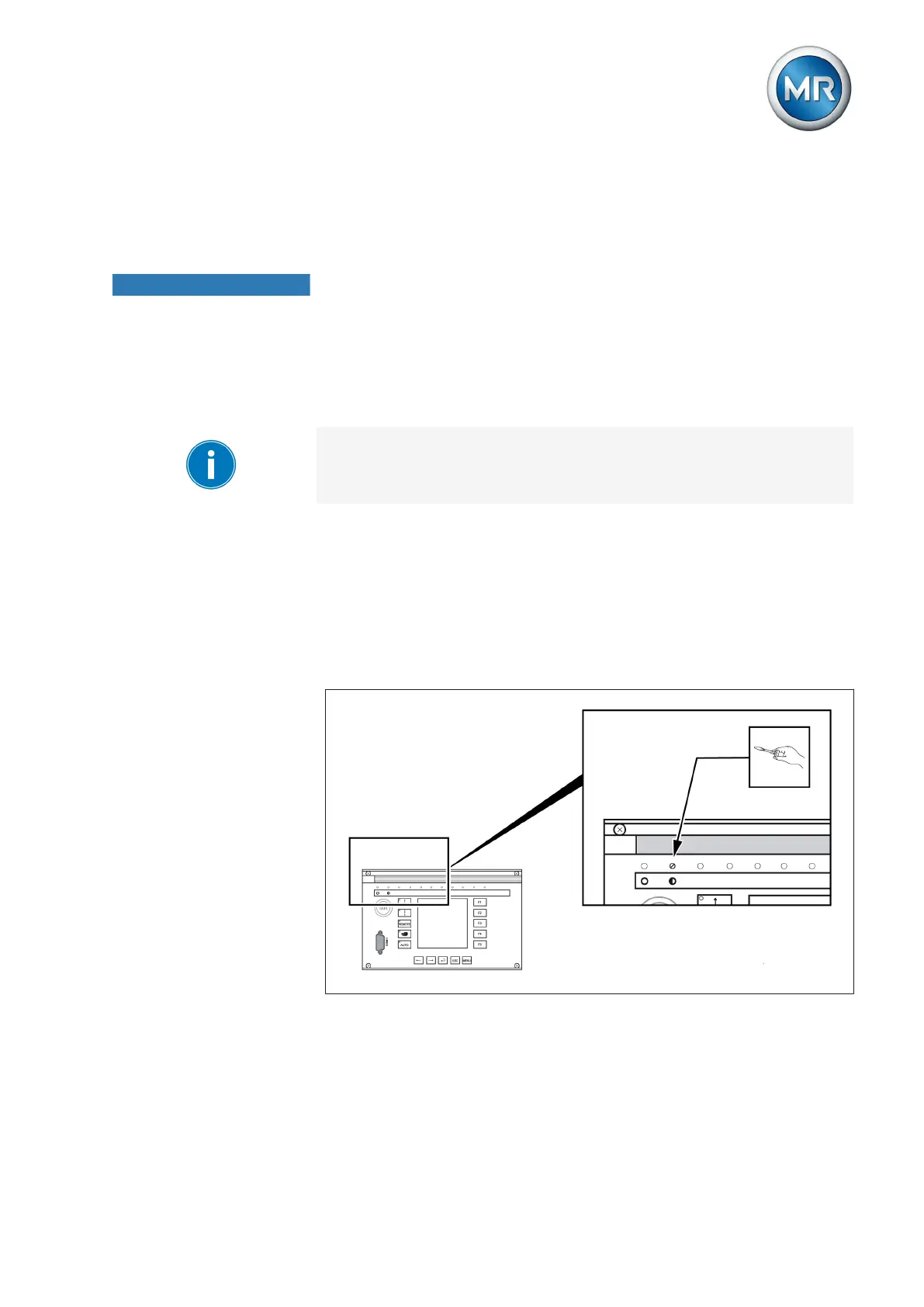
Setting the display contrast
You can adjust the contrast in the display with the help of an adjustment
screw on the front of the device. To adjust the contrast, proceed as follows:
► Use a screwdriver to turn the adjustment screw on the front until the
contrast is adjusted to the desired setting.
Figure 28: Setting the display contrast
Setting parameters
To commission the device, you must set the following parameters. For more
detailed information about the parameters, refer to the respective sections.
5
5.1
5.2



 To Next Page