6 Functions and settings
Maschinenfabrik Reinhausen 201454 2374092/04 ENTAPCON® 260
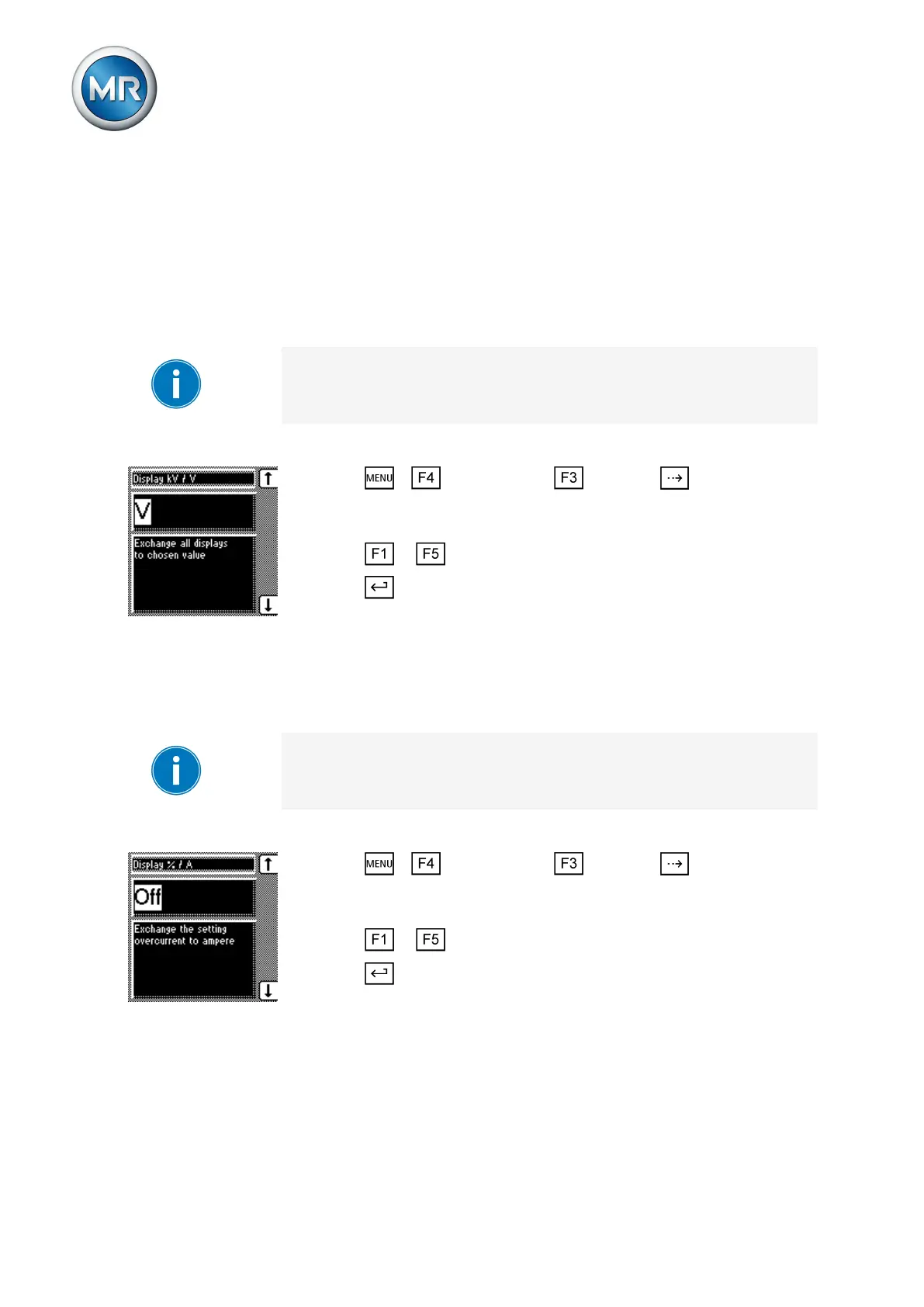
Setting the voltage display kV/V
This parameter sets how the measured voltage is displayed and used. You
can select the following options:
▪ V: The secondary voltage of the system's voltage transformer is dis-
played in V and is the reference value for the control parameters.
▪ kV: The primary voltage of the system's voltage transformer is displayed
in kV and is the reference value for the control parameters.
The voltage transformer's primary voltage is calculated by the device. For
correct functions, you must set the transformer data [► 84].
To change the desired unit for the voltage display, proceed as follows:
1. Press > Configuration > General > until the desired
parameter is displayed.
ð Display kV/V.
2. Press or to select kV or V units.
3. Press .
ð The required unit is set for the voltage display.
Setting current display unit
In this display, you can set the unit for the limit values displayed for overcur-
rent and undercurrent as a percentage ("%") or absolute value ("A").
It is only possible to change from % to A if all the transformer data have pre-
viously been entered.
To set the desired unit for the current display, proceed as follows:
1. Press > Configuration > General > until the desired
parameter is displayed.
ð Display %/A
2. Press or to select % or A units.
3. Press .
ð The required unit is set for the current display.
Setting the switching pulse time
You can use this parameter to set the duration of the switching pulse for the
motor-drive unit.
6.3.3
6.3.4
6.3.5



 To Next Page