6 Functions and settings
Maschinenfabrik Reinhausen 201498 2374092/04 ENTAPCON® 260
You can undertake the settings for each input on the analog input card.
For example: To capture a tap position range of 1...19 via input 1 as
4...20 mA, you must set 100 % for the "Input 1 upper limit" parameter and
19.0 for the "Input 1 upper value" parameter.
Setting upper limit value of input signal
To configure the analog input, you must state the upper limit value for the in-
put signal. Use the following settings depending on your analog signal:
Analog signal Setting
Injected current: 0/4...20 mA 100 % (= 20 mA)
Resistor contact series always 100 %
Table 26: Parameter settings
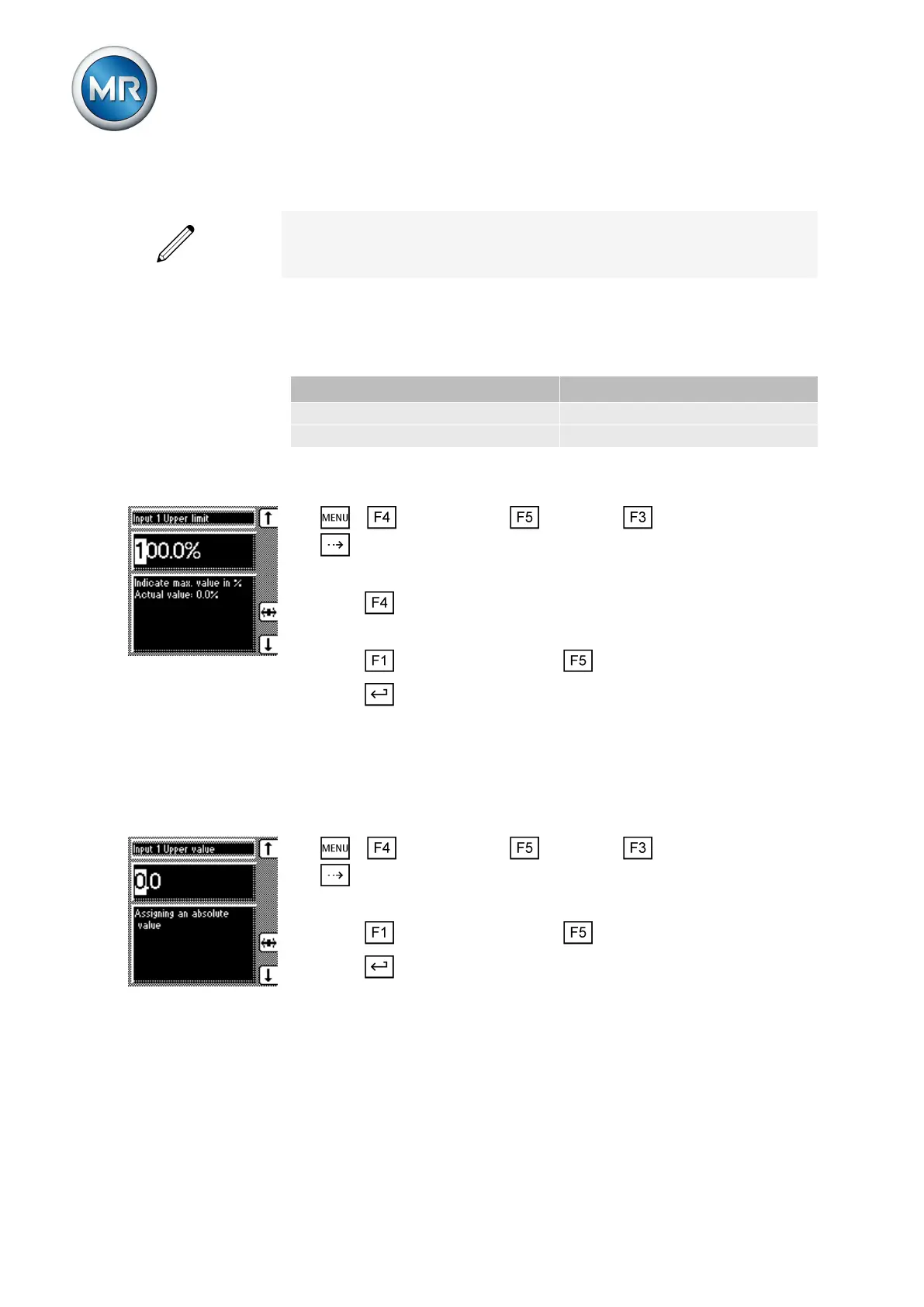
To set the upper limit value for the input, proceed as follows:
1. > Configuration > Continue > Analog inputs > Press
until the desired parameter is displayed.
ð Input 1 upper limit.
2. Press to highlight the position.
ð The desired position is highlighted and the value can be changed.
3. Press to increase the value or to reduce it.
4. Press .
Setting upper value of input signal
To configure the analog input, an absolute value must be assigned to the up-
per value of the applied signal.
To set the upper value for the input, proceed as follows:
1. > Configuration > Continue > Analog inputs > Press
until the desired parameter is displayed.
ð Input 1 upper value.
2. Press to increase the value or to reduce it.
3. Press .
LED selection
You can use this parameter to assign functions to the 4 free LEDs which
light up when an event occurs. You can use labeling strips to label them.
6.12



 To Next Page