6 Functions and settings
Maschinenfabrik Reinhausen 2014 832374092/04 EN TAPCON® 260
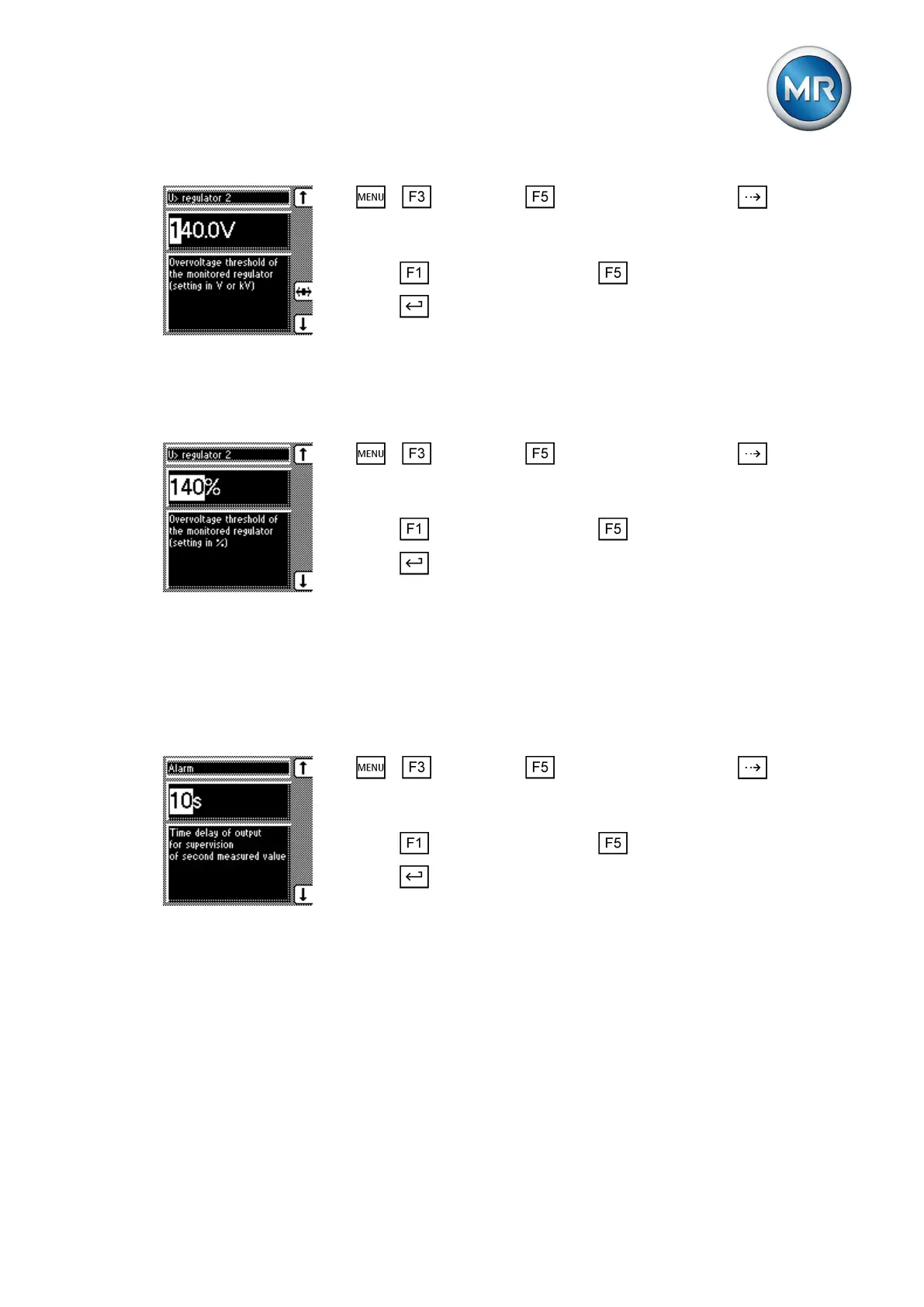
1. > Parameter > Cross-monitoring > Press until the de-
sired parameter is displayed.
ð V> regulator 2
2. Press to increase the value or to reduce it.
3. Press .
ð The overvoltage limit value is set as an absolute value.
Setting relative value
To set the overvoltage limit value of the voltage regulator to be monitored,
proceed as follows:
1. > Parameter > Cross-monitoring > Press until the de-
sired parameter is displayed.
ð V< regulator 2.
2. Press to increase the value or to reduce it.
3. Press .
ð The overvoltage limit value is set as a relative value.
Setting delay time for error message
You can use this parameter to set the delay time for the cross-monitoring er-
ror message. If an error is recorded by a monitoring device, the error mes-
sage is only displayed after the delay time .
To set the error message delay time, proceed as follows:
1. > Parameter > Cross-monitoring > Press until the de-
sired parameter is displayed.
ð Error message.
2. Press to increase the value or to reduce it.
3. Press .
ð The delay time is set.
Setting transformer for regulator 2
You use these parameters to set the transformer data of the device to be
monitored.
Setting the primary transformer voltage
The primary transformer voltage is set in kV.
To set the primary transformer voltage of voltage regulator 2, proceed as fol-
lows:
6.8.4
6.8.5



 To Next Page