6 Functions and settings
Maschinenfabrik Reinhausen 2014 792374092/04 EN TAPCON® 260
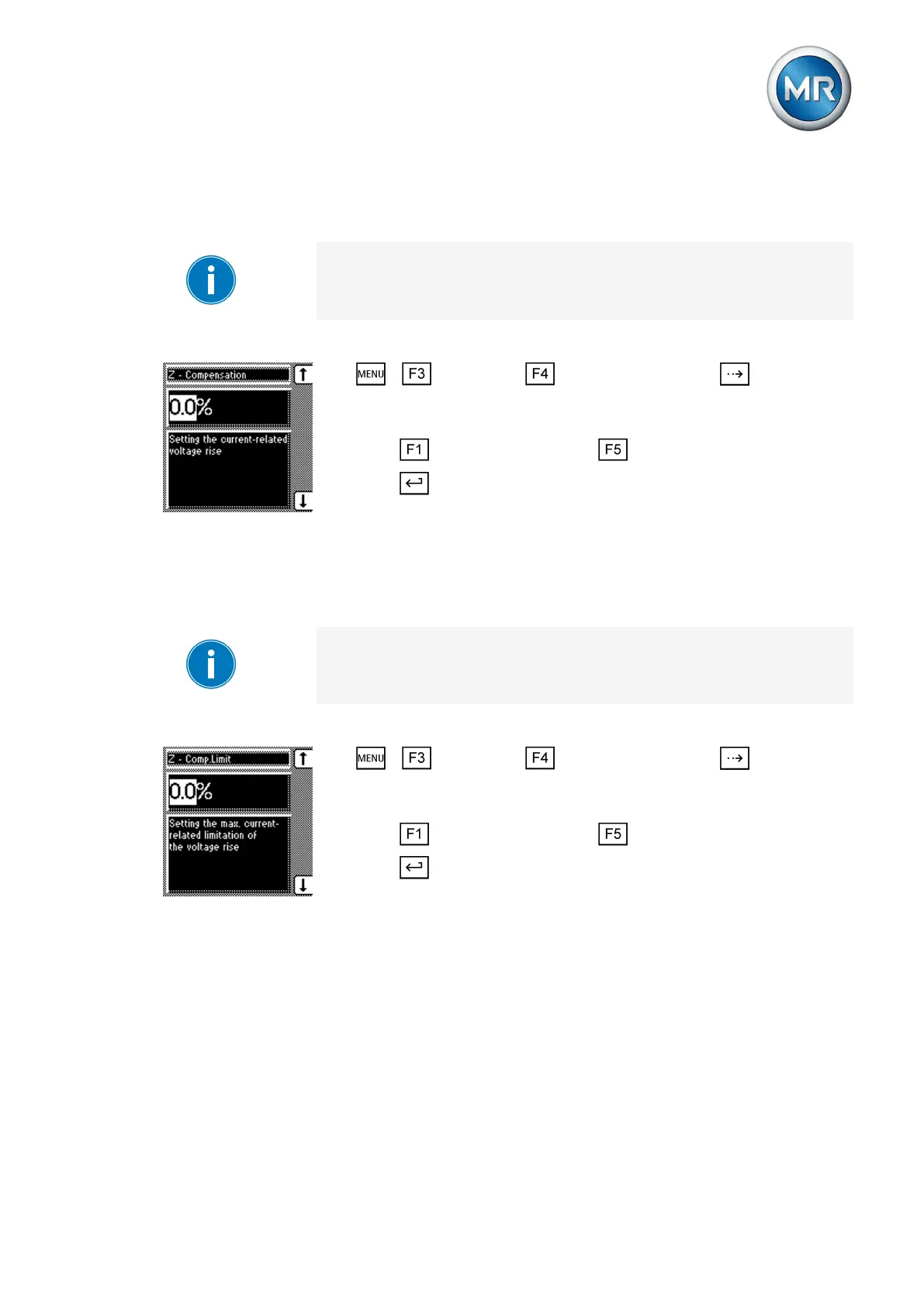
Setting Z compensation
This parameter sets the voltage increase ∆V previously calculated.
If you do not want to use Z compensation, you have to set the value 0.0 %.
To set the Z compensation, proceed as follows:
1. > Parameter > Compensation > Press until the de-
sired parameter is displayed.
ð Z compensation.
2. Press to increase the value or to reduce it.
3. Press .
ð The Z compensation is set.
Setting the Z compensation limit value
You can use this parameter to define the maximum permissible voltage in-
crease to avoid excess voltage on the transformer.
If you do not want to use a limit value, you have to set the value 0.0 %.
To set the limit value, proceed as follows:
1. > Parameter > Compensation > Press until the de-
sired parameter is displayed.
ð Z comp. limit value.
2. Press to increase the value or to reduce it.
3. Press .
ð The limit value is set.
Cross-monitoring
You can use cross-monitoring to set reciprocal monitoring of 2 devices for
compliance with the set voltage limit values. At least 2 devices with different
CAN bus addresses are needed for cross-monitoring.
6.7.2.1
6.7.2.2
6.8



 To Next Page