6 Functions and settings
Maschinenfabrik Reinhausen 2014100 2374092/04 ENTAPCON® 260
Measuring transducer function
Depending on the configuration and version of the measuring transducer
module 2 or 4, the transducer module can be used to obtain measured val-
ues as analog values in the following ranges:
▪ ± 20 mA
▪ ± 10 mA
▪ ± 10 V (only AN2 card)
▪ ± 1 mA
The following values are available:
▪ V1
▪ V2 (optional via a second measurement input)
▪ I1
▪ Active current
▪ Reactive current
▪ Active power
▪ Reactive power
▪ Apparent power
▪ Tap position
▪ Desired value
If the analog outputs have not been set as you want them in the factory, the
section below describes how you can adjust the measuring transducer.
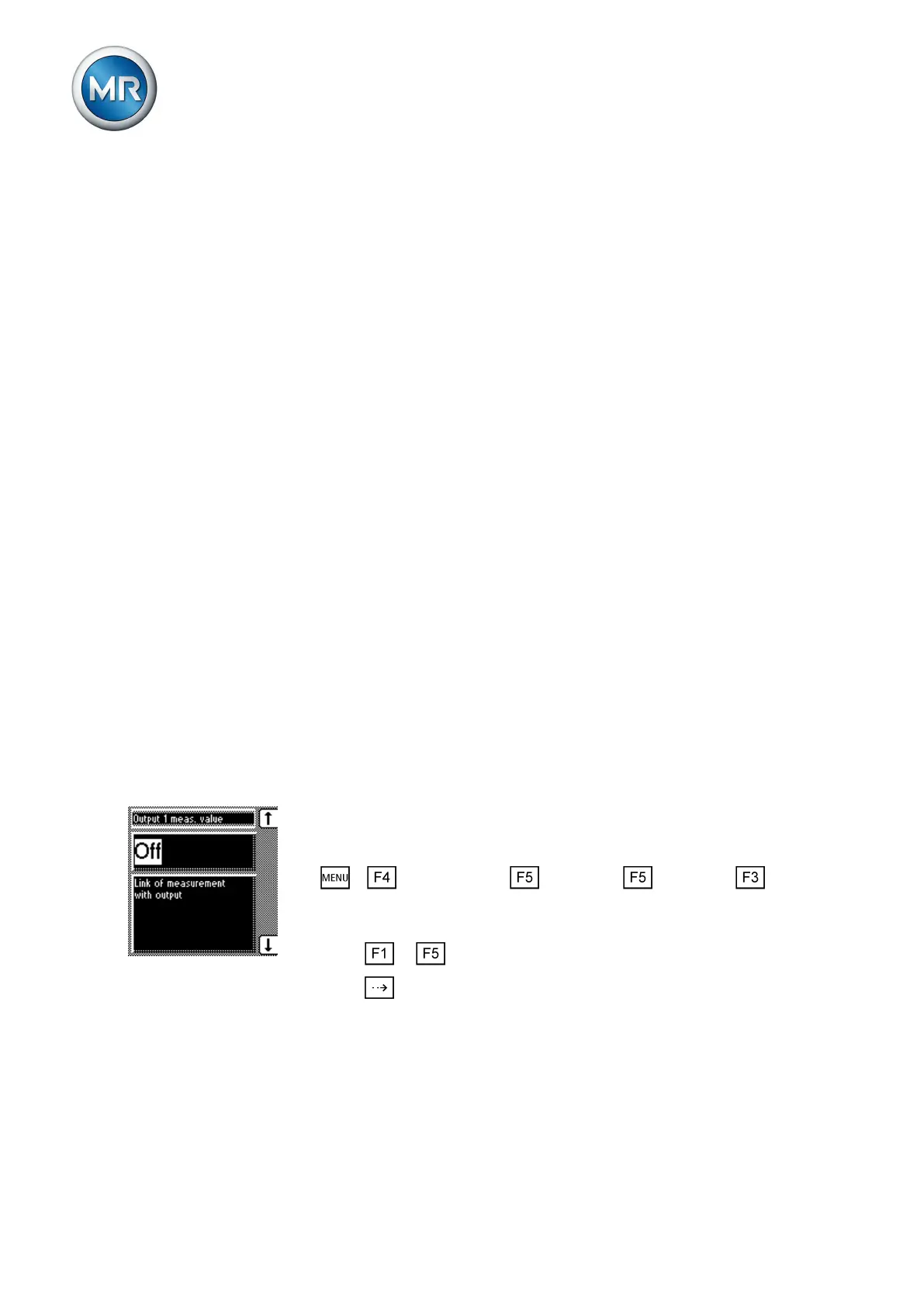
Linking measured value with output
In this display you can assign a measured value to be transferred to the
measuring transducer output.
In order to assign a measured value to the measuring transducer output,
proceed as follows (example using measuring transducer 1/2; "output 1
measured value"):
1. > Configuration > Continue > Continue > Meas-
uring transducer 1/2.
ð Output 1 measured value.
2. Press or until the desired option is displayed.
3. Press .
ð The desired measured value is assigned.
Assigning minimum physical parameter
In this display you can assign a minimum physical parameter to the measur-
ing transducer output.
6.13
6.13.1
6.13.2



 To Next Page