Panel setup menu VJ-1628X OPERATION MANUAL
206 5.1 Setup menu
Details of print mode
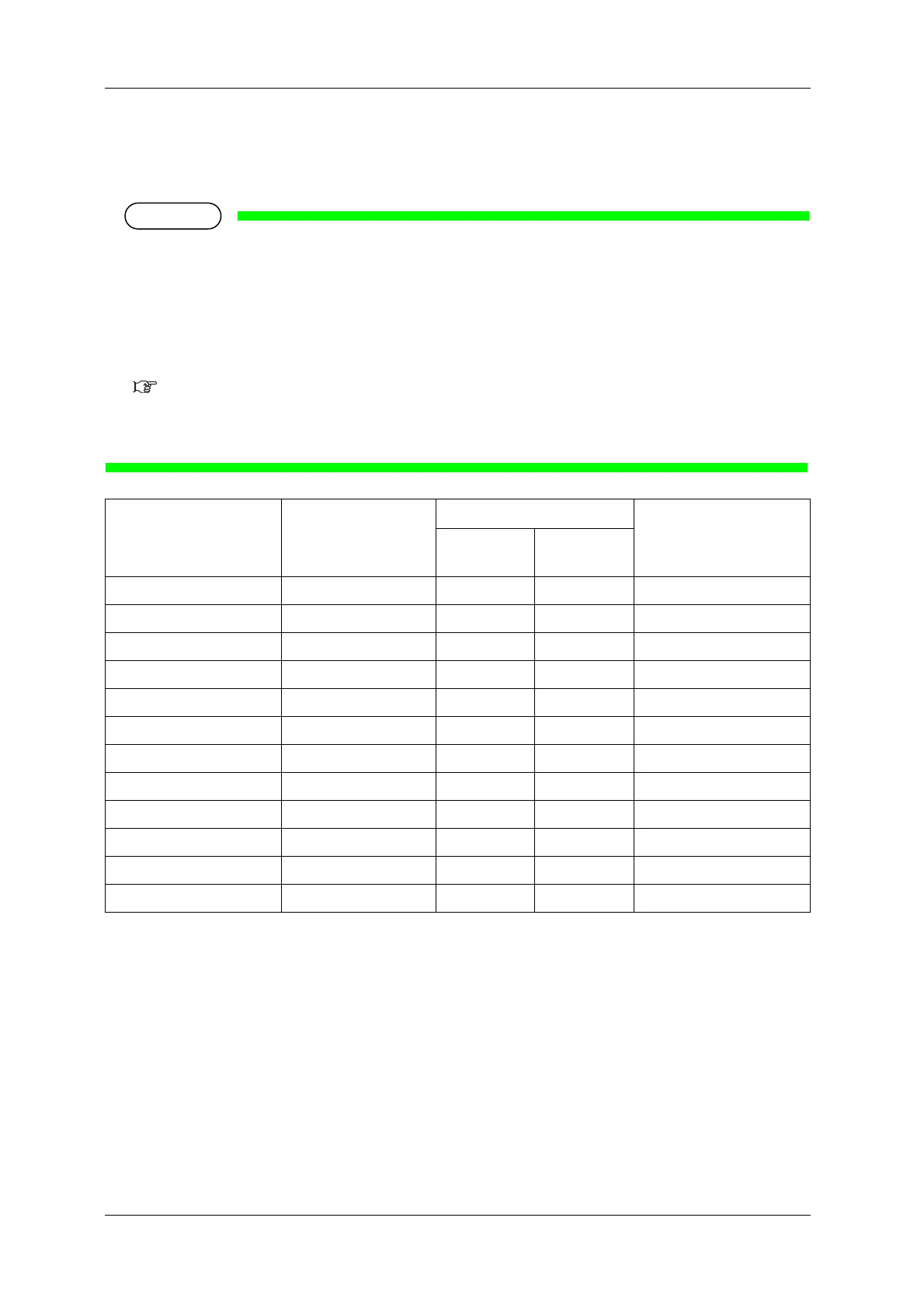
The set values of print quality that are registered in each print mode are as follows.
• In the chart below, the print speed becomes faster as the condition is closer to the following cases.
• Having fewer number of passes
• Having lower resolution
• Printing direction is bidirectional
In actual printing, the selected effect affects the printing speed.
Effect menu
• The number of passes becomes twice compared to when the color mode is set to “4Color” or
“7Color” if the color mode is set to “W 7Color” or “W 8Color”.
Print Mode Resolution Pass Direction
4Color
7Color
W 7Color
W 8Color
Quality 1 1440x 1440dpi 16 times 32 times Uni (Uni-Direction)
Quality 2 1440x 1440dpi 16 times 32 times Bi (Bi-Direction)
Quality 3 720 x 1440dpi 8 times 16 times Uni (Uni-Direction)
Quality 4 720 x 1440dpi 8 times 16 times Bi (Bi-Direction)
Graphics 1 720 x 720dpi 8 times 16 times Uni (Uni-Direction)
Graphics 2 720 x 720dpi 8 times 16 times Bi (Bi-Direction)
Graphics 3 720 x 720dpi 8 times 16 times Uni (Uni-Direction)
Graphics 4 720 x 720dpi 8 times 16 times Bi (Bi-Direction)
Banner 1 720 x 720dpi 4 times 8 times Uni (Uni-Direction)
Banner 2 720 x 720dpi 4 times 8 times Bi (Bi-Direction)
Banner 3 360 x 720dpi 2 times 4 times Uni (Uni-Direction)
Banner 4 360 x 720dpi 2 times 4 times Bi (Bi-Direction)




 To Next Page