Maintenance VJ-1324X OPERATION MANUAL
206 6.1 Replacing consumable components
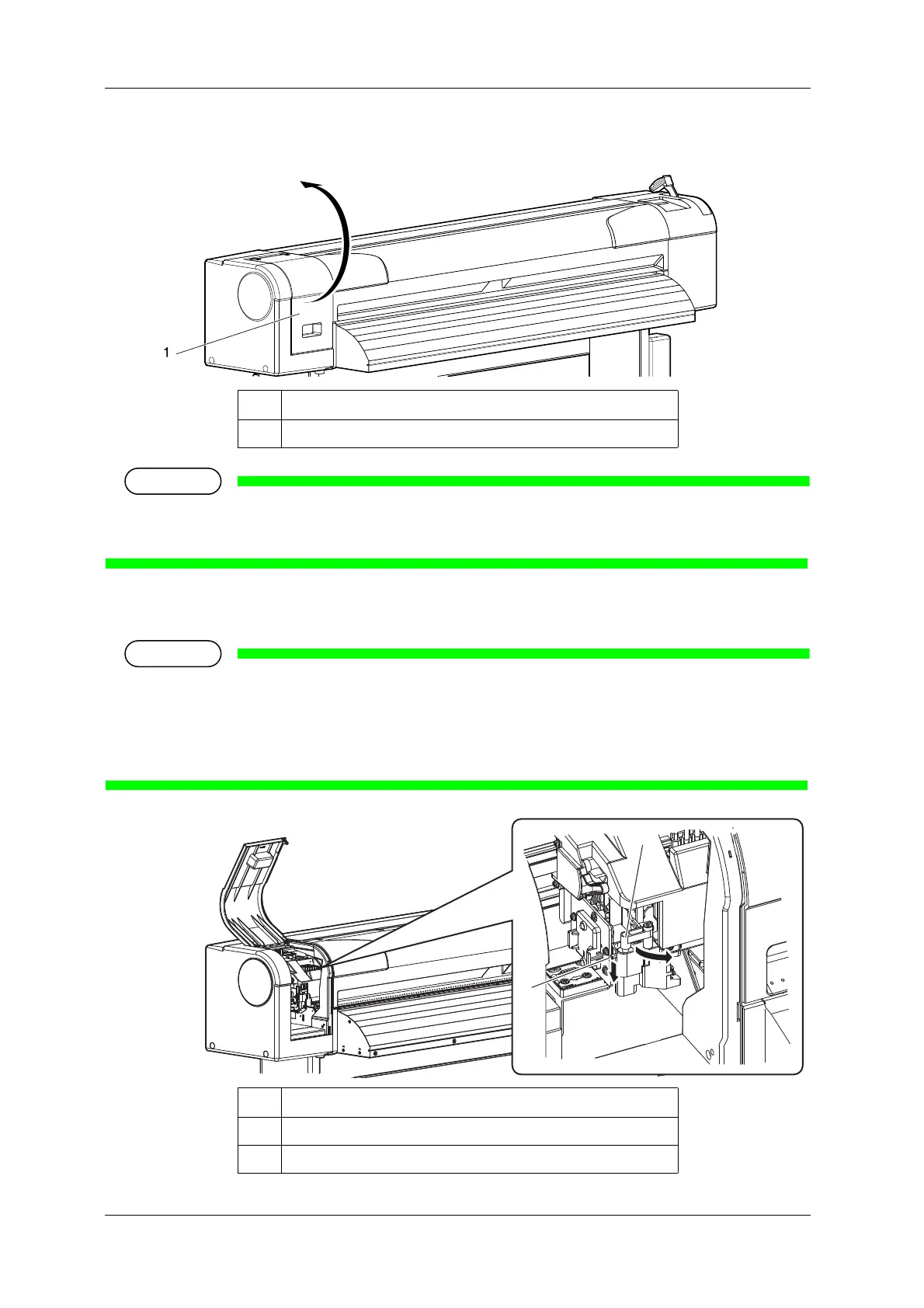
4. Open Maintenance cover.
• Replace the cutter in a short time.
Leaving the print head at the cutter replacement position may result in clogging of the print head.
5. Press the tab of the cutter lightly, turn the cutter holder in the direction as illustrated below.
• Do not press the tab of the cutter strongly or suddenly let go of it.
There is a spring in the cutter holder and it may fly out.
• Do not push the cutter all the way in.
The cutter blade may damage the inside of the printer.
No. Name
1 Maintenance cover
No. Name
1 Cutter holder
2 Cutter holder lever















 To Next Page